The Canva Pro price in India is listed at ₹499–₹500 a month or ₹3,999–₹4,000 a year in Canva’s India App Store listing. These are in-app purchase entries, not a confirmed web checkout quote. For a new team subscription, compare Canva Business; Canva Teams is no longer open to new sign-ups. See the India App Store prices and Canva’s Teams guidance.
The cheapest useful option may still be Free or Pro Lite. Start with the job you need to finish: occasional graphics, repeated branded content, heavier AI-assisted work, or a shared team workflow. Then compare the actual payment period and number of paid seats—not just a “per month” headline.
Canva’s price figures, and the catches before you pay
- Pro: ₹499–₹500 a month or ₹3,999–₹4,000 a year in Canva’s India App Store listing. These are app entries, not a confirmed web checkout price.
- Business: the App Store lists ₹650 and ₹679 a month and ₹6,800 a year, charged per person. So ₹6,800 a seat would be ₹20,400 for three people. Teams is closed to new sign-ups.
- Pro Lite: no retail price was verified. The ₹1,590 figure is Jio’s stated value for its 12-month offer. Lite has the same AI allowance as Free.
- Monthly or yearly: at ₹500 a month against ₹4,000 a year, paying yearly only wins after more than eight months. Need it for three months? ₹1,500 monthly against ₹4,000.
- Don’t add 18% GST blindly: Canva’s terms say fees include taxes unless the invoice says otherwise. Go by your checkout and invoice.
- UPI Autopay works for Pro and Pro Lite, not Business.
- Trials: a normal trial turns into a charge unless you cancel in time, and during the trial you get Free’s AI allowance, not the paid one.
- Cheap “lifetime Pro” invites: the team owner controls access and your content. Education Pro is for non-commercial use only, so it won’t cover client work.
Price scope: Canva’s direct India pricing page could not be read in this research environment. This guide therefore labels App Store prices, Jio’s published offer values and calculations separately. We have not independently verified your web or Android checkout. Confirm the exact plan, tax-inclusive total, billing term and eligibility before paying. No reseller prices or currency-converted estimates are presented as official Indian rates.
Download the Canva subscription cost planner (.xlsx)
The workbook compares matched monthly and annual quotes, paid seats, add-ons and the number of months you need. Your Quote starts with blank subscription prices; the worked example is separate, so an unverified price cannot quietly become your budget.
In this guide
Canva Pro price in India: what the published figures mean
A useful price comparison needs a source and a billing route. An Apple subscription entry, a direct Canva quote and a telecom bundle are different purchasing arrangements. Do not mix the lowest monthly number from one route with an annual offer from another and call the difference a guaranteed discount.
Canva Free
₹0 subscription. Start here for occasional designs that can be completed with the free tools and content.
Individual premium assets, print orders and other paid services are not made free by the Free plan. Free versus Pro.
Canva Pro — India App Store references
Monthly entries: ₹499 and ₹500.
Yearly entries: ₹3,999 and ₹4,000.
Several purchase entries coexist; their presence does not mean every account can choose every rate. Inspect the payment confirmation offered to you. Published in-app purchases.
Canva Pro Lite — a different kind of reference
₹1,590 for 12 months is the benefit value stated by Jio for its Pro Lite offer. This is not verified here as a direct retail checkout price.
A current monthly Pro Lite price was not verified from a primary source, so none is quoted. Check the option in your Canva account. Jio’s official offer values.
Canva Business — India App Store references
The catalogue lists ₹650 and ₹679 monthly entries and a ₹6,800 yearly entry.
These do not establish your web seat quote or a whole-team package. Canva sells Business on a per-person basis; confirm seats and purchase route. Store entries · Business plan.
Canva Enterprise uses a sales-led quotation rather than one universal published India price. Existing Teams accounts need their own billing review. Neither belongs in an invented “all plans cost this much” grid. Canva’s plan comparison.
The ₹1 variations in Pro listings are a reason to check your own payment screen, not proof that one website is cheating you. More significant differences come from the plan itself, tax treatment, account eligibility, billing channel and whether a displayed figure is a recurring charge or an annual equivalent.
Pro Lite vs Pro: what do you actually need?
Canva describes Pro Lite as the tier between Free and Pro, with rollout in India and Indonesia. Its help page lists premium content, background removal, Magic Resize, Magic Eraser, up to three Brand Kits and 50 GB of storage. It says the AI allowance is the same as Free and conversational design in Canva AI is not included. Availability is gradual; the page describes web and Android access, not iOS sign-up. Official Pro Lite explanation.
That changes the buying decision. Someone who wants premium templates and routine image cleanup may not need the fuller AI allowance. A lower tier can be enough without being a “shared Pro account” from an unknown seller.
Pro is positioned for an individual creator and adds broader premium functionality. Canva lists five Brand Kits, 100 GB of storage and a higher AI allowance for paid Pro than Free. The exact AI tools and allowances should be checked against the current plan description. Official feature comparison.
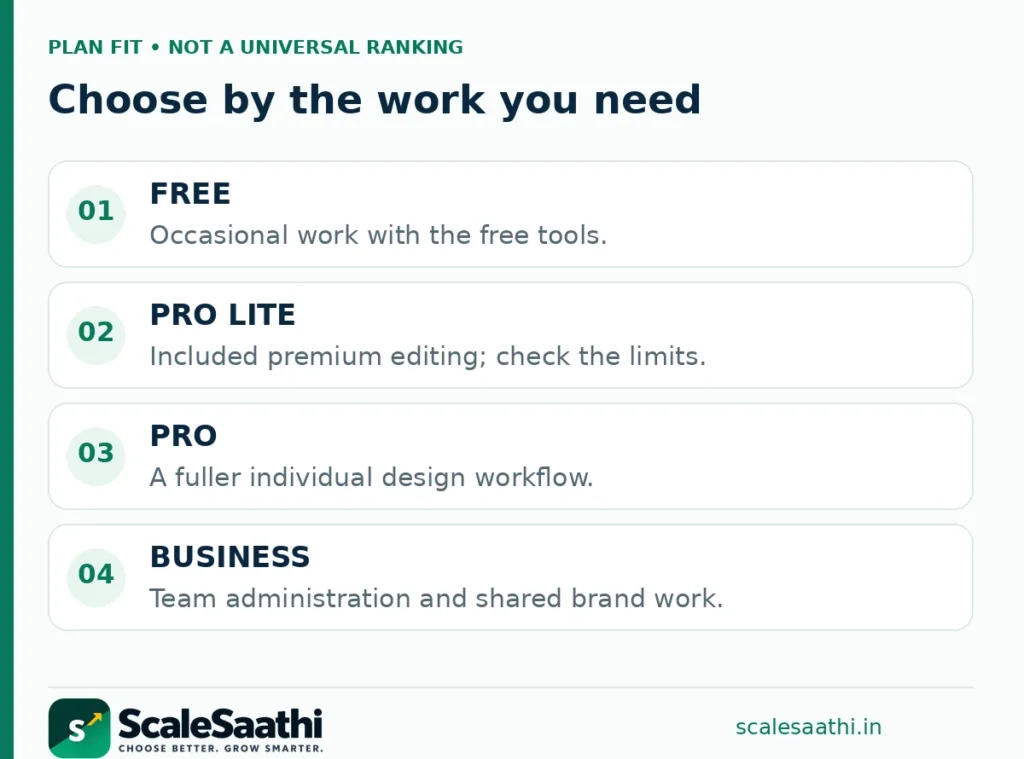
Stay with Free when…
You make occasional notices, simple slides or social graphics and can finish them without paid elements. Upgrade after identifying a repeated limitation, not simply because a premium template looks attractive.
Look at Pro Lite when…
You mostly need premium content and the included editing shortcuts. Test your required export and editing workflow before committing; do not assume every Pro feature is part of Lite.
Consider Pro when…
You work alone and repeatedly need its extra brand capacity or AI functionality. Compare the work it actually saves with the subscription and the time spent checking the output.
Investigate Business when…
Team administration, approvals or a shared brand workflow is the real requirement. A higher individual allowance alone is not a reason to buy seats nobody will use.
For a creator, the surrounding workflow matters too. Our creator toolkit guide explains how design fits alongside planning, publishing and audience ownership. Avoid buying several tools that all promise to solve the same small part of that workflow.
Business and existing Teams accounts
Canva Teams is a legacy subscription, not the current new-customer team plan. Canva says existing subscribers can keep their current pricing, including when adding members, and retain existing features plus premium updates added to Pro. Business-exclusive features are separate. Cancelling Teams removes the normal option to subscribe to Teams again. Read the Teams account rules.
Before moving a legacy account, record the renewal amount, current seats, the feature you cannot do without and the cost of Business for the same people. Do not cancel first merely to experiment with an advertised price. Check the upgrade or support route before changing an arrangement you might not be able to restore.
Business adds team and brand-management capabilities. Canva’s published comparison includes approvals and higher brand capacity; Enterprise adds controls intended for larger organisations. Choose around a real requirement, not the assumption that “business use” always demands the Business subscription. Business capabilities.
For budgeting, use confirmed price per paid seat × paid seats. A quote of ₹6,800 per person annually would mean ₹20,400 for three people and ₹34,000 for five, before any separately specified charges. This is illustrative arithmetic, not a verified multi-seat checkout offer.
Team size can change the bill during a subscription. Canva’s terms describe billing for added seats at monthly renewal, or every three months for an annual subscription. Removing already-paid seats does not normally produce a refund or credit. Seat billing terms. Keep an owner responsible for invitations and billing notices.
Monthly or annual: compare the full commitment
Use the same plan, account, seat count and purchase route on both sides. For an illustrative matched quote of ₹500 monthly or ₹4,000 yearly, the arithmetic is:
Pay monthly for 12 months
₹500 × 12 = ₹6,000.
That is twelve payments if you keep the subscription for the whole year, assuming the rate does not change.
Pay once for a year
₹4,000 upfront.
Equivalent to about ₹333.33 a month for budgeting—not a promise that ₹333.33 is charged each month.
Full-year saving in this example
₹2,000, or 33.3%.
Calculated as (₹6,000 − ₹4,000) ÷ ₹6,000. The result belongs to this example, not every account.
Only need three months?
Monthly: ₹1,500. Annual: ₹4,000.
Paying for the year costs ₹2,500 more for that short requirement, even though the annualised rate looks smaller.
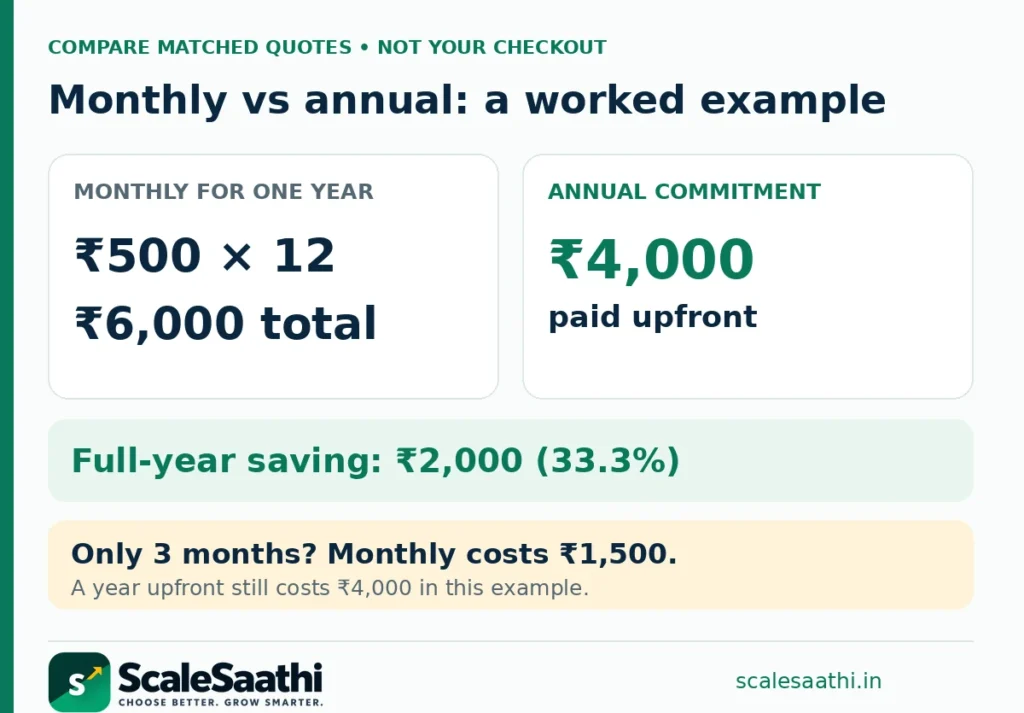
In the same example, eight monthly payments equal the annual payment. Annual billing becomes cheaper only after more than eight months of paid use, ignoring price changes, add-ons and cancellation complications. A discount percentage alone cannot tell you which commitment suits a short project.
The planner also handles a longer horizon. Thirteen months may require two annual purchases, not one year plus one-twelfth of another year. It rounds annual commitments up to whole years; a mixed annual-plus-monthly strategy is not automatically modelled. Compare that alternative separately when switching terms is actually available.
Measure a real saving, not imagined income
Suppose a tool costs ₹500 a month and genuinely saves one hour of work you value at ₹500. That is an illustrative break-even point, not a claim that Canva saves every user an hour or earns them money. Count checking time, edits and learning time before calling the subscription worthwhile.
If you are balancing several clients, use the freelancer tool-stack guide to budget design alongside proposals, invoicing and delivery rather than treating every subscription as a separate small expense.
GST, payment methods and billing routes
Do not automatically add 18% GST to every number in this article. Canva’s terms say subscription fees include taxes unless the agreement, service or invoice says otherwise. Your checkout and invoice decide which treatment applies. Canva’s tax wording.
The safe budgeting rule is simple: when you already have a final tax-inclusive total, use that total once. When a quote explicitly excludes tax, add the tax stated on it. Do not assume a benefit’s advertised value is a tax-exclusive software invoice, and do not infer input-tax-credit eligibility from a subscription calculator.
The workbook starts in Included mode with no extra tax applied. Switch to Extra only for a quote that separately states tax; enter that rate yourself. For mixed-tax expenses, enter final tax-inclusive figures instead of applying one blanket percentage to everything.
Canva’s UPI Autopay guidance supports recurring Pro and Pro Lite subscriptions, but says Autopay is not available for Business. Its guidance also distinguishes recurring Autopay from one-time UPI payments. Do not assume the same options appear for every plan or billing channel. Official UPI Autopay help.
Before starting a second subscription on another device, check which account and workspace you are using and who bills the current subscription. Compare the website, app payment confirmation and renewal settings without treating an App Store catalogue entry as a guaranteed website price.
Trials, AI limits and cancellation
A trial is useful for checking the workflow, but do not assume a universal 30-day period. Canva controls trial eligibility and duration, and normal trials convert to a charge unless cancelled in time. Ordinary cancellation usually takes effect at the end of the billing cycle, without refunding already-paid fees except where law requires it. Trial and cancellation terms.
There is another important limit: Canva’s Pro page says the trial AI allowance matches Free, while the higher Pro allowance starts with the paid plan. You may therefore be able to test the editing workflow without reproducing the paid plan’s full AI workload during the trial. Pro trial allowance.
AI inclusion is not unlimited generation. Different tools can consume a shared allowance differently; advanced tasks may use more. Canva also lists optional AI Pass charges and, for eligible plans, top-ups. Check the cost and billing period of an add-on separately. AI allowance and add-on guidance.
Run three jobs you actually need: resize a completed design, prepare a branded document and export an asset in your required format. Record any missing feature or extra purchase. Our guide to choosing AI tools without wasting money explains how to judge the result rather than the marketing label.
Education, nonprofits and the Jio offer
School education and nonprofits
Canva for Education is intended for eligible primary and secondary education. Canva’s school FAQ says K–12 students join through a teacher and that the same programme is not generally available to college and university students. A college email is not automatic proof of a free Pro entitlement. Education eligibility guidance. Higher-education institutions can investigate Canva’s separate campus offering.
Canva’s nonprofit programme provides approved organisations with premium features and team tools for one team of up to 50 users. Approval is not automatic for every organisation. Official nonprofit programme. The ScaleSaathi NGO toolkit guide can help place design within a wider reporting and communication workflow.
Jio’s Canva offer: useful, but conditional
Jio’s official offer page associates ₹399 recharges with Pro and eligible ₹349 or higher 2 GB/day plans with Pro Lite. It states twelve-month benefit values of ₹4,000 and ₹1,590 respectively. These are telecom-linked benefits, not two universally available cash subscription prices. Check the current Jio offer.
The offer terms restrict access to eligible subscribers who have never held a paid Canva subscription, allow only one redemption, and make continued access dependent on eligibility. The tier cannot simply be switched after redemption. Unlike a normal recurring Canva trial, this offer is described as reverting to Free without automatic renewal when it ends. Read the complete offer conditions.
Treat the recharge as a real cost. The useful calculation is the extra mobile-plan spending you would incur compared with the plan you would otherwise keep, not “Canva costs only one recharge.” Confirm the benefit in MyJio before paying; changing eligibility can suspend access and promotions can change.
Commercial work and cheap shared-account offers
A subscription gives access to tools and licensed content; it does not transfer ownership of every stock element. Canva’s licensing guide allows a range of commercial design uses but restricts reselling or redistributing the supplied content itself. Check the licence for client deliverables, templates, music and merchandise rather than assuming every paid asset has identical permissions. Licensing explained.
Education access is a particular trap for commercial work. The Content License Agreement limits Education users’ Pro content to educational, non-commercial use and directs commercial work to a separate account. A free education entitlement is not a general-purpose business-design licence. Education and client-use conditions.
A very cheap “lifetime Pro” or unknown team invitation is not equivalent to purchasing your own subscription. Canva’s terms allow team owners and administrators to control access and manage content in their team. Team ownership provisions. Do not place valuable client work under an unknown administrator merely to reduce the subscription price.
There are legitimate institutional teams and authorised offers, so a shared workspace is not automatically improper. Ask who owns it, what happens when you leave, which terms apply and how you retain permitted copies. Prefer a clear account relationship over a promise delivered only in a chat message.
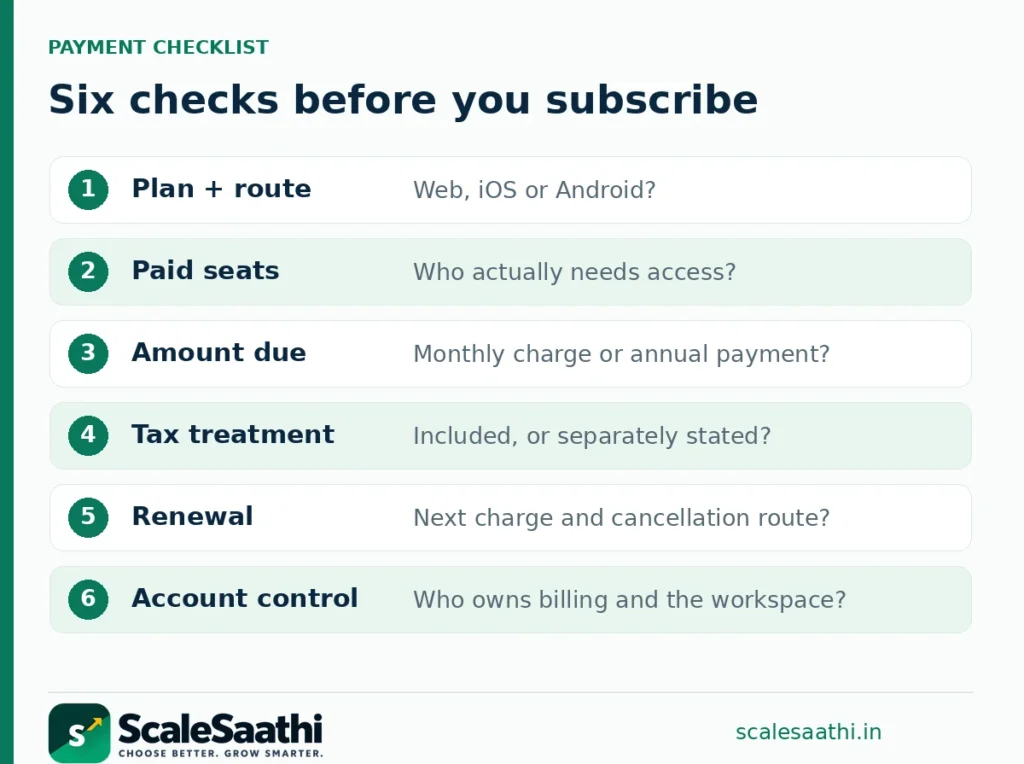
A practical plan-choice checklist
1 · Name the recurring task
Write the output you need: product graphics, proposals, presentations, short videos or recurring brand materials. Identify the paid feature that removes a real obstacle.
2 · Confirm the plan and route
Check Free, Lite, Pro or Business; record website versus app billing and the actual account. Existing Teams subscribers should compare before cancelling.
3 · Count paid access
Record seats and who approves new invitations. Do not treat a personal Pro subscription as a shared company login.
4 · Save the payment details
Keep the period, full amount due, included tax, renewal, add-ons and cancellation path together. Do not store passwords or payment-card details in the planner.
The practical choice is to stay Free until a recurring limitation appears; investigate Pro Lite for the included premium editing needs; compare Pro for a solo workflow that needs more; and assess Business when team operations justify it. The name of your organisation does not by itself determine the subscription you need.
What users commonly report
These themes summarise public reviews of Canva (including paid Pro and team plans) on sites such as Capterra, G2 and Trustpilot. They are paraphrased and mostly global rather than India-specific.
- Fast for non-designers: reviewers commonly praise drag-and-drop templates that produce usable social posts, decks and simple brand assets quickly.
- Brand Kit and collaboration help small teams: shared colours, logos and light approvals are repeated positives on paid and team plans.
- Magic and AI tools save repetitive edits: background removal, resize-style tools and similar features are often praised when they work.
- Free plan feels limited: premium elements and templates that push upgrades are a common complaint theme.
- Not a full pro-design substitute: reviewers who need precision layout, print/CMYK or complex layered work say it falls short of specialist tools.
- Lag on heavy files and billing friction: slow export on large designs appears on directories; Trustpilot-style summaries also flag cancellation and trial-to-paid friction (complaint sites skew unhappy).
How to use the cost planner
Start on Price Evidence to see exactly where the reference figures came from. Then use Your Quote and enter matched prices for the same plan, route and tax treatment. Blank prices keep the totals blank. The Jio value is deliberately not inserted as a retail subscription input.
Set the paid seats and required months, then add any monthly per-seat extras and account-level setup expense. The workbook compares total monthly payments against whole-year commitments, shows the annualised equivalent and reports when either total is lower under your assumptions. It does not model mid-cycle seat changes, promotional eligibility, refunds or mixed annual/monthly contracts.
The Worked Example shows the ₹500/₹4,000 arithmetic independently of your blank quote. Use the Sources sheet to recheck the provider before a renewal. The calculator contains no macros and has no connection to your Canva account.
Bottom line: compare the work you can finish, the account you control and the full bill you will pay. A clear monthly commitment can beat an annual discount for a short project; a lower plan can beat Pro when it already covers the job. Keep the source of each price visible, and let the actual checkout—not a reseller headline or this calculator—confirm your purchase.
Frequently asked questions
What is the Canva Pro price in India?
The India App Store listing includes ₹499–₹500 monthly and ₹3,999–₹4,000 yearly Pro entries. These are App Store references, not a verified web or Android quote. The confirmation screen offered to your account determines the applicable charge.
What is the Canva Pro Lite price in India?
Jio states a ₹1,590 value for its twelve-month Pro Lite benefit. This guide has not verified a direct retail monthly or annual checkout rate for Pro Lite. Check the option available in your Canva account rather than treating the benefit valuation as a retail quote.
Can I still buy Canva Teams as a new subscriber?
Canva says Teams is closed to new sign-ups and upgrades. New team buyers should examine Business. Existing Teams customers should check their account terms before changing or cancelling.
Is the annual plan always cheaper?
Not for every usage period. In the worked example, ₹500 paid monthly costs ₹1,500 for three months, while a year paid upfront costs ₹4,000. Annual billing has a lower total only after enough months of use under the same pricing assumptions.
Should I add GST to the price shown?
Check the invoice and payment screen. Canva’s terms generally include taxes unless specified otherwise. Do not add tax again to an already inclusive amount. The workbook applies extra tax only when you select that treatment.
Does Pro Lite include the full Pro AI allowance?
No. Canva’s Pro Lite help page describes a Free-level AI allowance rather than the full paid Pro allowance, and excludes conversational design in Canva AI. Test the particular editing and AI tasks that matter to you.
Is Canva Pro free for all students?
No. Canva for Education has school-level eligibility requirements; university or college enrolment is not an automatic entitlement under that programme. Check your institution’s separate access arrangements.
Can NGOs receive free Canva access?
Eligible organisations can apply through Canva’s nonprofit programme. The published programme covers one team of up to 50 users after approval. Being an NGO does not itself confirm eligibility.
Is a trial guaranteed to last 30 days?
No universal length is promised here. Check the duration, eligibility, charge date and cancellation terms displayed with your particular trial. Telecom-linked offers can have different renewal conditions from ordinary Canva trials.
Can the spreadsheet confirm my final Canva bill?
No. It calculates the quotes and assumptions you enter. It cannot see your account, verify eligibility, apply account-specific credits or confirm a payment screen. Keep its worked example separate from your own quotation.
Sources and further reading
- Canva India App Store listing: separately listed in-app purchase prices
- Canva plan comparison: Free, Pro, Business, Enterprise and AI allowances; no foreign price converted
- Canva Pro Lite help: features, AI scope and rollout
- Canva Pro: solo use and trial AI allowance
- Canva Business: current plan positioning and per-person purchase model
- Canva Teams: existing subscriber terms and new-sign-up restriction
- Canva Terms of Use: billing, tax, seats, trials and account control
- Canva UPI Autopay help: supported subscription plans
- Jio Canva offer: published benefits and stated values
- Jio Canva offer terms: eligibility, restrictions and expiry
- Canva Education school FAQ: student and teacher eligibility
- Canva for Nonprofits: application and team provision
- Canva licensing explained: commercial use and restrictions
- Canva Content License Agreement: education and client use
Product names and logos are trademarks of their respective owners. They are shown only to identify the products compared in this guide, and their use does not imply endorsement by or affiliation with ScaleSaathi.