Zoho Mail pricing is per licensed user, not a flat price for your entire business. Decide first whether you need email-only hosting or the wider Zoho Workplace suite. Then compare the whole billing term, mailbox space, separately licensed people and migration costs—not just a small monthly-equivalent number.
For an Indian team, Mail Lite is the starting point to examine for paid custom-domain email. Workplace becomes relevant when the same purchase should also cover shared files, documents and collaboration. Premium mail features are a separate decision: buying more applications does not automatically buy the retention controls your business needs.
Read the price evidence correctly
The rupee amounts below are named Indian sellers’ public list prices, not a verified direct Zoho checkout. Zoho’s official pages exposed the plan rules but not their dynamic INR amounts to our research tool. Mehta Websolution and Growthwell publish matching annual-equivalent rates. Use these as budgeting references and confirm your actual purchase and renewal quotation.
Plan capabilities below come from official Zoho documentation. Calculations and buyer-fit guidance are ScaleSaathi analysis. We have not tested these sellers’ service, verified their partner status or received an account-specific quotation. No tracked affiliate links are included.
Download the Zoho Mail and Workplace cost planner (.xlsx). Enter your users, actual quoted prices, setup costs and tax treatment. It also compares monthly billing with the cash required for an annual commitment.
In this guide
Zoho Mail pricing in India: paid-plan references
Mehta Websolution’s list explicitly excludes taxes. Growthwell’s list corroborates the annual amounts and shows the Workplace monthly alternatives. These are public selling prices, not an assurance that your direct account, renewal or negotiated order will receive the same rate.
Mail Lite — 5 GB
Seller reference: ₹59/user/month equivalent on annual billing.
Calculated annual licence amount: ₹708 per user before tax.
Examine this for light email-only use. Zoho lists annual billing only; do not read ₹59 as a month-to-month contract.
Mail Lite — 10 GB
Seller reference: ₹75/user/month equivalent on annual billing.
Calculated annual licence amount: ₹900 per user before tax.
The practical upgrade is mailbox room. It is not the same as purchasing the Workplace file-sharing suite.
Mail Premium
Seller reference: ₹199/user/month equivalent on annual billing.
Calculated annual licence amount: ₹2,388 per user before tax.
Evaluate this for larger mailboxes and retention/eDiscovery requirements—not simply because “Premium” sounds safer.
Workplace Standard
Seller reference: ₹99/user/month equivalent annually, or ₹129/user/month on monthly billing.
Calculated annual commitment: ₹1,188 per user before tax.
Consider this when shared files and productivity applications will replace subscriptions you otherwise need.
Workplace Professional
Seller reference: ₹399/user/month equivalent annually, or ₹489/user/month on monthly billing.
Calculated annual commitment: ₹4,788 per user before tax.
Investigate this for the broader suite combined with advanced mail controls. Ask which capabilities each person actually needs.
Zoho’s official comparison confirms that Mail Lite and Mail Premium have no monthly plan, whereas Workplace has monthly and annual options. Enterprise has custom pricing; a standard per-user estimate is not a substitute for its sales quotation.
Is Zoho Mail free for a business domain?
Zoho documents a Free plan for one domain, up to five users and 5 GB per user, with web-only access. It is offered only in selected data centres. Do not assume that every new Indian account can select it. Confirm availability during the actual signup rather than budgeting for a free tier from a search snippet. See the official subscription conditions.
Free can be a sensible starting point when it is available, your small team is comfortable with its access model and the storage fits. It is not the right default for someone who needs a normal IMAP connection in Outlook or another third-party client: Zoho’s IMAP documentation excludes newly signed-up Free organisation users.
Also separate a free trial from the continuing Free plan. Zoho advertises a 15-day trial; a trial feature working today does not establish what remains available after it ends. Record the intended paid or Free destination before the trial becomes the team’s main inbox.
Mail-only or Workplace: pay for the work you need
Zoho Workplace pricing belongs in this decision because it bundles email with applications such as WorkDrive, Writer, Sheet, Show, Cliq and Meeting. If you also need CRM, books and HR apps, compare the full Zoho One bundle. Its official plan page lists what is included. Do not assume every other Zoho product is part of the bundle just because it integrates with email.
A freelancer with an existing document and storage setup may only need Mail Lite. A five-person office buying email, shared documents and file storage for the first time should test Workplace Standard against the combined cost of separate tools. Buying overlapping subscriptions makes a low email price less meaningful.
Mail Premium and Workplace Professional solve a different problem: retaining and searching business email under the relevant plan’s controls. Retention storage, ordinary mailbox storage and shared file storage are distinct allowances. They should not be added together and presented as one large inbox.
If the team already works in Gmail or Microsoft applications, compare transition effort as well as licence prices. ScaleSaathi’s Google Workspace pricing guide and Microsoft 365 versus Google Workspace comparison cover those alternatives. A cheaper subscription is not automatically a cheaper move.
Read mailbox, retention and file storage separately
The official plan comparison shows Lite with a 5 GB or 10 GB mailbox, Premium with 50 GB mail plus 50 GB retention, Standard with 30 GB mail, and Professional with 100 GB mail plus 100 GB retention. Workplace file storage is allocated separately and depends on team size. For example, Standard lists 100 GB shared file storage for a five-user team, not 100 GB for each person.
Ask for the precise allowance attached to your headcount. The official page’s Standard storage card and a comparison tooltip differ at the three-user boundary, so obtain confirmation for that specific case rather than treating a marketing headline as the complete rule.
Before selecting the smallest mailbox, import a representative old account. Zoho notes that Gmail labels can produce duplicate messages across migrated folders. The destination’s used storage can therefore surprise someone who budgeted only from the source account’s headline size. Keep the pilot’s actual result, not just a guessed allowance.
What will five or ten users cost?
The arithmetic is straightforward: paid users × monthly-equivalent annual rate × 12. Add separately quoted services and the applicable invoice tax. This formula estimates the annual licence commitment; it is not the first instalment of a monthly plan.
Five Mail Lite 5 GB users
5 × ₹59 × 12 = ₹3,540 before tax.
At an assumed 18% tax: ₹637.20 extra; ₹4,177.20 total.
Ten Mail Lite 5 GB users
10 × ₹59 × 12 = ₹7,080 before tax.
At the same illustrative tax: ₹1,274.40 extra; ₹8,354.40 total.
Ten Workplace Standard users
10 × ₹99 × 12 = ₹11,880 before tax.
At the same illustrative tax: ₹2,138.40 extra; ₹14,018.40 total.
These are seller-reference calculations, not checkout quotations. They assume constant headcount, annual billing and no setup, domain or add-on costs. The 18% is a modelling assumption, not a determination of the tax on your transaction. Use the actual invoice; do not add it again when a quote already includes tax.
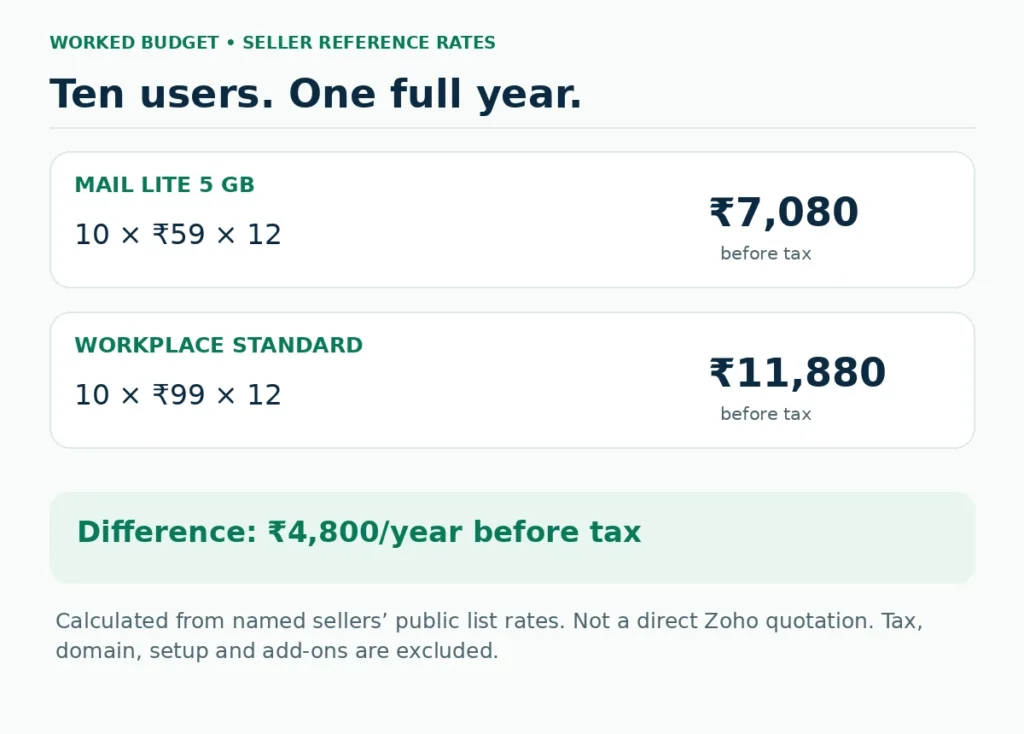
Under those assumptions, moving ten users from Lite 5 GB to Standard adds ₹4,800 a year before tax. Compare that difference with what the shared tools would replace. Do not justify the upgrade by counting applications nobody plans to use.
Monthly versus annual: compare the commitment, not the banner
Using the listed Workplace Standard references, one user costs ₹1,188 upfront on an annual term versus ₹129 for each month bought separately. Twelve monthly payments total ₹1,548: a calculated saving of ₹360 per user for the full year. For ten users, that is ₹3,600 before tax.
But a three-month project is different. One person’s three monthly payments total ₹387, less cash than committing ₹1,188 annually. At these rates the annual route becomes strictly cheaper from the tenth month. It only saves money when the intended usage lasts long enough and other contract conditions are comparable.
Our planner lets you change headcount, rates, intended duration and tax treatment. It does not assume unused annual months are refunded. Nor does it invent monthly Mail Lite or Premium options that Zoho’s official page does not offer.
Count paid users—not every address on your website
A business might display hello@, accounts@ and a person’s name while one individual handles all three. Zoho’s alias documentation explains how additional addresses can send and receive through the existing user’s mailbox. They are not automatically separate mailboxes or a second person’s private account.
By contrast, three staff members needing independent accounts should be budgeted as three users. Do not share one password simply to make the seat count look lower. Decide who needs independent access, who owns correspondence and whether a group workflow is required.
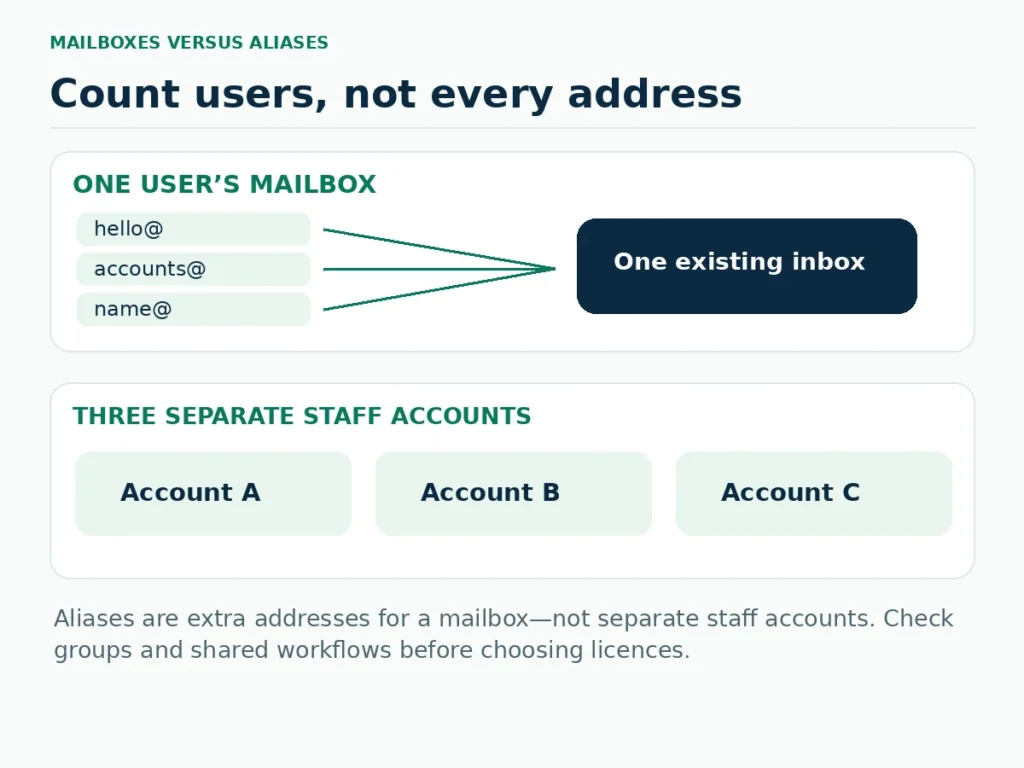
A useful pre-purchase list has four columns: person or function, required address, separate account needed, and intended owner. This prevents both overbuying licences for harmless aliases and underbuying for staff who need distinct access.
Can different people use different Zoho plans?
Zoho offers flexible combinations of Mail and Workplace plans. Its subscription documentation says the mixed arrangement is annual and organised through support rather than an ordinary self-service purchase. Confirm the proposed users, features and total in writing before treating a mix as available to your organisation.
For illustration, eight Lite 5 GB users plus two Premium users at the listed reference rates cost (8 × ₹59 + 2 × ₹199) × 12 = ₹10,440 before tax. Ten Premium users would cost ₹23,880 on the same assumptions. The difference is meaningful only when those eight users genuinely do not need Premium capabilities.
Buying two Premium seats does not give every user Premium retention rights. Map each person’s requirements first. The Excel annual budget can calculate a proposed mix, but it cannot approve licensing eligibility or tell you whether the arrangement meets a retention obligation.
Costs that may sit outside the subscription
Domain registration and renewal
Hosting email for your domain and owning that domain are different jobs. Zoho’s hosting setup guide starts with adding and verifying a domain. Keep domain renewal as a separate budget line unless your written order explicitly includes it.
Migration and setup work
Price the required work, not a vague “migration included” statement: mailbox import, folders, contacts, calendars, DNS, device configuration and a post-move check. Zoho’s pricing page says its dedicated migration-agent guidance is for companies with more than 50 users; a small team should not assume it receives that specific service.
Storage and recoverability
Zoho documents purchasable storage add-ons in its subscription-management guide. Confirm the unit, annual cost and mailbox or retention allocation in your account. Do not assume retention is a complete independent backup, or that buying file storage enlarges a mailbox.
Support and other applications
Separate software support from a seller’s managed service: who handles a locked administrator, a domain problem or a staff departure? Ask for the channel and scope rather than assuming a fast response. Also record other apps being retained; the lean business tool-stack guide can help identify overlapping subscriptions.
Test the email workflow before moving everyone
Zoho’s migration guidance recommends a sample migration before the main rollout. Use that opportunity to test an account with ordinary correspondence and one with a large history. Check imported folders, storage consumed and what did not migrate.
- Confirm account control. The business should control its administrator recovery route, domain and billing records.
- Create users and required addresses. Separate independent accounts from aliases and groups.
- Run a pilot. Test the actual desktop client, phone, contacts, calendar and imported messages on the selected plan.
- Plan DNS changes. Verify ownership and the correct MX, SPF and DKIM records using the account’s setup instructions; preserve unrelated website records.
- Test delivery and the exit copy. Send and receive externally, check website-generated messages separately and export a sample before completing the move.
These checks are a proposed rollout process, not a report of ScaleSaathi testing your business. Do not cancel the old provider merely because a new mailbox opens. Keep access until the agreed migration and delivery checks pass.
Renewal, adding users and cancellation
When users are added part-way through a subscription, Zoho’s billing documentation describes prorating the addition to the common renewal date. Our annual planner deliberately models fixed headcount instead; it is not an exact mid-term invoice estimator. Review licensed quantities and the renewal summary in the account.
Zoho’s refund policy has conditions and time windows. Cancellation should not be treated as an automatic refund of every unused month. A seller-managed order may have a different billing and cancellation route, so retain that contract as well.
Before downgrading, export what the organisation needs and check where the account will land. Zoho warns that access can be affected if there is no eligible Free destination. “We will move to Free later” is not a safe exit plan without verifying availability and mailbox limits.
Which option should you shortlist?
Start with Free only when it is available and its limits fit. Choose a paid Lite trial when independent client access and custom-domain mail are the main needs. Compare 5 GB with 10 GB using the actual migration pilot—not the hope that old messages will somehow take less room.
Consider Workplace Standard when collaboration will be used. Test the shared file and document workflow with colleagues. Its value depends on replacing or avoiding other purchases, not merely on a larger feature list.
Evaluate Premium or Professional for specific retention, storage and administration requirements. Write down those requirements and seek confirmation of the plan’s scope. Product names alone do not establish regulatory compliance or good account configuration.
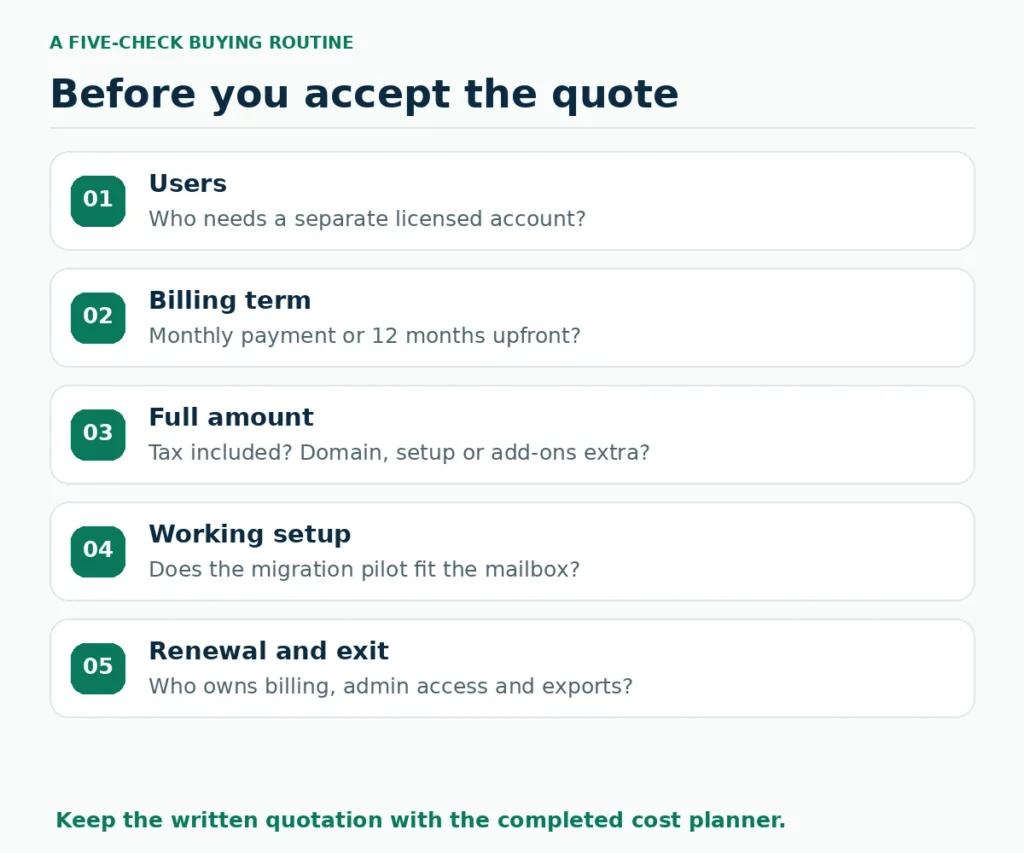
Before paying, the decision should fit on one page: named users, selected plans, billing term, amount due, tax treatment, extras, renewal terms and an exit route. Keep that written quotation with the completed planner. That is a more dependable result than memorising one advertised Zoho Mail price.
What users commonly report
These themes summarise public reviews on sites such as Capterra, TrustRadius and Reddit, plus Zoho company-wide Trustpilot feedback that is not Mail-only. They are paraphrased, and India-specific discussion is limited.
- Low cost and free custom-domain option: reviewers commonly highlight affordable business email and a free plan for a domain.
- Ad-free inbox and solid security: a clean mailbox without ads is a repeated positive.
- Good value versus big suites: Indian Reddit discussion often compares it favourably on price against Google Workspace.
- DNS and admin setup feel hard: beginners repeatedly report struggle getting records and mailboxes live.
- Delivery and spam filtering mixed: some users report slower delivery or uneven spam handling.
- Mobile sync lag: app sync delays are a recurring secondary complaint.
- Free-plan feature gaps and support waits: missing IMAP/POP and forwarding on free, plus slow support replies, come up often.
Frequently asked questions
What is Zoho Mail pricing in India?
For annual billing, the named seller lists used in this guide show monthly equivalents of ₹59 for Mail Lite 5 GB, ₹75 for Lite 10 GB and ₹199 for Premium per user. These are public seller references before tax, not a verified direct Zoho checkout or renewal quotation. Confirm your actual order.
Can I pay for Zoho Mail Lite monthly?
Zoho’s official comparison lists Mail Lite and Mail Premium as annual-only plans. The displayed monthly equivalent therefore does not describe a month-to-month contract. Workplace Standard and Professional have monthly and annual options.
Is Zoho Mail free for five users in India?
Zoho documents a Free plan for up to five users, one domain and 5 GB per user, but availability is restricted to selected data centres. Check the actual account. Do not assume a paid trial will always downgrade to Free.
Can the Free plan connect to Outlook through IMAP?
Zoho excludes IMAP access for newly signed-up Free organisation accounts; its Free-plan documentation also excludes POP and ActiveSync. Check a paid plan for the specific client workflow you need.
What is the difference between Zoho Mail and Workplace?
Mail-only plans centre on business email. Workplace adds shared files, office applications and collaboration, with capabilities depending on the tier. Compare the included products rather than assuming every Zoho application comes with Workplace.
Does every email alias require another paid user?
Not automatically. An alias attached to an existing Zoho user sends and receives through that mailbox. Separate people requiring separate accounts are different from several addresses owned by one user. Check groups or shared workflows separately.
Can my team mix Mail Lite and Premium or Workplace?
Zoho supports flexible mixes, but the subscription guide describes annual, support-arranged licensing rather than an ordinary self-service purchase. Confirm the assignment and quotation; a higher-tier licence does not extend its features to everyone.
Is the quoted price inclusive of GST?
Do not assume so. Mehta Websolution explicitly excludes taxes from the list used here. The planner’s 18% is only an editable example assumption. Use the actual invoice and avoid adding tax again to an inclusive quotation.
Does custom-domain email include the domain name?
Email hosting and domain registration are separate costs unless the written order explicitly bundles them. Retain domain ownership and renewal access independently of the person helping configure email.
Will cancelling an annual plan refund the unused months?
Do not assume an automatic unused-month refund. Zoho’s direct refund policy has conditions and time windows; seller-managed orders can have their own billing route. Export required data and confirm the downgrade or exit plan before cancelling.
Sources and further reading
- Zoho Mail India: official plan capabilities, billing periods and trial terms
- Zoho Workplace India: included applications and storage conditions
- Zoho Mail subscription guide: Free availability and mixed-plan conditions
- Zoho Workplace: flexible plan combinations
- Zoho Mail: licences, storage add-ons and subscription management
- Zoho Mail: user settings and email aliases
- Zoho Mail: domain verification and email-hosting setup
- Zoho Mail: IMAP access and Free-plan restrictions
- Zoho Mail: migration process and sample migration
- Zoho Mail: Google Workspace migration and label/folder behaviour
- Zoho: refund policy and renewal/cancellation conditions
- Mehta Websolution: seller-listed INR annual prices; not direct Zoho checkout
- Growthwell Solutions: seller-listed INR annual/monthly prices; not direct Zoho checkout
Product names and logos are trademarks of their respective owners. They are shown only to identify the products compared in this guide, and their use does not imply endorsement by or affiliation with ScaleSaathi.