The question I get most from freelancers is “my client wants my GSTIN, so do I have to register?” Not necessarily. A client’s request, a dollar payment landing in your account or a GST button in your invoicing app doesn’t decide it. Three things do: whether you must register, how each service is taxed, and what records and returns you then have to keep.
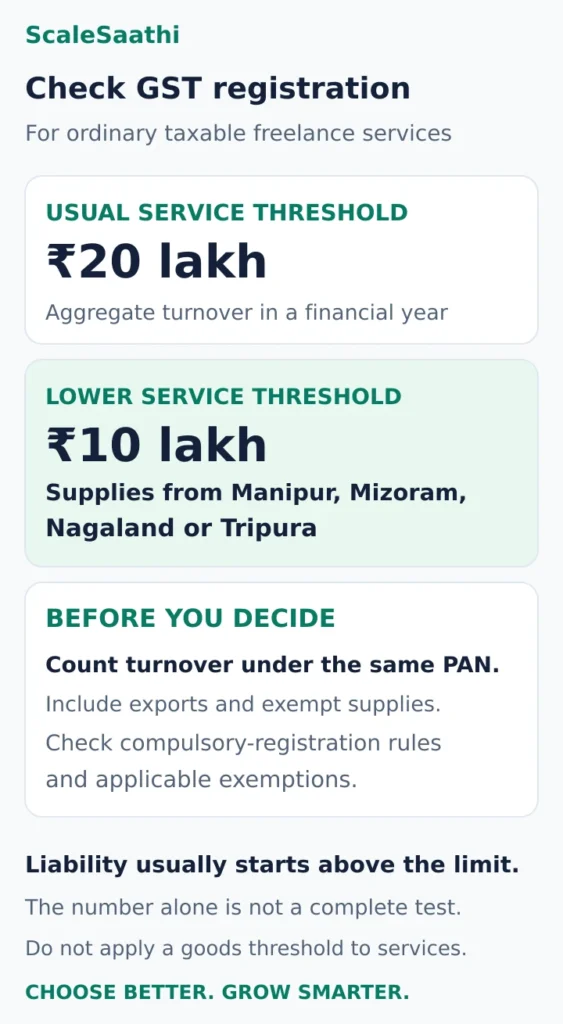
For ordinary taxable freelance services, the usual registration threshold is aggregate turnover above ₹20 lakh in a financial year, reduced to ₹10 lakh where taxable services are supplied from Manipur, Mizoram, Nagaland or Tripura. Compulsory-registration rules and notified exemptions can change the result. The higher threshold sometimes discussed for suppliers of goods should not be applied to a service business. CGST registration provisions, including amendments.
Before you hand a client a GSTIN
- A client asking for your GSTIN doesn’t decide it. For ordinary taxable services the usual threshold is aggregate turnover above ₹20 lakh in a financial year, or ₹10 lakh where services are supplied from Manipur, Mizoram, Nagaland or Tripura.
- Count turnover across your PAN, not profit or bank payouts, and exports still count. ₹12 lakh of domestic work plus ₹9 lakh of qualifying exports is ₹21 lakh.
- Unregistered? Never add a GST line just because a client asks. A client in another state doesn’t automatically make registration compulsory either.
- Once you’re liable, apply within 30 days. After registration, add bank details within 30 days of the grant or before your first GSTR-1/IFF, whichever comes first.
- Registered means filing continues even in a month with no work. “No GST to pay” doesn’t necessarily mean a nil return.
This is written for designers, developers, writers and consultants working on their own. It is general information, not a tax opinion on your contract, so take unclear classifications, foreign clients and borderline turnover to a chartered accountant or GST practitioner.
Start with your present situation
Below the threshold: establish whether an exception applies
If your supplies and circumstances qualify for the threshold exemption, you can continue invoicing without GST registration. Keep a financial-year turnover tracker and supporting invoices. An unregistered person must not collect an amount as GST; do not add a tax line simply because a client requests one.
Next action: record the business location, services, other business activities under the same PAN, and any overseas or platform transactions. Use that information to confirm eligibility rather than relying only on your last bank statement.
Near the threshold: prepare before the next large project
Add the work already supplied and review upcoming projects, advances and billing dates with your adviser. Do not wait until the annual income-tax return to discover a GST obligation. Ordinary registration applications are required within 30 days of becoming liable; the liability date and invoice treatment need attention at the time of crossing.
Next action: confirm what the next contract means for registration and whether your quoted fee includes GST. Our GST registration guide for freelancers covers the application process separately.
Already registered: keep the return process running
Registration, including voluntary registration, brings continuing obligations. A quiet month does not automatically remove the requirement to file. Keep your invoices, purchase evidence, tax calculations and return acknowledgements together.
Next action: agree who reviews transactions, files returns and checks payment. If work has stopped, resolve cancellation and outstanding obligations instead of simply abandoning the account. CGST registration and cancellation framework.
Overseas clients: check export conditions separately
A foreign customer does not by itself establish an export of services. The contractual recipient, place of supply, payment route and relationship between supplier and recipient matter.
Next action: keep the contract, invoice and bank or payment-provider evidence. Check the export conditions below before selecting zero-rated treatment or making a refund claim.
Calculate aggregate turnover, not profit or bank payouts
The statutory calculation is across India for persons with the same PAN. It includes taxable supplies, exempt supplies, exports and interstate supplies, while excluding GST and cess and inward supplies taxed under reverse charge. The threshold period is the financial year, April to March. Aggregate-turnover definition in section 2(6).
Use a sales register organised by invoice and supply, then reconcile receipts to it. Expenses do not turn sales turnover into profit for the threshold test. Different service brands or separate bank accounts do not create separate PAN-based allowances.
Example: domestic work plus exports. A consultant with ₹12 lakh of domestic supplies and ₹9 lakh of qualifying export services has ₹21 lakh of aggregate turnover, assuming no other supplies or adjustments. Zero-rated exports still count. For an otherwise ordinary taxable service business subject to the ₹20 lakh threshold, this requires action even if its Indian sales alone are below the limit.
Example: a platform deducts a fee. Suppose your contract makes you the supplier of an ₹80,000 service, and the platform deducts ₹8,000 as a separately charged service fee. The ₹72,000 payout is not automatically your turnover. Preserve the ₹80,000 client invoice and the platform’s fee document as separate records. If the platform is instead buying and reselling your work, the contract may produce a different analysis.
Employment services to an employer fall outside GST supply under Schedule III. That does not make independently billed weekend projects employment income. Keep the two activities distinguishable in your records.
Does a client in another state make registration compulsory?
Not automatically for a small service provider. The notified interstate-service exemption allows eligible suppliers to remain unregistered up to the relevant turnover limit. Read it with the amended state threshold provisions and any other compulsory-registration category that applies. Interstate-service registration exemption.
A designer working from Maharashtra for a Karnataka client should therefore check turnover and eligibility, rather than assume that the first out-of-state invoice always requires registration. Conversely, “below ₹20 lakh” is not a complete answer for every business.
Get a specific review where you have a reverse-charge liability, act on behalf of another taxable person, operate from more than one state, or supply through an electronic-commerce arrangement. Platform contracts and notified exemptions matter; neither “all platform freelancers must register” nor “all platform freelancers are exempt” is a reliable rule.
Do not register voluntarily solely to satisfy an unexplained client preference. First ask whether the client requires a GSTIN as a procurement condition. Then compare the commercial benefit, eligible input credits, tax treatment of your fees and continuing filing work. Voluntary registration is a legal choice with obligations, not just an invoice-design upgrade.
How to register for GST as a freelancer
Prepare your freelancer registration folder
Make a folder containing:
- Your PAN details and legal name, checked against the PAN record.
- Your photograph and identity details required by the application.
- The primary authorised signatory’s accessible Indian mobile number and email address.
- Proof for the actual principal place of business, using the appropriate option below.
- A short description of your services, business commencement date and registration reason.
- Details and appointment evidence where somebody else will act as authorised signatory.
For a sole proprietor, use your own legal name in the legal-name field. A brand or studio name belongs in the trade-name field, where applicable. The REG-01 form and instructions distinguish these fields and identify the proprietor’s PAN.
Open every scan before uploading. Check all pages, names, address details and signatures at readable size. Follow the file type and size shown beside each portal upload field; different documents can have different limits.
Owned premises: establish ownership
Upload one suitable ownership document, such as the owner’s electricity bill, latest property-tax receipt or municipal khata copy.
Rented premises: match the agreement and proof
Use the valid rent/lease agreement and one suitable ownership document. An unregistered agreement also needs the lessor’s identity proof; a registered agreement does not ordinarily need that extra identity proof. CBIC also accepts the tenant’s electricity/water connection evidence with the agreement in the specified situation.
Family-owned premises: document consent
Where a spouse or relative owns the premises, use a plain-paper consent letter, the consenting owner’s identity proof and one suitable ownership document.
These are common document routes in CBIC’s registration-processing instructions. Consult its separate shared-premises and missing-agreement provisions when those apply. Use the arrangement that actually exists.
Working from home does not remove the need to explain your use of the address. Check tenancy and local-use conditions separately; GST registration does not settle those questions.
Step 1: complete Part A and save your TRN
Open the official GST portal and choose Services → Registration → New Registration. Select Taxpayer, then enter the State/UT, district, legal name, PAN and primary signatory’s contact details. Complete the email and mobile OTP checks. The normal-taxpayer manual follows this route.
Save the Temporary Reference Number (TRN) and its expiry. It gives access to the unfinished application; it is not your GSTIN. The portal’s Part A guidance gives a 15-day TRN validity from creation, unaffected by subsequent logins.
Return through the TRN option, complete its verification and open the saved application for editing. Check the State/UT particularly carefully: the portal does not let you change the Part A state later.
Useful habit: put the TRN, expiry and next action in one private note. Avoid scattering them across a consultant’s chat, your inbox and a paper notebook.
Step 2: complete the business and signatory details
In Part B, select Proprietorship only if that is your actual constitution. Complete the proprietor and primary authorised signatory sections. If you will sign for yourself, check that the form reflects that arrangement consistently.
Enter the real business commencement date and the applicable reason for registration. The date you started work and the date registration became necessary can differ. Do not enter today in every date box for convenience. The business-details guidance explains the commencement field and composition selection.
This walkthrough assumes normal taxation. Do not select composition solely because you are small; confirm its eligibility and consequences separately. Also review the distinct Rule 14A option below before saving.
Rule 14A: assess the declaration before selecting Yes
The simplified route is optional for applicants who assess that monthly output tax on supplies to registered persons will not exceed ₹2.5 lakh, including the specified GST components and cess. This is a tax-liability test, not a ₹2.5 lakh turnover limit.
Aadhaar authentication is required, and only one registration under this rule is allowed against the same PAN in a State/UT. Withdrawal uses a formal process. Read the official explanation of Rules 9A and 14A and the declaration displayed in your application.
If your contracts could take you above the limit, ask your adviser about the route and withdrawal requirements before opting in. Do not select Yes merely to seek faster processing. Rule 14A is not the composition scheme or a tax exemption.
Step 3: enter the address and services accurately
Match the principal place of business to your supporting documents. Review the building/flat number, locality, PIN and map position. The portal’s address guidance allows manual entry when map-based population does not work. Resolve mismatches instead of accepting a nearby address that looks plausible.
In Goods and Services, use the search facility to choose the Service Classification Code relevant to what you supply. At least one goods/service entry is required. The limited number of entries shown on the form does not restrict you to supplying only that many services. See the GST portal’s classification-field guidance.
For example, a web developer should describe the actual development or support work, then check the corresponding classification. Another freelancer’s code is not evidence that it fits your contract. If the right entry is unclear, settle it with an adviser before submitting.
Complete additional business-place and State-specific fields where applicable. Keep the electricity consumer number handy if your State’s form requests it.
Step 4: sign the application, then finish identity verification
Review the complete form, accept the declaration and select the correct signatory and place. Submit through the signing method the portal permits for your constitution, such as EVC for an eligible proprietor. Companies and LLPs have DSC requirements. See the submission guidance and normal-taxpayer manual.
Saving the form is not submission. Signing it also does not mean that every verification step is complete.
After submission, monitor the registered email and mobile:
- Aadhaar OTP route: follow the authentication link. The authentication OTP uses contact details linked with Aadhaar, which may differ from your GST application contacts.
- Biometric route: follow the appointment instructions for the designated GST Suvidha Kendra (GSK). Complete the required biometric and document checks.
- Aadhaar selected No: the portal guidance requires a GSK visit for photograph capture and document verification. This is not a way to skip checks.
The Aadhaar authentication FAQs explain these routes. For the biometric route, incomplete required checks within 15 days of Part B submission prevent ARN generation. Follow the actual expiry and appointment instructions promptly; do not assume repeated logins extend them.
Step 5: track the ARN and answer any notice
Once generated, save the Application Reference Number (ARN). Use the portal’s Track Application Status service to check progress. The status guide distinguishes processing, site verification, clarification, approval and rejection.
An ARN is an application reference, not a registration certificate. If you have no ARN, check the saved application and authentication status before assuming the officer has your completed application.
How long will approval take?
There is no single promised turnaround. Rule 9A provides a three-working-day electronic route based on system risk assessment; Rule 14A has its own three-working-day route, subject to its conditions. Outside those routes, complete ordinary applications generally receive action within seven working days; physical-verification cases can follow a 30-day period. The CGST registration rules, read with the later Rule 9A/14A changes, distinguish these processes.
Treat a pending appointment or clarification as an action to complete, rather than counting days from the first OTP. Do not promise a client an approval date based on an advertisement.
If you receive FORM GST REG-03
Read the notice and reply through FORM GST REG-04 within seven working days of receiving it. The deadline is stated in the registration rules. For the new-application route, use TRN access and the notice reference or ARN to locate the clarification form, following the official clarification manual.
Answer each query, correct the permitted fields, attach the relevant legible evidence, and complete verification and submission. Save the acknowledgement. A replacement scan sitting in your folder does not answer the notice.
If a request appears inconsistent with CBIC’s document instructions, ask for professional help responding through the proper channel. Do not ignore the deadline. If rejected, read the recorded reason before deciding the next action.
Step 6: download the certificate and complete bank details
After approval, use the credentials and first-login instructions sent to you. Obtain your FORM GST REG-06 certificate from the portal and check the legal name, trade name, address, GSTIN and effective date. Keep the complete certificate with your application records.
Bank details have an earlier-of-two deadline: under Rule 10A, ordinary registered taxpayers must furnish them within 30 days of the grant of registration or before furnishing outward-supply details in GSTR-1/IFF, whichever comes first. Missing this requirement can trigger suspension. See the official bank-details advisory.
Use Services → Registration → Amendment of Registration Non-Core Fields. Enter the account details, validate them, upload the required bank proof and submit the amendment. Check the resulting validation status; an entered account can still have a validation problem. The bank-update manual shows the process and PAN-matching checks.
What GST rate should a freelancer charge?
“Freelancer” is a working arrangement, not a single service classification. Identify what the contract actually supplies, its applicable service classification or SAC, the relevant rate or exemption, and who is liable to pay. Have that treatment confirmed before configuring the invoice template.
The following examples assume an 18% taxable service under the regular scheme, with no reverse charge or special treatment. They demonstrate arithmetic; they do not assign 18% to every freelance service.
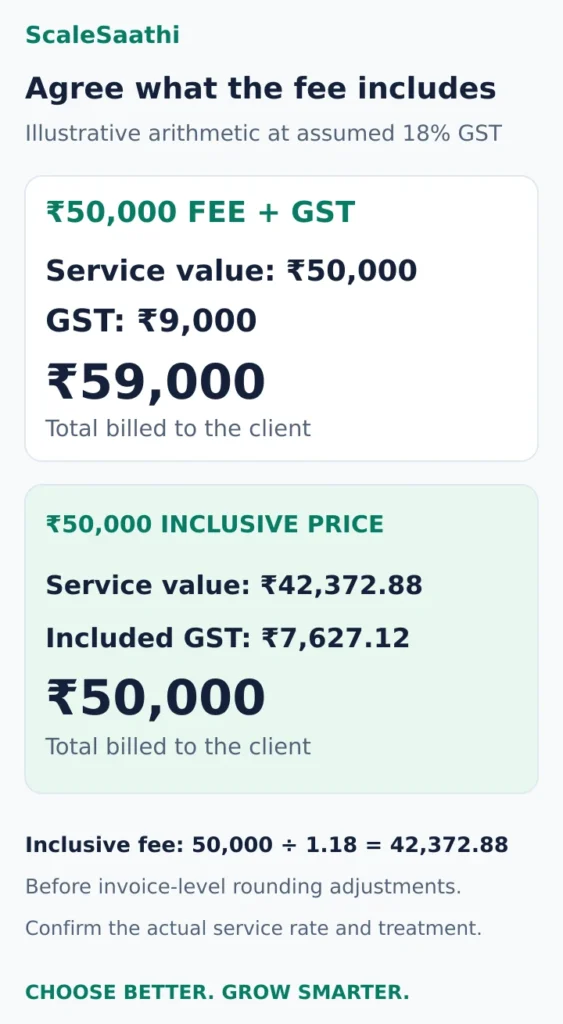
A ₹50,000 fee quoted plus GST
- Service value: ₹50,000.
- GST at the assumed 18%: ₹9,000.
- Total invoice: ₹59,000.
For an ordinary intra-state supply at that combined rate, the tax is ₹4,500 CGST plus ₹4,500 SGST. For an ordinary interstate supply, it is ₹9,000 IGST. Establish the supplier location and legally determined place of supply before choosing the tax split. A customer's postal address alone does not resolve every service. IGST sections 7, 8 and 12.
A ₹50,000 price agreed inclusive of GST
At the same assumed rate, the service value is ₹50,000 ÷ 1.18 = ₹42,372.88, and the included tax is ₹7,627.12, before any invoice-level rounding adjustments. The customer still pays ₹50,000.
That leaves less fee revenue than a ₹50,000-plus-GST agreement. Put the tax wording in the quotation before the client approves it, particularly when a project may run across your registration date.
GST collected is not additional earnings to spend freely. A client's income-tax TDS deduction, where applicable, is also separate from GST; reconcile the invoice, deduction evidence and receipt instead of replacing the invoiced value with the net bank credit.
Overseas clients: when can a service be an export?
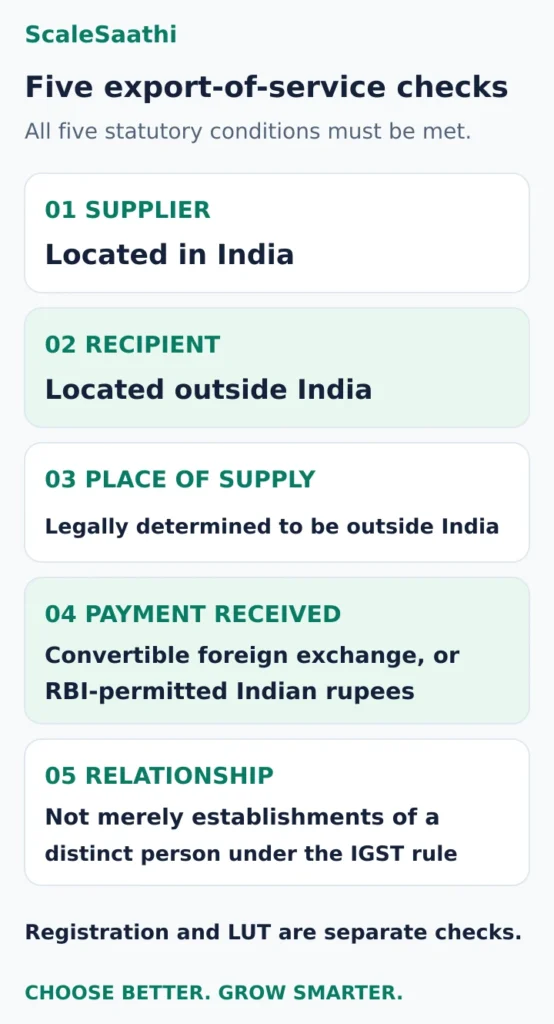
Under the IGST definition, all five conditions must be met:
- The supplier is located in India.
- The recipient is located outside India.
- The legally determined place of supply is outside India.
- Payment is received in convertible foreign exchange, or in Indian rupees where the Reserve Bank of India permits it.
- Supplier and recipient are not merely establishments of a distinct person under the specified IGST rule.
Read the export definition and zero-rated provisions.
For a remote design assignment, establish who receives the service under the contract; the payment processor's country is not necessarily the customer's location. A foreign brand name, dollar invoice or payment labelled “international” is insufficient evidence by itself.
Place-of-supply rules deserve particular care for property-related work, events, activities requiring physical presence and arrangements involving other parties. For commission or intermediary work, have the applicable provision and effective amendment checked for the transaction. Do not copy an old internet example without examining the actual agreement.
Zero-rated treatment and LUT are different from being unregistered
Qualifying exports are zero-rated supplies. An eligible registered exporter can use a Letter of Undertaking (LUT) or the applicable bond route to make qualifying supplies without paying IGST upfront, subject to conditions. This does not remove turnover reporting or return obligations, and it does not guarantee a refund.
The GST portal provides Form GST RFD-11 for an LUT and asks for the financial year concerned. Retain its acknowledgement and review the applicable period, export-invoice endorsement, receipt conditions and supporting evidence with your adviser. Official LUT filing manual.
An LUT is not a substitute for deciding whether you must register. Equally, a freelancer legitimately unregistered under the relevant exemption should not be told that every foreign receipt automatically requires a GSTIN and LUT. Check the registration question first, then the obligations of the applicable route.
Build an invoice and records process you can maintain
For a regular registered service supplier, check the invoice requirements against Rule 46. Core particulars include the supplier's name, address and GSTIN; a unique financial-year invoice number and date; the required recipient details; service description and classification; value, rate and tax amount; and place of supply for interstate transactions. Export and other special cases require the relevant additional particulars. CGST invoice rules.
Give your accountant a sample invoice before sending the template to every client. Ask them to check a domestic business invoice, an unregistered-customer case and an export example where relevant. An invoice PDF sent by email does not by itself establish compliance with a separate e-invoicing requirement; check whether that requirement applies to your business.
Maintain a practical monthly folder containing:
- Contracts, approved quotes, invoices, credit notes and advance-payment records.
- Client identity, billing location and GSTIN where relevant.
- Bank statements, platform statements, fees and payment confirmations.
- Business purchase invoices and evidence supporting proposed input credits.
- Export contracts, receipt evidence and LUT acknowledgement where applicable.
- Filed returns, payment challans and a list of unresolved differences.
Do not overwrite an old issued invoice to make the bank reconciliation easier. Preserve the original and have the correct amendment or adjustment documented.
If you refund part of a fee after invoicing, issue a GST credit note.
For the wider bookkeeping process, use our accounting software selection guide. The accounting and invoicing software comparison for freelancers helps shortlist tools; the free accounting software guide addresses free-plan limits. ScaleSaathi's Accounting Software Selector can help choose a software category, but it does not determine registration liability or certify a return.
Input tax credit and returns: two responsibilities after registration
Input tax credit, or ITC, can reduce eligible output-tax liability, subject to the law. A business expense does not automatically produce usable credit. Check business use, the tax document, receipt of the supply, supplier reporting, the relevant return records, statutory restrictions and deadlines. Personal use and blocked credits require separate treatment. CGST sections 16 and 17.
For an arithmetic illustration only: ₹9,000 of output tax less ₹1,800 of fully eligible, usable credit leaves ₹7,200 before other liabilities or adjustments. A real return must also respect the tax-head utilisation rules. Do not claim the ₹1,800 simply because an expense receipt shows that amount.
For normal registered taxpayers, the routine generally includes GSTR-1 for outward-supply details and GSTR-3B for summary liabilities and payment. Filing frequency depends on the applicable arrangement. The portal's GSTR-3B guidance covers monthly and quarterly filers and confirms that filing continues even in a period without business. Official GSTR-3B guidance.
“No GST to pay” does not necessarily mean a nil return. Export sales, input credits, reverse-charge transactions or other reportable entries can make that assumption wrong. Use the portal's applicable due dates and notified extensions, and reconcile the records before filing.
What to do next
Prepare a one-page brief: your supply location, PAN-based financial-year turnover, exact services, domestic and overseas client arrangements, platforms used, and present registration status. Attach one representative contract and invoice.
Ask your adviser to confirm the registration trigger, service classification, place of supply, export conditions where relevant, and the invoicing and return process. Once those decisions are recorded, configure the software and assign a person to review the monthly records. A clear process will help more than selecting a GST rate from a template and hoping it fits every client.
Frequently asked questions
Is GST registration compulsory for every freelancer in India?
No. For ordinary taxable services, the usual threshold is aggregate turnover above ₹20 lakh in a financial year, or ₹10 lakh where taxable services are supplied from Manipur, Mizoram, Nagaland or Tripura. Check compulsory-registration categories and notified exemptions before deciding.
Do foreign-client payments count towards the GST threshold?
Qualifying exports are included in aggregate turnover. Zero-rated treatment does not remove them from the PAN-based turnover calculation. The export conditions and registration exemption must each be examined.
Must I register just because a client is in another state?
Not automatically. A notified exemption covers eligible small interstate service suppliers up to the applicable turnover limit. Other compulsory-registration circumstances and the exact activity can affect eligibility.
Can an unregistered freelancer add GST to an invoice?
No. An unregistered person must not collect an amount as GST. Issue the appropriate commercial invoice without representing that GST has been collected, and address registration promptly if liability arises.
Is 18% GST applicable to all freelance work?
No single rate follows from being called a freelancer. The actual service, classification, exemption, place of supply and applicable payment mechanism determine treatment. The article’s 18% examples illustrate arithmetic only.
Can I stop filing GST returns when I have no work?
A normal registered taxpayer generally still has filing obligations in a period without business. No tax payable does not automatically mean a nil return. Review the applicable return requirements, and formally address cancellation if the business has stopped.
Sources and further reading
- India Code — consolidated CGST Act: turnover, registration, invoicing, credits and records
- GST Council — CGST Act, section 2(6), aggregate-turnover definition
- India Code — Notification 10/2017, interstate-service registration exemption
- India Code — Notification 03/2019, amended threshold cross-reference
- India Code — consolidated IGST Act: export conditions and zero-rated supplies
- GST Portal — filing a Letter of Undertaking in Form RFD-11
- GST Council — CGST Rules, invoice particulars in Rule 46
- GST Portal — GSTR-3B, filing obligations and nil-return conditions