To work out how to start a blog in India, begin with one reader and a problem you can help them solve. Choose a publishing platform, set a spending limit, prepare a small collection of useful posts and check the site on a phone before sharing it.
If you are still testing whether you enjoy writing, start with a free hosted plan. Buy hosting or extra tools when you can name the control or feature you need. A first blog does not need a paid theme, an expensive course and several SEO subscriptions to begin.
Starting a blog: what it costs, and what it doesn’t need yet
- Start at ₹0: WordPress.com Free includes hosting, a .wordpress.com address and 1 GB of storage. It shows WordPress.com ads, and there is no custom domain or plugin installation.
- Plugins don’t need the Business plan: plugin access is on all paid WordPress.com plans.
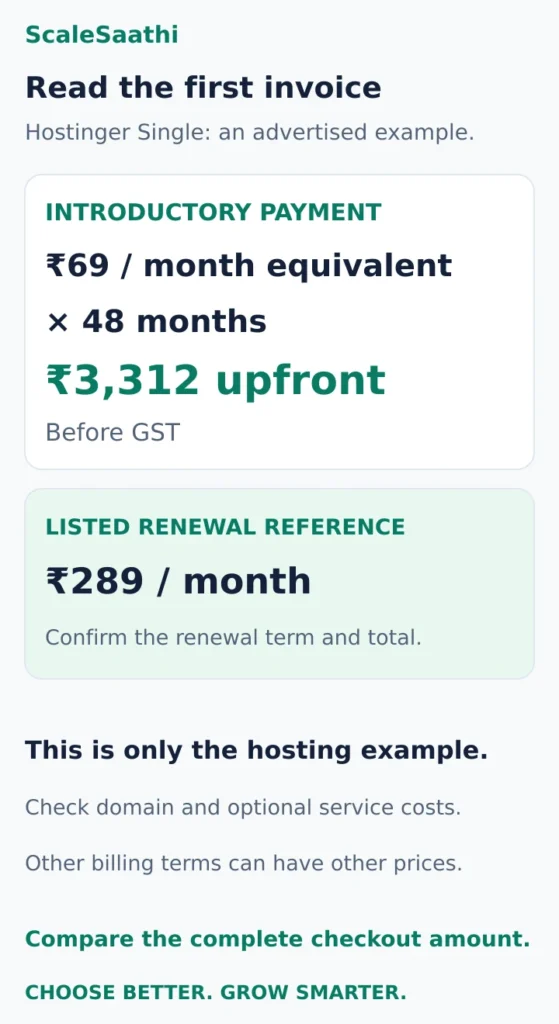
- Read the upfront bill: Hostinger Single’s ₹69/month is for 48 months, paid as ₹3,312 upfront before GST, with a renewal reference of ₹289/month (checked 21 Oct 2026). It is not a ₹69 first invoice.
- A free first-year domain doesn’t make later renewals free. Email, backups and paid plugins can renew separately too.
- Pick one reader and one problem, then write down five questions that reader would ask.
- Three connected posts are a manageable start. That is not a Google requirement or an AdSense threshold.
- Check the site while logged out and on a phone. On WordPress.com, Site Visibility must be set to Public.
- Submitting a sitemap helps Google find pages but doesn’t guarantee indexing. Tell readers clearly when a link can earn you a commission.
Disclosure: Some links on this page are affiliate links. If you buy through them, ScaleSaathi may earn a commission at no extra cost to you. This never affects our rankings or recommendations. Read our affiliate disclosure.
1. Choose a reader, a topic and a language
“Gardening” is a subject. “Helping apartment renters in Bengaluru start a balcony garden without permanent alterations” is a clearer promise. It tells you who the reader is, what restrictions matter and what useful evidence you might gather.
Before choosing the name, write five questions that reader would ask. For the example above, they could concern available space, light, the first purchase, recurring costs and avoiding damage to a rented property. Then ask whether you can produce something useful: your own observations, photographs, price checks, interviews or a carefully explained calculation.
You do not need to pretend to be an expert. Be precise about the basis of your advice. A record of what happened on one balcony is valuable when its conditions and limitations are clear; it is not proof that the same result applies everywhere.
Choose a language your intended readers understand and that you can maintain accurately. English, Hindi or a regional language can each serve a defined audience. Test the actual script, mixed-language headings and navigation on a phone. Launching in one language first can make corrections and updates easier.
2. Pick where the blog will live
WordPress.com: a practical place to try publishing
The free plan includes hosting, a .wordpress.com address and 1 GB of storage. It displays WordPress.com ads and does not include a custom domain or plugin installation. Paid plans unlock additional features; plugin access is available on all paid plans, so Business is not a blanket requirement just to install a plugin. WordPress.com plan details.
Choose this route when you want to learn the publishing workflow with hosting included. Before upgrading, compare the exact plan, billing period, currency and tax-inclusive checkout. You do not need to buy a second web-hosting package for the same WordPress.com site.
Blogger: another straightforward publishing option
Blogger offers a blogspot.com address and supports using a purchased custom domain. Its setup starts with signing in, choosing New blog, entering a name and selecting an available address. Blogger's creation instructions.
Try it if a simple publishing tool suits your project. Before building a large archive, check that its design, export options and any features you expect to use fit your needs. Using a Google service does not guarantee traffic or advertising approval.
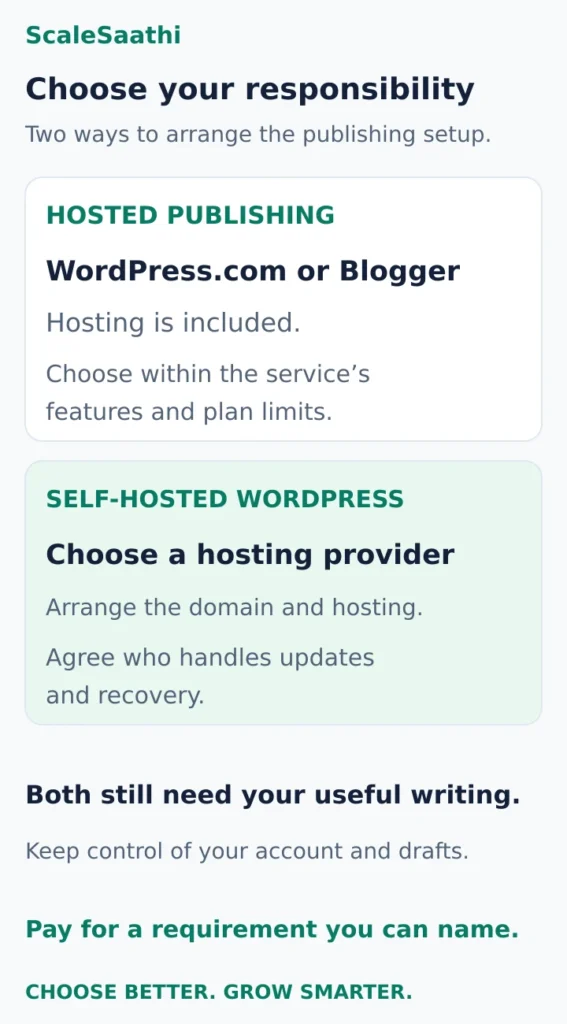
Self-hosted WordPress: when choosing the host matters
Here, you use the WordPress software with a hosting provider you choose. The software is free to download; hosting, a domain and any paid extras have their own costs. You also need a clear arrangement for updates, security and recovery. Hosted and self-hosted WordPress explained.
Choose it when that control is worth the extra responsibility. Our WordPress hosting beginner’s guide explains the hosting decision. If your project also needs bookings, a store or other business features, the Website Platform Selector and website-builder comparison can help narrow the platform category.
3. Budget the amount due now and the renewals
You can begin with ₹0 in platform fees on WordPress.com Free. That excludes your device, internet access and anything optional you purchase. A custom-domain or self-hosted route needs a separate budget.
For a concrete hosting example, Hostinger Single advertises ₹69/month equivalent for 48 months, paid as ₹3,312 upfront before GST, with a listed renewal reference of ₹289/month (checked 21 Oct 2026). The multiplication is ₹69 × 48 = ₹3,312; it is not a ₹69 first invoice. This is an example of payment structure, not a claim that every beginner should buy that plan. Official Hostinger India offer.
Shorter terms may have different prices. Record three things before paying: the complete charge today, the quoted renewal total and term, and services that renew separately. A first-year domain benefit does not make later domain renewals free. Email, backups and paid plugins can also have separate terms.
Our hosting cost guide covers those cost categories. Keep optional spending at zero until a free theme or built-in feature fails a real requirement. Save the budget for work that improves the reader's result.
4. Create the account and a small, usable site
Use an account you control, with a strong unique password, recovery access and two-factor authentication where available. Keep billing and renewal notices going to an address you actually check.
For WordPress.com, create an account, choose an address and select the intended plan; its setup allows a free .wordpress.com address. Site-creation guidance.
For self-hosted WordPress, buy the chosen hosting, register or connect your domain, use the host's WordPress installer and follow its HTTPS setup. Make sure you are installing WordPress rather than entering a separate website-builder product. Our domain registrar comparison covers registrar choice, renewal and account control, while the WordPress beginner’s guide covers the WordPress working environment in more depth.
Start with a simple theme and readable article layout. Add an About page explaining who writes the blog and what it covers, a working contact method and navigation that makes the posts easy to find. If you collect information through forms, analytics, subscriptions or advertising, explain your actual data practices in an appropriate privacy notice; do not copy another site's description of tools you do not use.
Install extra plugins only for a named task. On self-hosted WordPress, establish a recovery routine before major changes. A typical full-site backup needs both files and database data, with usable copies kept independently. WordPress backup guidance.
5. Publish a useful first collection
Three connected articles can be a manageable first project. That is an editorial starting point, not a Google requirement or an AdSense threshold. Publish fewer if that is what you can make useful.
For the balcony-gardening example, the collection might be:
- A planning guide: how to assess the available space and record the conditions before buying anything.
- A cost breakdown: what a starter setup costs, using actual local or online quotes and explaining what is optional.
- An observation diary: what changed in your own setup, with original photographs and honest limitations.
Give each post a distinct job. Link the planning guide to the cost breakdown where the reader begins budgeting, and link the diary back to the relevant setup explanation. Use anchors that describe the destination. Do not insert links into every paragraph.
A short brief for your first post
Write down the reader's question, the evidence you will use, the answer they need and the limitations. For a cost article, that means showing the components, quantities and total, distinguishing one-time purchases from recurring expenses, and stating what the total excludes.
Use a title that matches the answer, clear headings and images that explain something. Attribute outside information and verify changing claims at their source. Google's helpful-content guidance asks whether a page contributes original information or analysis and adds value beyond copying other sources.
AI can help organise notes or improve clarity. It cannot supply experience you never had, measurements you never took or proof that an unverified claim is true. Check every factual statement you keep.
In WordPress.com, open Posts → Add new post, enter the title and content, preview it, then use the publishing checks when it is ready. Add an appropriate featured image and descriptive ALT text when an image helps. WordPress.com publishing instructions.
6. Check the public experience before sharing
Review the draft on a narrow phone screen: headings, paragraph width, image text, links and any forms. Then check the published site while logged out. A page that works in your administrator view may still be hidden from everyone else.
On WordPress.com, Settings → Reading → Site Visibility controls whether the site is Public, Coming Soon or Private. Make the site public when your launch checks are complete, and confirm the intended posts are published. Visibility settings.
Remove sample content and broken links. Verify that readers can reach the About page, open a second useful article and use the contact method. Keep original drafts and images somewhere you can retrieve them independently of the publishing account.
7. Find early readers and learn from their questions
Share a relevant post where the intended audience already participates, following the community's rules. Give enough context to make the link useful. Ask a few readers what remained unclear, rather than asking only whether they liked the design.
For Google Search, add the site to Search Console, verify ownership and review whether Google can find and index its pages. When performance data becomes available, look at the queries and pages receiving impressions and clicks. These are different signals; a search appearance is not a visit. Google's Search Console introduction.
If your platform supplies a sitemap, obtain its actual address from the platform or SEO tool, check that it opens publicly and submit it in Search Console's Sitemaps report. Submission helps Google discover URLs but does not guarantee crawling or indexing. Sitemap submission and limitations.
Improve a useful existing post when feedback exposes a missing explanation. Write a new post when the next question has a genuinely different purpose. You do not need a paid keyword tool to start collecting those questions.
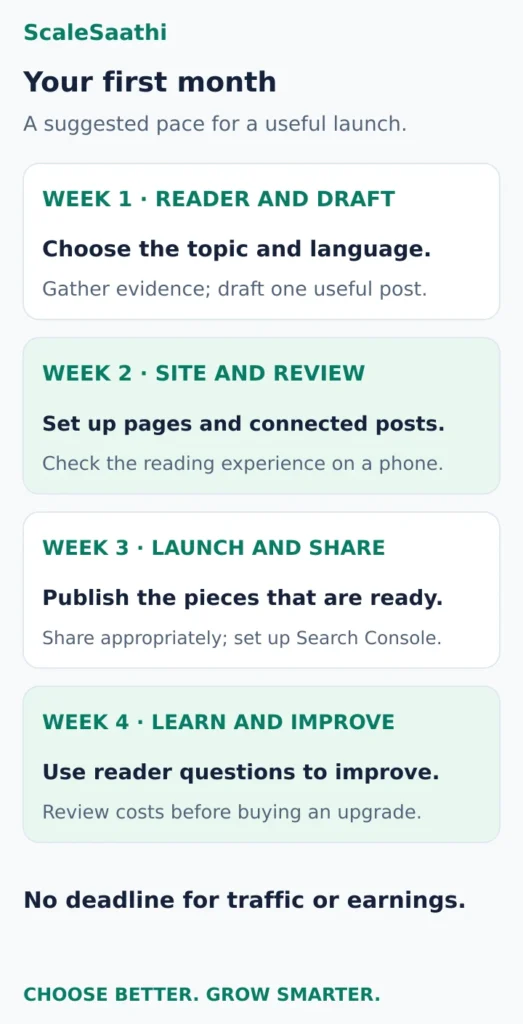
A workable first month
Week 1: choose the reader, language and topic; gather evidence and draft one article before making a large purchase.
Week 2: set up the platform and essential pages; prepare your first connected posts and review them on mobile.
Week 3: publish the pieces that are ready, share them appropriately and set up Search Console.
Week 4: correct unclear explanations, add useful contextual links and choose the next article from reader questions. Review what you spent and whether any proposed upgrade has a real purpose.
This is a suggested schedule, not a deadline for traffic or earnings. Adapt it to the time and evidence your topic requires.
Monetise a reader need, without promising an income date
A blog can support service enquiries, relevant affiliate recommendations, original products or advertising. Choose a method that fits the reader's task. A product comparison and a personal diary do not create the same purchase intent.
For affiliate recommendations, join the programme through its official process, use approved links and clearly tell readers when a purchase can earn you a commission. Mark paid links appropriately; Google prefers rel="sponsored", with nofollow also accepted for this purpose. Google's paid-link guidance.
AdSense has eligibility and policy requirements, including original content and an adult account holder; its guidance explains the parent or guardian route for someone under 18. Approval and revenue are not guaranteed by publishing a certain number of articles. AdSense eligibility.
Keep records of costs and receipts as the blog develops. For the first launch, the meaningful result is a working site with useful articles, a manageable cost and a way to learn what readers need next.
Frequently asked questions
Can I start a blog in India without paying for a platform?
Yes. WordPress.com Free allows a hosted blog with a WordPress.com address, subject to its plan limits and visitor advertising. A custom-domain or self-hosted setup has additional costs. Starting free can help you test the topic and publishing routine before committing to a paid term.
Do I need coding skills to publish my first blog posts?
You can create ordinary posts with a visual editor such as the WordPress.com block editor. Start with a simple theme and the built-in tools. Custom development and self-hosted maintenance may require additional skills or help, but they are separate from writing and publishing a basic post.
Should I write in English, Hindi or a regional language?
Choose the language that suits the intended reader and that you can maintain accurately. Test the script and navigation on mobile. Starting in one language can simplify editing; do not choose a language solely because someone promises higher earnings.
How many articles should I publish before launching?
Publish a small collection you can make useful and keep accurate. Three connected pieces are suggested here as a manageable project, not a requirement for Google or AdSense. Clear purpose, usable navigation and substantive answers matter more than reaching an arbitrary count.
Will submitting a sitemap make Google index every blog post?
No. A sitemap helps Google discover page addresses, but submission does not guarantee crawling or indexing. Verify the site in Search Console, check that the sitemap and intended posts are publicly accessible, and investigate any reported problems.
When will a new blog start earning money?
There is no reliable income date. Earnings depend on the audience, subject, useful content, relevant offers and any platform or programme approval required. Keep costs manageable and judge the first launch by whether readers can use the site and find helpful answers.
Sources and further reading
- WordPress.com — free-plan limits and paid-plan features
- Blogger — publishing platform and blog addresses
- Blogger Help — create a blog
- WordPress.com — hosted and self-hosted WordPress responsibilities
- Hostinger India — Single pricing, upfront term and renewal
- WordPress.com — create an account and site
- WordPress — files, databases and recovery copies
- Google Search Central — useful and original content
- WordPress.com — create, preview and publish a post
- WordPress.com — public, Coming Soon and private visibility
- Google Search Central — start using Search Console
- Search Console Help — submit a sitemap and understand its limits
- Google Search Central — qualify sponsored and paid links
- Google AdSense — content, account and eligibility requirements
Product names and logos are trademarks of their respective owners. They are shown only to identify the products compared in this guide, and their use does not imply endorsement by or affiliation with ScaleSaathi.