Last updated: 25 October 2026. Prices were re-checked on each provider’s official page on this date and exclude 18% GST unless stated.
The best web hosting companies in India are worth comparing by the service you need, not by a single “best overall” label. Start with Hostinger for a packaged first website, MilesWeb for a small launch on a tight hosting budget, Bluehost for an entry WordPress plan with staging, GoDaddy when cPanel is a specific requirement, and Cloudways Flexible when you need cloud configuration choices.
Each earns a place for a different reason. The right choice still depends on the exact plan, payment commitment and work you expect the company to handle.
Here, “in India” means options relevant to Indian buyers. It does not mean every company is Indian-owned or that every plan places your website on a server in India. Confirm the location available for the product you actually order.
What each pick asks you to pay (official pages, 25 Oct 2026, before 18% GST)
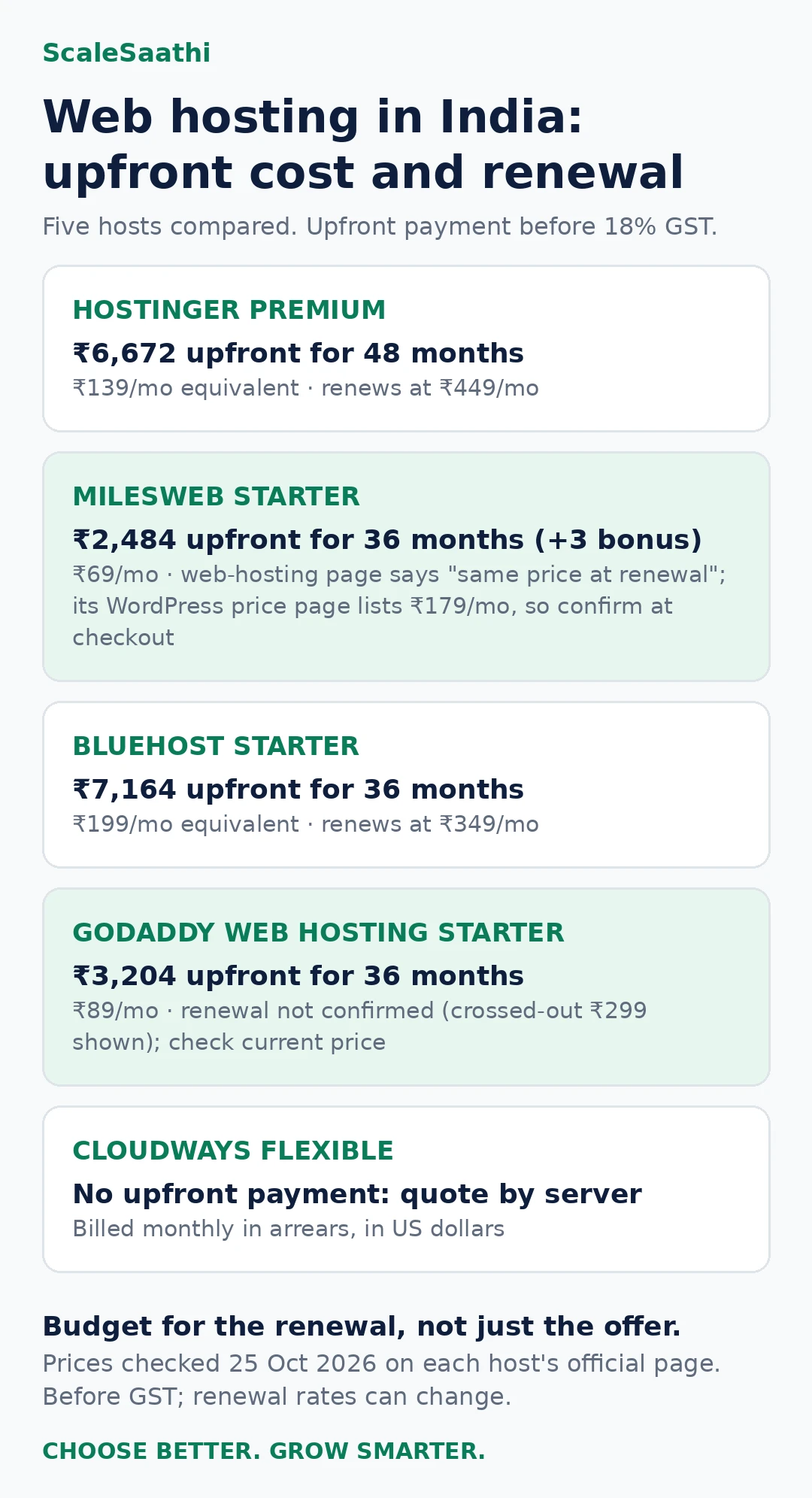
- Hostinger Premium: ₹139/mo for 48 months, so ₹6,672 upfront; renews at ₹449/mo. Weekly backups, and no built-in staging (Hostinger puts that at Business or higher).
- MilesWeb Starter: ₹69/mo for 36 paid months (+3 bonus), so ₹2,484; the page promises the same price at renewal. It runs mPanel, not cPanel.
- Bluehost Starter: ₹199/mo for 36 months, so ₹7,164; renews at ₹349/mo. Staging included, but no phone support on Starter.
- GoDaddy Web Hosting Starter: ₹89/mo for three years, so ₹3,204, with cPanel. Renewal not confirmed: the crossed-out ₹299 is not a renewal quote.
- Cloudways Flexible: No upfront payment. Billed for last month’s usage in US dollars, offsite backups US$0.033/GB. Get a quote for the exact server.
- Watch the renewals: Hostinger and Bluehost renew at more than double their introductory rates. Budget for the second term, not just the first cheque.
- Server location: An Indian price page alone does not mean an Indian server. Confirm the region for the exact product you order.
How we selected these hosting companies
We compared published plans and official documentation on five questions: what the service includes, which practical limits apply, what you pay now and later, how you recover a website, and what needs checking before you commit.
This is an editorial shortlist, not a measured speed league table. We have not purchased every plan, run identical-site benchmarks or measured each support team’s response time. A company’s advertised visitor estimate is not proof of capacity for your website, and a large review count is not a substitute for checking the plan.
We selected five distinct buying situations rather than adding names to reach ten. Other companies may fit your needs; omission is not a finding that they provide poor service. Some links on this page are affiliate links marked as sponsored. If you buy through them, ScaleSaathi may earn a commission at no extra cost to you. This never affects our rankings. Read our affiliate disclosure.
If you are still deciding between hosting categories, start with the hosting types explained below or the ScaleSaathi Hosting Plan Finder. The tool offers a starting point, not a live provider quotation.
Quick comparison: five companies side by side
The plan we would investigate first at each company, as shown on its official page on 25 October 2026. Rupee prices exclude 18% GST. “Upfront” is the base payment for the whole introductory term.
| Company / plan | Intro price | Term | Upfront (before GST) | Renewal as published | Sites / storage | Backups | Panel | Server location | Support noted on plan |
|---|---|---|---|---|---|---|---|---|---|
| Hostinger Premium | ₹139/mo | 48 months | ₹6,672 | ₹449/mo | 3 / 20 GB SSD | Weekly | Hostinger dashboard | India listed as a selectable location | 24/7 support |
| MilesWeb Starter | ₹69/mo | 36 months (+3 bonus) | ₹2,484 | “Same price at renewal” (web-hosting page) | 1 / 10 GB NVMe | Daily | mPanel | Mumbai data centre | 24/7, English and Hindi |
| Bluehost Starter | ₹199/mo | 36 months | ₹7,164 | ₹349/mo | 10 / 10 GB NVMe | Weekly | Bluehost dashboard | Not stated on the plan page | 24/7 chat; phone not on Starter |
| GoDaddy Web Hosting Starter | ₹89/mo | 36 months | ₹3,204 | Not confirmed (crossed-out ₹299 shown) | 1 / 10 GB NVMe | Automatic daily | cPanel | Page lists North America and Europe | Check at order |
| Cloudways Flexible | Quote by server | Monthly, billed in arrears (USD) | None | Same usage rates | Depends on server | Configurable; offsite US$0.033/GB | Cloudways platform | Bangalore (DigitalOcean) | 24/7; Advanced Support add-on US$100/mo |
Read across the rows before reading the reviews below: the lowest monthly figure (₹69) is also the smallest cheque, but the ₹89 GoDaddy plan has no confirmed renewal, and the Hostinger and Bluehost plans renew at more than double their introductory rates.
Best web hosting companies in India: five options to compare
Hostinger: a packaged starting point for a modest website
Plan to investigate: Premium, for a small site with relatively infrequent changes.
The India offer showed ₹139/month equivalent for 48 months, or ₹6,672 upfront before GST, renewing at ₹449/month (checked 25 Oct 2026). Premium lists three websites, 20 GB SSD storage and weekly backups. Its domain and two mailboxes per website are first-year offers. View Hostinger’s India hosting plans.
Reason to shortlist: It is a reasonable starting comparison when you want one packaged hosting purchase and expect to keep a modest site running for several years. Decide whether the upfront commitment leaves enough money for setup and maintenance.
Reason to pause: Weekly backups and a large prepayment may not suit your editing pattern or cash budget. Premium does not qualify for Hostinger’s built-in WordPress staging tool; its documentation places that at Business or higher. Check staging eligibility.
Our call: Shortlist Premium for a modest, low-change website. Compare the higher Unlimited tier if more frequent recovery points matter; the plan page lists daily backups there. Ask what the upgrade solves for your site before buying it.
MilesWeb: a low opening commitment for one small site
Plan to investigate: Starter on the regular web-hosting page.
The selected offer shows ₹69/month for 36 paid months, with three promotional months advertised. That produces a ₹2,484 base payment before GST. Starter lists one website, 10 GB NVMe storage, SSL and daily backups. The page promises the same price at renewal; obtain that renewal term and any bonus eligibility in the order. View MilesWeb’s web-hosting offer.
Reason to shortlist: It is worth investigating when one small website is the requirement and the opening hosting payment must stay low. The paid period and promotional extra months should be recorded separately.
Reason to pause: This web-hosting product uses MilesWeb’s mPanel. Do not assume it includes cPanel because the company also sells a separate cPanel service. If a contractor manages the website, confirm that they can work with the chosen product.
Our call: Keep Starter in the comparison if the actual order confirms the quoted commitment, renewal and required features. Our cheap web-hosting comparison explores the budget decision across more low-cost plans.
Bluehost: an entry option for a WordPress staging workflow
Plan to investigate: Starter, when testing WordPress changes before launch is useful.
Starter shows ₹199/month equivalent for 36 months, or ₹7,164 upfront before GST, renewing at an advertised ₹349/month. It lists WordPress staging, ten websites sharing 10 GB NVMe storage, weekly backups and 24/7 chat. Phone support is excluded from Starter, and Pro Email is a trial. View Bluehost’s plans (US site).
Reason to shortlist: The staging feature makes this entry tier worth comparing for an owner or developer who changes WordPress layouts and plugins. It can be more relevant than a larger headline storage allowance.
Reason to pause: Ten permitted installations do not mean ten large websites will fit comfortably. Count all storage the provider charges to the account, including any staging usage, and ask whether the backup schedule meets your needs.
Our call: Compare Starter when its WordPress workflow fits and chat support is sufficient. Use our WordPress hosting comparison for the closer decision between WordPress plans rather than choosing from the brand name alone.
GoDaddy: worth checking when cPanel is required
Plan to investigate: Web Hosting Starter, a different product from GoDaddy’s managed WordPress service.
Its India page advertises ₹89/month for the first three-year term, a calculated ₹3,204 base commitment, with one website, 10 GB NVMe storage and cPanel. Confirm the final tax-inclusive invoice and renewal charge before comparing total costs. We have not treated the crossed-out price as a confirmed renewal quote. View GoDaddy’s web-hosting plans.
Reason to shortlist: A developer with a cPanel-based workflow may prefer to assess a product that explicitly includes it. Ask them to check the actual tools and limits their work requires.
Reason to pause: Having the same control-panel name does not establish that a migration will be complete or automatic. Also distinguish the hosting product from domain registration, email and any paid support service; shared branding does not make them one subscription.
Our call: Put GoDaddy on the shortlist for a specific workflow requirement. Get the renewal and extras in writing before choosing it on the introductory rate.
Cloudways Flexible: for a specified cloud-hosting requirement
Service to investigate: Flexible, with a named cloud provider, server size and region.
Cloudways lists server scaling, staging and cloning, with US$0.033/GB per server charged for offsite backup storage. Its public entry-card monthly and hourly figures are inconsistent, so we have not attached a complete server specification to one headline starting rate. Obtain a configuration quote. View Cloudways pricing and extras.
Flexible bills for the previous month’s usage, and transactions are processed in US dollars. Review the server, backup and chosen add-on costs, applicable taxes and currency charges. Read Cloudways’ billing guide.
Reason to shortlist: It lets a team evaluate a specific configuration when ordinary packaged hosting no longer matches its requirements.
Reason to pause: Someone must review the configuration, usage and bill. Cloud hosting is not a substitute for identifying the website’s actual problem or assigning maintenance work.
Our call: Compare Flexible when a developer or capable site owner can explain the requirement it meets. Our cloud hosting guide provides the background for that decision.
Compare the order, not just the advertised monthly figure
The base payments above cover different periods and services. Hostinger’s example commits to four years; the other three rupee examples use three paid years, with MilesWeb advertising bonus months. Cloudways follows an ongoing usage model. A monthly-equivalent column alone would hide those differences.
Get an order summary from your two finalists with the plan, paid period, bonus period, tax, required extras, renewal rate and renewal billing period. Save it with the provider’s applicable terms. A promotional banner is not a permanent record of what you bought.
Use our hosting cost and renewal guide to compare a common ownership period. Where a renewal amount or billing term is unconfirmed, leave it as an unknown to resolve. Do not replace it with the crossed-out marketing price or assume a monthly equivalent means monthly payments.
An inexpensive base plan can be the right choice. It stops being an inexpensive complete arrangement if you must separately purchase the backup, email, recovery help or software needed to operate the site. Equally, a long feature list has little value if you will use only a few items.
Ask every shortlisted company the same five questions
Sending identical questions makes vague answers easier to spot. You can adapt this brief and use the replies to narrow five companies to two:
I need to host [website type], using [software], with [measured storage or expected content]. Please confirm the exact plan, available server location, relevant resource limits, complete first invoice, renewal period and charge, backup retention and restore process, support scope, and what migration assistance includes.
1. Will the exact product run my website?
State the software and required runtime. A company selling WordPress hosting, regular web hosting and VPS products is not promising that every application runs on every tier.
For an existing site, supply measured file and database sizes and explain any scheduled tasks or external connections it uses. If cPanel or another particular tool is essential to your maintainer, include that requirement before requesting a quote.
2. Which limits will my workload reach first?
Look beyond the permitted number of websites. Ask about storage, database limits, file counts, CPU, memory and concurrent processing where these apply. Hostinger’s official limits documentation, for example, lists several of these independently. Hostinger’s published resource limits.
Use our guide to hosting plan limits to interpret the reply. For an existing site, ask the provider which resource addresses the problem you have observed. “More websites allowed” is not an explanation of how a slow database or busy checkout will improve.
3. What happens when I need a restore?
Ask how often copies are taken, how many recovery points are retained, what the copies include and whether restoring requires support or an extra payment. Request the steps for recovering when you cannot access the website’s administration screen.
Set the requirement from the work you cannot afford to recreate. A brochure updated monthly and a site collecting records throughout the day need different recovery arrangements. Keep an independent usable copy and test the process before you depend on it.
4. What will support actually do?
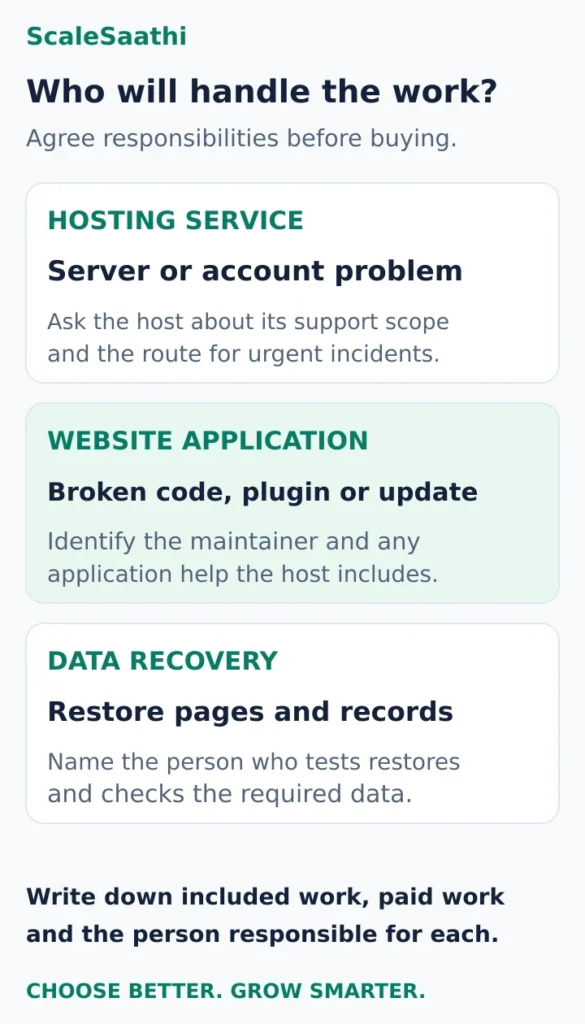
A support channel and a repair obligation are different things. Establish who investigates a server problem, a broken application, a failed update and a missing backup. Ask which tasks are included and which require a paid service or your own developer.
You can test the contact route and clarity of the answer before buying. That still does not prove future response or resolution times. Evaluate any service commitment on its terms and exclusions, rather than turning a marketing uptime percentage into a prediction of your site’s availability.
5. How can I leave later?
Confirm access to the files, database and relevant account settings. Ask whether migration assistance includes email, multiple sites and applications outside WordPress. Agree who checks the destination before the old account closes.
A first-year domain offer also needs its own renewal and ownership check. Keep control of the domain and the recovery contact, even when a freelancer buys or manages the hosting. A familiar brand or panel does not remove the need for a handover plan.
Narrow the shortlist to two, then check a representative site
For a modest packaged website, start by comparing Hostinger and MilesWeb against your payment and recovery requirements. For WordPress staging, include Bluehost. Where cPanel is essential, request the relevant GoDaddy product quote. Where a specific cloud configuration is justified, assess Cloudways with the person who will manage it.
Check a realistic copy of the website under the provider’s available trial or refund terms before relying on a long commitment. Read those terms first; eligibility can differ by service. Test the important pages, administration tasks, forms and any booking or checkout process in the platform’s supported test mode. An empty demo page gives little evidence about your real setup.
If the site drives enquiries or sales, the small-business sections below apply the decision to business continuity, account ownership and the people responsible for keeping it working.
Choose once you can explain the exact product’s fit, afford its complete bill and identify who will maintain and recover the site. Those answers are more useful than adding another company to the shortlist.
Small business: match the plan to the job your website does
Decide what must survive a fault before comparing storage allowances. These examples describe buying requirements; they are not promises about any provider’s performance.
A local business that mainly needs calls
A small practice, repair service or consultancy may need a few informative pages, a map and working contact links. Start with a compact plan that fits the site. Keep a usable copy of the pages and a tested way to restore them.
Your acceptance test is practical: can someone on a phone find the service, see the location and contact you? A large website allowance does little to improve that journey. Spend on clear content and maintenance before purchasing unused capacity.
A business paying to generate enquiries
The form and the destination inbox become part of the buying decision. Decide who checks delivery, who notices a failed form and who can repair it while a campaign is running.
Where appropriate, keep a recoverable record of submissions instead of relying only on notification emails. Ask your maintainer what is saved, where it is saved and how to retrieve it. Do not assume the hosting backup contains enquiries held in an external service.
A business taking bookings or orders
Map where the records actually live. A page linking to an external booking service has different hosting demands from a store that processes its cart and stores orders on the website.
For a site that holds transactions, define how much new data you could tolerate losing and test the recovery process around that limit. A once-daily copy may be too old. When comparing platforms, check whether your website-builder subscription already includes hosting before purchasing a separate account; our website-builder comparison covers that broader choice.
If you have already chosen WordPress and need a closer comparison of its editing and maintenance tools, use our WordPress hosting comparison. Here, the deciding question is who will keep the business process working.
Three operating questions to settle before paying
Who receives and acts on an enquiry?
Write down the route: visitor submits the form, the site or connected service records it, the notification reaches the right inbox, and someone replies. Test the whole route, including the reply reaching the customer.
A visible “message sent” screen is only the visitor’s confirmation; verify receipt yourself. Ask the maintainer to show where delivery failures can be investigated. For a quote-request business, add an alternative contact method that customers can find easily.
Separate the staff mailbox decision from the hosting bundle. A temporary mailbox offer is not a permanent email budget. If your team is considering Gmail-based business email, our Google Workspace pricing guide explains the subscription cost. Confirm that changing the website host will not accidentally change the records your email service needs.
How much work can you recreate, and how long can you wait?
Those are two different questions. A recent backup reduces the amount of lost work; a practised restore process helps the team recover promptly. Neither answers the other automatically.
Ask for the backup frequency, retention period, restore steps, charges and access needed if the website’s administration screen is unavailable. Then restore a copy in a separate test environment. For WordPress, complete recovery needs both files and the database; the official guidance also recommends keeping copies in different locations. WordPress backup guidance.
For a busy store, agree how fresh orders or bookings will be preserved during recovery. Test changes before launch, but also understand how they reach the live site: Hostinger warns that publishing its staging copy replaces the live files and database, overwriting newer changes. The staging documentation linked in its profile explains this behaviour. Ask the maintainer to plan the deployment around active business data.
Can the business operate the account without its contractor?
Put the billing identity, renewal notices and recovery contacts under business control. Give contractors the access their work needs, using delegated roles where available. Do not make one freelancer’s personal email address the only way to regain access.
Keep a short handover record with:
- The domain registrar, hosting service, DNS location and email provider.
- The business account owner and a backup recovery contact.
- The person responsible for updates, backups, form tests and incidents.
- Renewal amounts and payment periods from the actual orders.
- The procedure for obtaining a complete site copy and removing old contractor access.
This record is especially useful when several companies are involved. If a form stops working, the owner should know who will investigate it without first debating whether the problem belongs to hosting, email or development.
Accept the hosting setup only after a working-site check
Use a representative website, not just the host’s empty demonstration. Agree with your maintainer which pages and actions matter, then check them on a mobile connection as well as your office network.
- Find and contact: Read the service page, tap the phone link and complete the enquiry route.
- Book or buy, if relevant: Complete the platform’s supported test journey and verify the correct records and notifications.
- Recover: Open a restored test copy and confirm that the necessary pages and data are present.
- Get help: Confirm the support route and who takes responsibility for an application fault outside the host’s service scope.
- Hand over: Confirm business access, renewal notices and the location of the recovery instructions.
For an existing site, document the problem before moving. Repeated resource-limit events may justify a different hosting configuration; a broken form caused by its own settings may follow you to the new host. Our website hosting migration guide covers a controlled move. Keep the old service available until the replacement site, email and important records have been checked.
Our buying recommendation: Choose the least expensive complete arrangement that meets your website’s operating requirements. Start with the shortlisted plan that fits your support and recovery needs, get the full quote, and name the person responsible for keeping enquiries or transactions working. If that responsibility is still unclear, settle it before increasing the hosting budget.
Hosting types explained: which one does your site need?
| Type | What it is | Typical fit | Who maintains the server |
|---|---|---|---|
| Shared hosting | Many accounts share one server’s resources | Brochure sites, blogs, small business sites | Host |
| WordPress hosting | Shared or managed hosting with WordPress tools added | Any WordPress site | Host; WordPress updates vary by plan |
| Managed cloud | A cloud server set up and managed through a platform | Growing stores, publishers, agencies | Platform; you choose size and add-ons |
| VPS | A virtual server with dedicated resources and root access | Developers, custom apps | You, unless you buy a managed VPS |
| Dedicated server | A whole physical server | Large, specialised workloads | You or a paid management service |
Which type fits your website?
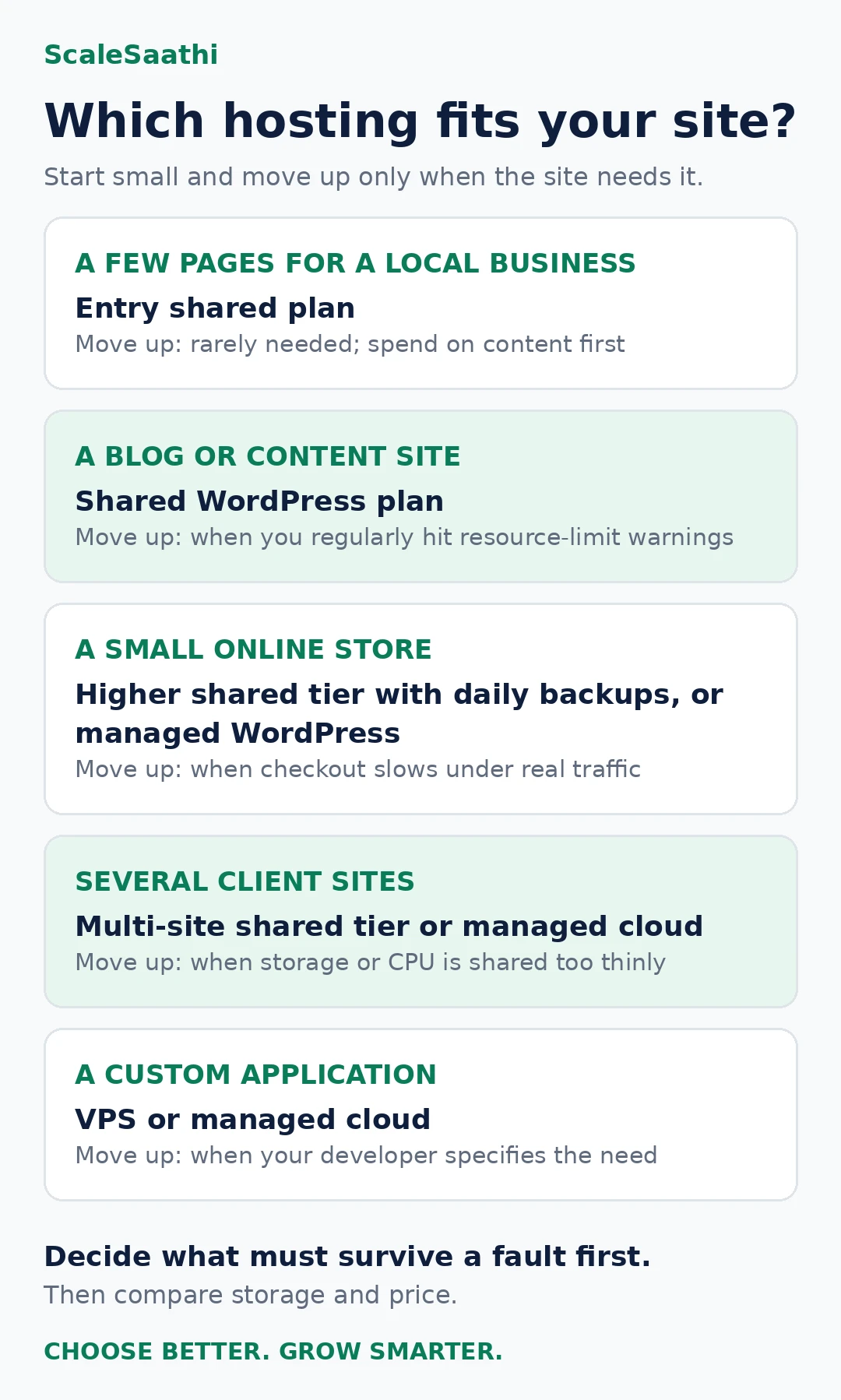
| Your site | Start with | Move up when |
|---|---|---|
| A few pages for a local business | Entry shared plan | Rarely needed; spend on content first |
| A blog or content site | Shared WordPress plan | You regularly hit resource-limit warnings |
| A small online store | Higher shared tier with daily backups, or managed WordPress | Checkout slows under real traffic |
| Several client sites | Multi-site shared tier or managed cloud | Storage or CPU is shared too thinly |
| A custom application | VPS or managed cloud | Your developer specifies the need |
Our shared hosting vs VPS guide and cloud hosting guide go deeper on the upgrade decision.
India-specific checks before you pay
- GST: the rupee prices above exclude 18% GST; add it before comparing budgets, and ask for a GST invoice if your business can claim input credit.
- Payment method: confirm that renewals can be charged to the card, UPI or other method you use. Cloudways processes transactions in US dollars, so your bank may add currency charges.
- Server location: choose India where the plan offers it; an Indian price page alone does not mean an Indian server.
- Speed targets: Google’s Core Web Vitals call for Largest Contentful Paint within 2.5 seconds, Interaction to Next Paint under 200 ms and Cumulative Layout Shift under 0.1. Test a real page on a mobile connection. Google on Core Web Vitals.
- Uptime promises: a percentage on a banner is not a contract. Read whether the terms give a credit, how you claim it and what is excluded.
- Ownership: register the domain, hosting and billing under the business’s own email.
Avoiding lock-in: what to secure before you need to move
- Can you download a full copy of files and databases yourself, without a support request?
- Is the domain registered in your name, with access to its DNS?
- Are mailboxes on the hosting plan? If so, plan how mail moves too.
- Do you hold the login for every paid plugin or theme licence?
- Which bundled items (free domain, email trial) will be billed or lost if you cancel early? Refund terms often exclude domains.
Our website hosting migration guide covers the move itself.
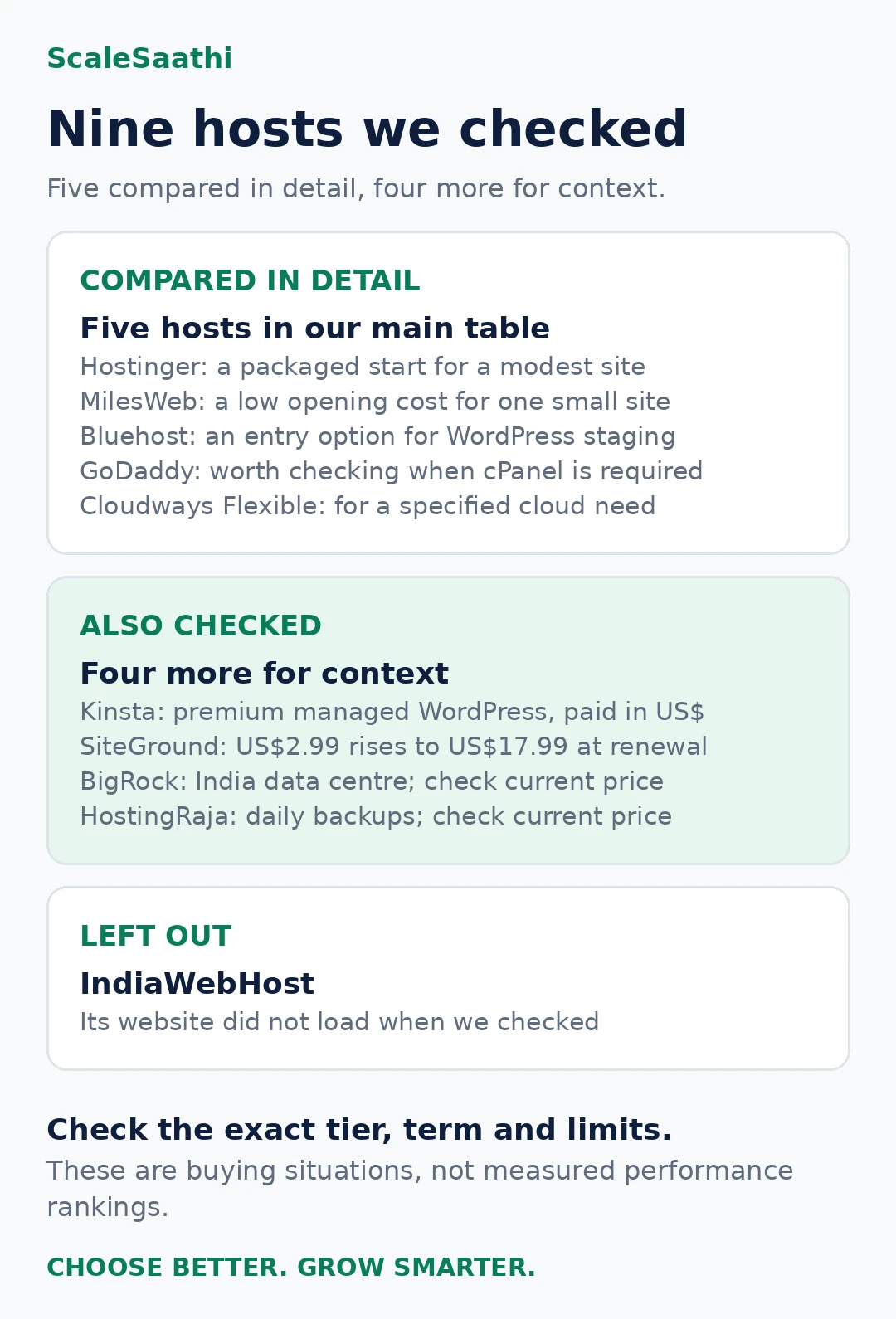
Other hosts we checked: Kinsta, SiteGround, BigRock and HostingRaja
These are not our main picks, but readers often ask about them. We read each company’s own plan page on 25 October 2026. Where a price or term was not visible, the table says so instead of guessing. None of these links earn us money.
| Host | Plan we checked | Upfront price | Renewal | GST and currency | Backups and staging | India server | Best for |
|---|---|---|---|---|---|---|---|
| Kinsta | Single 20GB (managed WordPress, 1 site) | US$35 a month billed monthly, or US$350 a year (saves US$70 against monthly) | Shown as the regular price; no separate renewal rate listed | Charged in US dollars; check whether GST is added at checkout | 14-day backup retention; one-click staging on every plan | Yes, Mumbai is one of its data centres | Business sites that want premium managed WordPress and can pay in USD |
| SiteGround | StartUp (1 site, 10 GB) | US$2.99 a month, prepaid for 12 months (US$35.88) | US$17.99 a month | Prices shown exclude tax; charged in US dollars | Daily backups on all plans; staging only from GrowBig upward | Not confirmed. Its page lists data centres in Asia without naming India | Careful buyers who value support and are fine with a big renewal jump |
| BigRock | Entry hosting plan (plan name and terms shown only at checkout) | From ₹69 a month advertised; check current price for your term | Check current price | Check at checkout whether ₹ prices include GST | Weekly backups available; it advises a paid add-on for automated backups. Staging not stated | Yes, you can choose an India data centre | Buyers who want an India data centre and phone support in business hours |
| HostingRaja | Managed WordPress (10 GB storage, 50 GB bandwidth) | Check current price (the page headline mentions ₹49, but plan terms were not shown) | The page says no price increases at renewal; confirm in your order | Check at checkout | Daily backups kept for 14 days; staging mentioned | Not stated on the plan page | Price-sensitive WordPress sites that want daily backups included |
- Kinsta and SiteGround bill in US dollars, so your card may add a foreign-currency fee and the rupee cost moves with the exchange rate.
- SiteGround’s StartUp jumps from US$2.99 to US$17.99 a month at renewal, about six times the first-year price. Budget for the renewal, not the offer.
- BigRock and HostingRaja show full plan prices only inside their order pages. Note the price for your exact term, the renewal and the GST line before you pay.
- We also tried IndiaWebHost, but its website did not load when we checked, so it is left out.
Frequently asked questions
Which is the best web hosting company in India?
There is no single winner for every site. This shortlist starts with Hostinger for packaged hosting, MilesWeb for a small budget launch, Bluehost for an entry WordPress staging workflow, GoDaddy for an explicit cPanel requirement, and Cloudways Flexible for cloud configuration choices. Compare the exact product and complete cost before choosing.
Does an Indian price page mean my website will use an Indian server?
No. Confirm the region available for the specific product during ordering. A rupee price, an Indian sales page and the company’s ownership do not establish the server location. Test a representative website for your intended audience.
Are the advertised monthly prices billed every month?
The illustrated rupee offers use longer prepaid terms. Divide the base payment by the paid months to understand the equivalent rate, but check the amount collected now. A separately available monthly subscription may have a different price.
Should I choose the provider with the largest website allowance?
Only if you need the installations and the shared resources can support them. Check combined storage, database and other applicable limits. Extra permitted websites do not establish that a plan can run several demanding sites well.
Is cPanel necessary for a good hosting service?
No. It can be a practical requirement when your maintainer relies on its workflow, but it is not a performance rating. Check that the chosen control panel supports the tasks you need and that your team can operate it.
Should I buy domain registration and hosting from the same company?
You can, if the combined offer meets your needs. Compare each service’s renewal, account control and exit arrangements. A convenient bundle does not remove the need to confirm the domain owner, billing periods or how you move the website later.
Is shared hosting good enough for a small business website?
For most brochure and enquiry sites, yes. Move up when you can point to a specific limit being reached, such as repeated resource warnings or a slow checkout under real traffic, rather than on a larger visitor estimate.
Is a VPS better than shared hosting?
It gives dedicated resources and root access, but someone must patch, secure and back up the server. Without that skill, managed cloud or a higher shared tier is usually the safer upgrade.
Does web hosting affect Google rankings?
Indirectly. Google uses page experience signals such as Core Web Vitals, and a slow or unreliable server makes those harder to meet. Content and the site’s build matter as much as the host.
Can I change hosting companies later?
Yes. Keep control of the domain, DNS and a full copy of files and databases, and check which bundled items stop when you cancel. Test the new site and email before ending the old plan.
What do the prices on this page include?
They are introductory prices from each official page on 25 October 2026, excluding 18% GST. Most require paying the full term upfront and renew at a different published rate. Confirm the total on the checkout screen.
Sources and further reading
- Kinsta — pricing
- Kinsta — data centre locations
- SiteGround — web hosting plans
- BigRock — web hosting plans
- HostingRaja — managed WordPress hosting
- Hostinger India — Premium pricing, prepayment, renewal and included features
- Hostinger — WordPress staging eligibility
- Hostinger — resource limits for individual products and tiers
- MilesWeb — Starter offer, paid term, bonuses, renewal promise, mPanel and GST
- Bluehost — Starter pricing, staging, backups and support channels (US site)
- GoDaddy India — Web Hosting Starter pricing, term and cPanel
- Cloudways — Flexible pricing, configuration and backup extras
- Cloudways — Flexible usage billing and transaction currency
- Hostinger — server locations
- Google — Core Web Vitals thresholds
Product names and logos are trademarks of their respective owners. They are shown only to identify the products compared in this guide, and their use does not imply endorsement by or affiliation with ScaleSaathi.