Is managed WordPress hosting worth the extra? Check these first
- Ask which jobs the price moves to the host: server upkeep, backups, updates and troubleshooting, or only tools you run yourself.
- Bringing a site back online and fixing the plugin are separate jobs. Kinsta leaves code repairs to your developer; Cloudways’ plugin-conflict help is in its paid Advanced and Premium tiers.
- Tested updates may cost extra. Kinsta’s update service with visual checks and rollback is US$3 per environment a month after a free first month.
- Hostinger Unlimited WordPress at ₹199 a month means ₹9,552 upfront for 48 months before GST, then a ₹649 renewal (checked 21 Oct 2026).
- Kinsta Single 20GB bandwidth is US$35 a month for one site, 10 GB storage and 14-day backup retention.
- Backups need both files and the database, plus a copy outside the hosting account. For a shop, restoring a midnight backup at 6 p.m. can lose the day’s orders.
- Publishing a Hostinger staging copy replaces the live files and database, so newer live changes are overwritten.
- A response target is not a fix time. Write down who restores the site and who repairs the form or checkout.
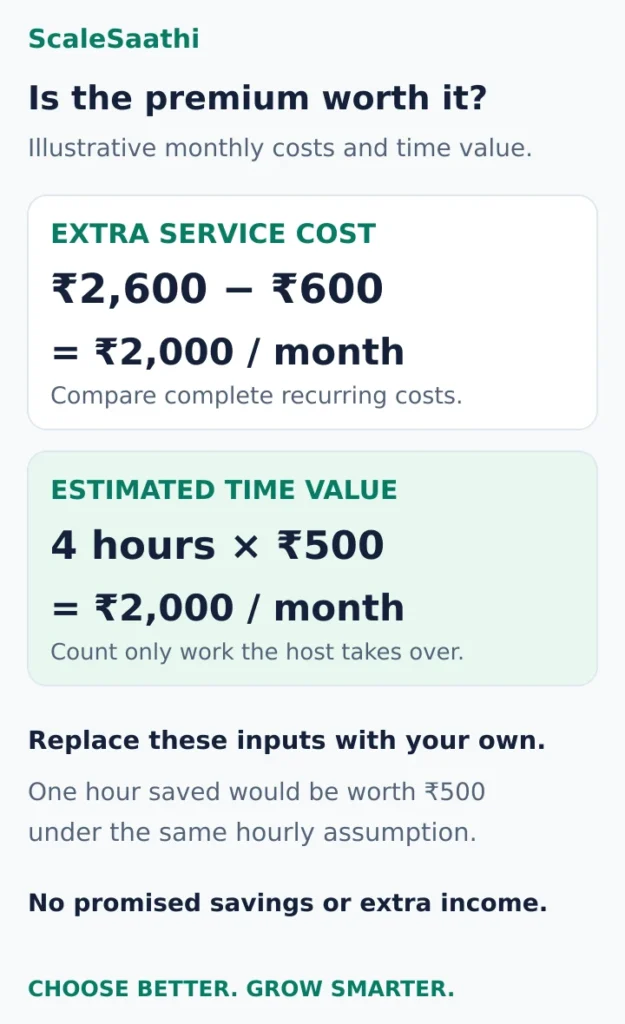
- It pays only if it removes work: ₹2,000 a month extra matches 4 hours saved at ₹500 an hour. Save one hour and it is worth ₹500.
Disclosure: Some links on this page are affiliate links. If you buy through them, ScaleSaathi may earn a commission at no extra cost to you. This never affects our rankings or recommendations. Read our affiliate disclosure.
If you are still learning how WordPress hosting works, start with our beginner’s guide to WordPress hosting in India. This guide helps you decide how much management to buy.What does a managed WordPress host actually manage?
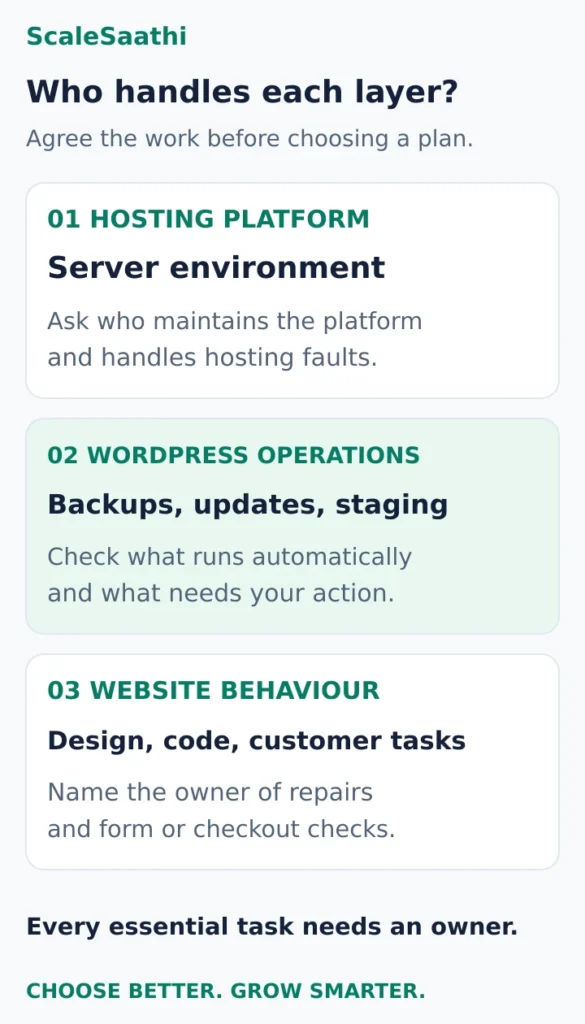
Read the service in three parts:- The hosting platform: maintaining the server environment and providing the platform features covered by the plan.
- WordPress operations: creating backups, applying selected updates, offering staging and helping investigate failures. Establish which actions run automatically and which need your approval.
- Your website’s behaviour: design, content, custom code, plugin choices and whether a customer can complete a purchase. Assign these to someone explicitly.
Three service models worth comparing
These examples illustrate different buying decisions. They are based on provider documentation, not our own performance tests. Use our WordPress hosting shortlist when you want the broader provider comparison.Hostinger: packaged tools at a lower entry cost
Consider it for: a blog or small business site whose owner can run a checklist and wants backups and other hosting tools in one account. Hostinger’s Unlimited WordPress offer lists daily backups, easy restoration and 50 GB NVMe storage. The displayed ₹199/month equivalent required ₹9,552 upfront for 48 months before GST; the listed renewal is ₹649/month (checked 21 Oct 2026). This is a long prepaid purchase. Confirm the final tax-inclusive checkout amount and renewal term. Hostinger’s plan page Question to settle: will support perform the recovery you need, or show you the control-panel steps? Ask it to explain how it would handle a failed plugin update on your particular site. A backup feature alone does not answer that question.Kinsta: a specialist WordPress platform
Consider it for: a WordPress site where platform support and a documented operating process justify a larger hosting budget, with a developer available for application fixes. The Single 20GB bandwidth configuration lists US$35 on monthly billing, excluding tax and before considering any introductory free-period offer. Its published allowances include one WordPress installation, 10 GB storage and 14-day backup retention. Kinsta also displays other plan configurations: compare the selected plan’s limits, not numbers taken from different pricing tabs. Kinsta’s pricing Question to settle: who repairs an incompatible plugin after the site is restored? Its support documentation leaves code changes with the relevant developer. Budget for that relationship if your site depends on custom functionality.Cloudways Flexible: managed cloud with support choices
Consider it for: an owner or agency comfortable choosing infrastructure and checking which support tier covers the WordPress help they need. Cloudways’ included Standard support covers infrastructure and platform assistance. Its paid Advanced and Premium tiers add application troubleshooting, including plugin or theme conflict investigation. Custom-code debugging and changes to website content or appearance remain outside the listed support scope. Cloudways’ support comparison Question to settle: what is the total quote for the server, support tier, backup usage and selected add-ons? Cloudways has multiple hosting products; ask for a written quote for Flexible specifically. Its support page contains differing promotional price presentations, so this guide does not treat one headline amount as a reliable final support bill.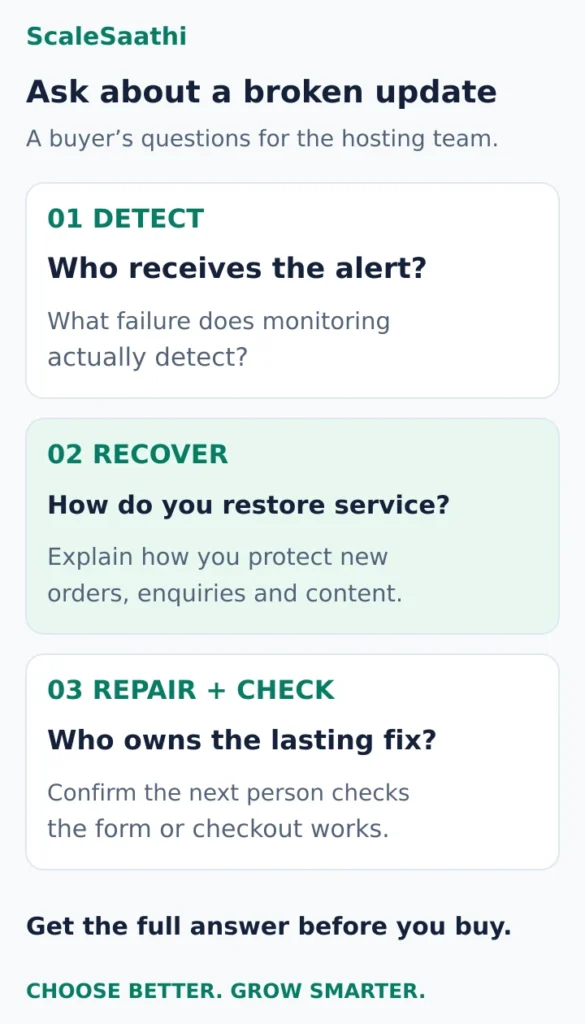
Check the recovery process before the feature count
Imagine that a plugin update breaks your enquiry form at 10 a.m. The homepage still loads, but new enquiries stop arriving. Ask a prospective host to explain what happens next.1. Who notices that something is wrong?
Ask what the plan monitors: whether the server responds, whether a page looks different, or whether a specific action succeeds. Request a sample alert and find out who receives it. A visual check cannot establish that an enquiry reached your inbox or an order reached the payment system. Your acceptance checklist should include those outcomes. Assign a person to review them after significant changes, even when the hosting dashboard looks healthy.2. Which updates receive testing and rollback?
Separate WordPress’s built-in auto-updates from a provider’s additional update service. Kinsta’s documentation distinguishes ordinary auto-updates from its tested update option. The latter uses screenshot comparisons, a pre-update backup and rollback when a change is detected; it costs US$3 per environment per month after its free first month. Kinsta’s automatic-update documentation That is a specific paid feature, not something to assume from the base hosting label. Ask which URLs are checked, whether your licensed or custom plugins can be updated, and how failures reach you. Include the exact update service in your quote.3. What can you recover, and how much work could disappear?
A complete WordPress recovery normally needs both files and the database. WordPress’s backup guidance also recommends keeping copies in different locations. Check that you can obtain a usable copy outside the hosting account. Ask about backup frequency, retention, restore charges, who performs the restore and what happens if the hosting account is inaccessible. Have someone demonstrate a restore into a separate environment. For example, if the latest usable backup is from midnight and a store fails at 6 p.m., a full rollback could discard the intervening orders. Ask the host and developer how they would preserve or reconcile those orders. Choose the backup interval around the amount of work you can afford to reconstruct.4. Can staging overwrite live activity?
A staging site is useful for rehearsing a change. You also need to understand what the publish button transfers. Hostinger’s staging instructions warn that publishing replaces the live files and database; newer live changes are overwritten. For a store, membership site or busy publication, ask your developer to define a deployment process that preserves live transactions and content. Do not use an old staging database as a routine replacement for the live one. Restrict access to test copies and prevent them from sending real customer notifications or processing real payments.5. Who owns the final fix?
Request a practical answer: “If support disables the faulty plugin, who makes the form or checkout work again?” Agree who contacts the plugin vendor, applies the fix and checks the customer journey. Record the escalation channel and the commitment you are buying. A promised initial response is not a promised resolution time; Cloudways’ support comparison labels its response targets separately. Keep the incident owner’s contact details somewhere you can reach when WordPress is unavailable.How much extra is managed WordPress hosting worth?
Compare the complete recurring cost of two workable setups. Include the hosting renewal, backup and update add-ons, support upgrades and any maintenance work still needed. A cheap plan with essential work left unassigned is an incomplete budget. Here is a hypothetical comparison using consistent tax treatment on both sides:- Current setup: ₹600/month in recurring service costs.
- Proposed setup: ₹2,600/month for the services you would actually use.
- Extra cost: ₹2,000/month.
- If it removes 4 hours of work you value at ₹500/hour, the estimated time value is ₹2,000/month.
What should an India-focused website check?
Confirm the origin location available for the selected product. Kinsta’s data-centre list includes Mumbai. Location is one buying factor; it is not evidence that a particular plan will handle your site well. Test a representative page, form and checkout from the regions where your customers are, rather than relying on a homepage demo. Make the bill comparable. Keep rupee and US-dollar quotes in their original currencies until you apply your own conversion assumption. Ask about applicable taxes, payment conversion charges, renewal periods and the invoice details your business needs. Do not compare a four-year prepaid monthly equivalent directly with a flexible monthly subscription without accounting for the cash commitment. Match support to your working hours. Confirm which channels operate when your customers place orders or submit leads. Give the host a description of your actual site: plugins, custom features, traffic peaks and what an outage would interrupt. “WordPress support” is too broad to serve as an incident plan.A buying decision you can make in five steps
- List what hurts today. Is it server maintenance, risky updates, slow incident handling or broken custom code? Buy help for the identified work.
- Write the minimum service brief. Specify backup frequency, retention, restore assistance, tested updates and the support channel you need.
- Get two comparable quotes. Include renewal terms and add-ons. Ask each provider to answer the same failed-update scenario in writing.
- Test with a representative copy. Check a form or test order, staging behaviour and a restore. Agree who verifies data before making a move; use our WordPress migration guide for the wider migration process.
- Assign the work that remains. Record the owner of updates, alerts, plugin fixes, domain renewal and customer-journey checks. Revisit the service when the website changes materially.
Frequently asked questions
Is managed WordPress hosting worth it for a small website?
It can be, if the included work solves a recurring problem or removes maintenance you cannot reliably handle. For a site that changes rarely, a lower-cost plan with a clear backup, update and recovery routine may be sufficient. Compare the complete service and renewal bill before upgrading.Will a managed host fix my WordPress plugins?
Ask about the specific fault. Investigating a conflict, disabling a broken plugin and rewriting its code are different services. Kinsta’s support scope leaves code repairs to the developer; Cloudways separates included platform support from paid application troubleshooting. Keep a developer or plugin-vendor escalation route for work outside the hosting agreement.Are tested plugin updates included in every managed plan?
No. Check the selected plan and update service. Kinsta distinguishes ordinary WordPress auto-updates from its paid option with visual testing and rollback. Ask about custom or licensed plugins and who checks forms, payments and other business actions after an update.Does managed WordPress hosting remove my need for backups?
You still need a recovery plan, even when the host creates backups. Confirm that the backup covers files and the database, how long copies remain available, how restoration works and how you obtain an independent copy. Rehearse recovery and decide how to protect new orders or content.Can I select an Indian server location?
Some providers offer an Indian origin location; Kinsta lists Mumbai. Confirm availability for the exact product and plan before buying. Evaluate your real website and customer journeys as well as location rather than assuming that geography alone establishes performance.Can managed hosting replace a website maintenance developer?
Only for the tasks its agreement actually takes over. List the developer’s existing work and mark what transfers. Design changes, custom functionality, plugin-code repairs and customer-journey verification may still need someone outside the hosting team. Keep responsibility for every essential task explicit.Sources and further reading
- Kinsta — managed WordPress support scope and development exclusions
- Hostinger — India WordPress plans, prepaid terms and renewals
- Kinsta — plan configurations, pricing and allowances
- Cloudways — included support, paid tiers and exclusions
- Kinsta — automatic-update options, visual checks and add-on cost
- WordPress — complete backups and independent copies
- Hostinger — staging publication and live-data replacement
- Kinsta — available WordPress data-centre locations
Product names and logos are trademarks of their respective owners. They are shown only to identify the products compared in this guide, and their use does not imply endorsement by or affiliation with ScaleSaathi.