
A hosting checker can give you a useful lead about which company serves a website. It cannot always identify the company the owner pays for hosting. A content delivery network (CDN), reseller or hosted platform can sit between the visitor and the underlying server.
The practical approach: run a hosting lookup, inspect the relevant DNS records, separate the domain registrar from the website host, and confirm the result against the owner’s account if you have access. When public evidence only identifies a network, label it that way.
This guide shows how to do that for an Indian business website or any other public site, without changing its settings. It also explains what to do when two tools disagree.
Read the lookup result before you believe it
- It is a lead, not the hosting bill. A CDN, reseller or hosted platform can sit between the visitor and the real server.
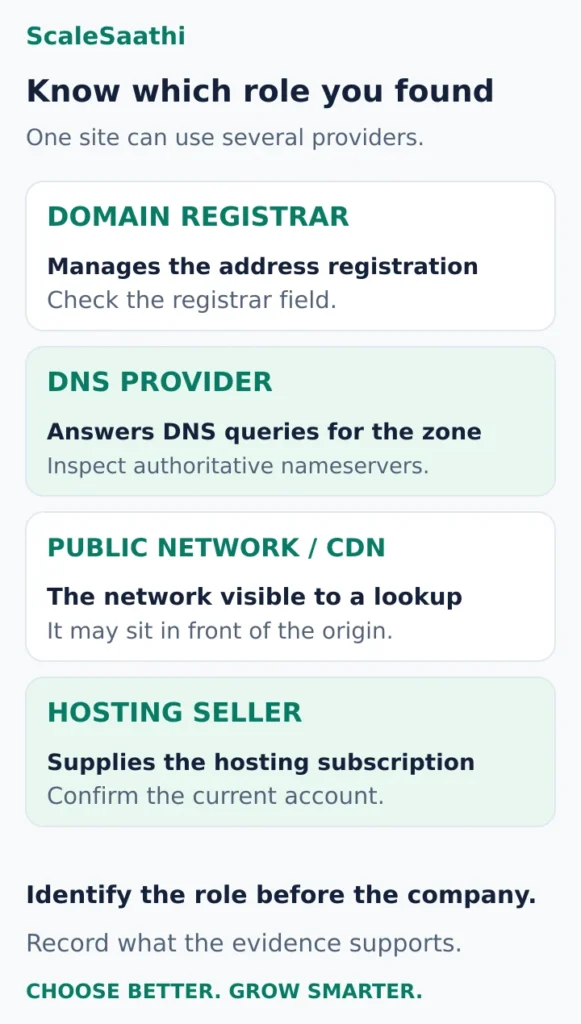
- Up to four companies can be involved: the domain registrar, the DNS provider, the public network or CDN, and the company that sells the hosting.
- Result says Cloudflare? That is the proxy in front. The origin host may still be unconfirmed, and Cloudflare nameservers on their own tell you even less.
- Check the exact hostname. The bare domain and its www version can have different DNS records. Look at A, AAAA and any CNAME. No AAAA answer does not mean no hosting.
- In nslookup, the first Server and Address lines are your own DNS resolver, not the website’s host.
- Location pins mislead. IP geolocation is an estimate, and a .in domain does not mean an Indian server.
- What no checker can tell you: the plan, RAM, storage limit, renewal price, backups or support. Those live in the hosting account.
- Your own site? Find invoices and the account before acting. Never cancel a service just because a checker named a different company.
Start with a hosting checker
For a quick first pass, open Who Hosts This? and enter the website in its URL field. The service says it combines DNS information, IP registration records and its own known-provider data to identify a provider.
Use the public homepage address. Record the hostname you entered, the provider label and any IP addresses the result supplies. If the site redirects from example.com to www.example.com, note that too: they are different hostnames and can have different DNS records.
Treat the result as a lead. Before drawing a conclusion, ask:
- Does the label name a hosting company, a CDN or a large network operator?
- Is it describing the same hostname you wanted to investigate?
- Does another independent source support the interpretation?
A single lookup is enough to start. Repeating the same search across ten similarly built tools may produce ten copies of the same limited evidence.
Understand the different companies a result can identify
A website can use separate businesses for its address, DNS, web traffic and hosting bill. Here is how to read those roles.
Domain registrar: where the address is registered
The registrar manages the domain registration. It may also sell hosting, but a registrar name alone does not show where the website runs. A domain bought from one company can point to services elsewhere.
For registration and account-control questions, see our domain registrar comparison.
DNS provider: where the records are managed
Authoritative nameservers answer questions about a domain’s DNS records. Their names may suggest a DNS service or hosting brand. They are a clue about DNS management, not conclusive evidence of the website’s hosting account.
Public network or CDN: what visitors connect to
The public address may belong to a proxy or CDN that handles requests before they reach the website’s origin. A network-company label can therefore describe the visible infrastructure without identifying the hosting seller.
Hosting seller: who supplies the owner’s service
This is the company or agency that provides the hosting subscription and handles the agreed support. It may own infrastructure or buy it from someone else. Our guide to reseller hosting explains why an agency’s invoice and a network lookup can show different names.
Check the DNS records yourself
Open Google Admin Toolbox Dig in your browser. Enter the domain name without https://, a page path or tracking parameters. Look up the website hostname and inspect the relevant record types.
You do not need an administrator login to query public DNS. These are lookups; there is no reason to edit nameservers or turn off a CDN to perform them.
Read the records as follows:
- A: the IPv4 address or addresses returned for the hostname.
- AAAA: IPv6 addresses, if configured. No AAAA answer does not mean the website has no hosting.
- CNAME: an alias pointing to another hostname. Its target can provide a platform clue, although some DNS configurations flatten aliases into address answers.
- NS: the authoritative nameservers for the domain or delegated zone. Query the base domain for the main nameserver set.
- MX: the servers used for receiving email. These describe mail routing, which can be separate from website hosting.
Cloudflare’s DNS record reference explains address, alias and mail records. For this task, concentrate on A, AAAA and any visible CNAME for the actual website hostname.
If the bare domain redirects to www, check both and record which one serves the page you are investigating. Likewise, a shop or blog subdomain can use a different service from the main website.
Optional: use Windows Command Prompt
Windows includes nslookup. Replace example.com with the hostname you want to inspect:
nslookup -type=A example.com
nslookup -type=AAAA example.com
nslookup -type=NS example.com
For a visible alias on the www hostname:
nslookup -type=CNAME www.example.comThe initial Server and Address lines identify the DNS resolver answering your query. They are not the website’s hosting provider. Read the answer for the requested hostname further down. “Non-authoritative answer” commonly indicates a response from a recursive resolver rather than the domain’s authoritative server; it does not automatically mean the answer is wrong.
Microsoft documents the query types and command syntax in its nslookup reference. If the command returns no records, check the hostname and record type before concluding that hosting is missing.
Separate domain registration from IP registration
These two lookups answer different questions.
For the domain: use ICANN Lookup to inspect available registration information. Look for the registrar and nameserver fields where supplied. ICANN’s browser tool uses RDAP, the registration-data protocol that replaced the older WHOIS protocol; the organisation explains the tool in its RDAP user guidance.
Country-code domains can have their own registry lookup arrangements. For .in, IANA’s delegation record identifies the official registry and its lookup services. Use that record to reach the appropriate registry route if your chosen tool cannot return the domain data. Missing or redacted contact information does not identify the website host.
For the IP address: inspect its network registration information through a regional Internet registry. APNIC’s Whois search covers Internet resources distributed in the Asia-Pacific region; follow any referral to the registry responsible for an address outside its coverage.
Look for the organisation associated with the address range. It may be a network operator, infrastructure supplier or assigned customer. An IP-registration record is not a copy of the website owner’s hosting contract.
Why a hosting checker may show Cloudflare
For a proxied hostname, Cloudflare returns its own public IP addresses and handles traffic in front of the origin. Its proxy-status documentation explains this behaviour.
A checker reporting Cloudflare can therefore be accurately identifying the visible proxy. That result alone does not establish the origin host or the hosting subscription. Cloudflare nameservers alone are even narrower evidence: DNS service does not establish that the web record is proxied.
For your own website, confirm the setup through the hosting and DNS accounts or ask the person who manages them. Keep the existing protection in place while checking records. For somebody else’s site, “origin host not confirmed” is a valid result; the lookup does not need to reveal every part of the infrastructure to be useful.
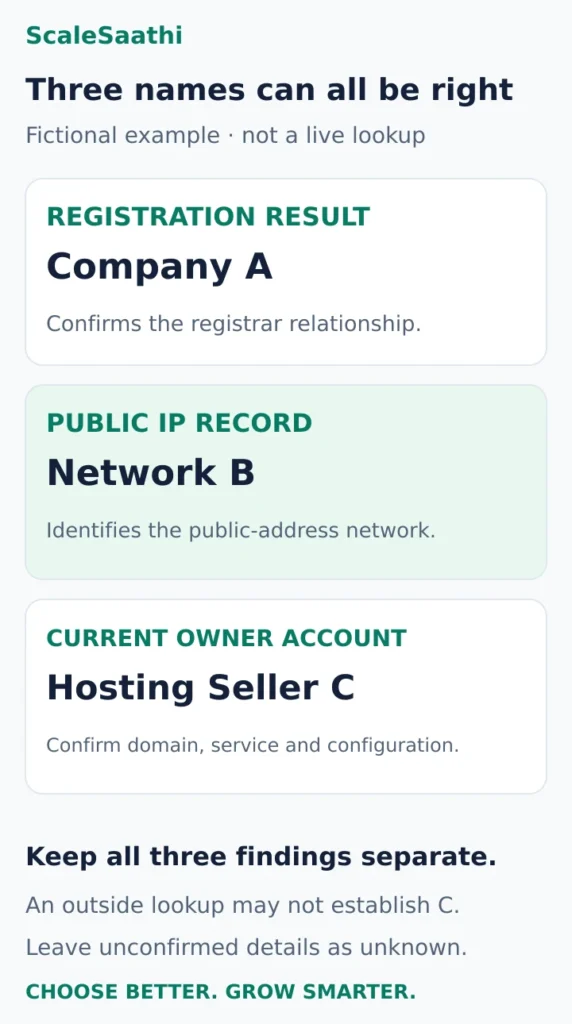
A worked example: three names, three different roles
The following is fictional. It illustrates how to interpret evidence, not a live lookup of a particular website.
Finding 1: the registrar is Company A
A domain-registration lookup names Company A as registrar. You can record that registration relationship. You cannot yet conclude that Company A hosts the website.
Finding 2: the public IP belongs to Network B
The hosting checker and IP-registration result both identify Network B. That supports a conclusion about the public-facing network. You still need to establish whether it is the host, a proxy or an infrastructure supplier.
Finding 3: the owner’s current account lists Hosting Seller C
The owner opens an active hosting account showing the exact domain, subscription and current configuration. This is much stronger evidence of the service they buy than the outside lookup. Check that the website has not moved while an old subscription remains active.
The useful handover note is: “Domain registered through A; public address associated with B; current hosting service confirmed in C’s account.” For a site you do not own, you may only be able to complete the first two parts.
What to do when results disagree
First compare the inputs. One lookup may check the bare domain while another follows a redirect to www or a hosted storefront. Then compare the type of evidence: domain registration, nameservers and IP ownership are not interchangeable fields.
Other reasons include:
- A recent change: cached DNS answers or a tool’s stored provider data may still reflect an older setup.
- Several addresses: a hostname can return multiple addresses, and tools may inspect different ones.
- A reseller relationship: the hosting seller’s brand may not appear in the network record.
- An alias or proxy: the visible endpoint may be one layer of a larger service.
Write down exactly what each source establishes. Agreement between tools is more useful when they contribute different evidence; a shared provider label is not proof that they independently confirmed the commercial host.
If a lookup times out, retry later or use another public DNS lookup. A timeout says the lookup failed; it does not by itself prove that the website is offline or has no hosting.
Can you identify the server location, plan or performance?
A hosting checker cannot reliably reveal the customer’s exact plan, allocated RAM, storage limit, renewal price, backup arrangement or support entitlement. Those details belong in the hosting account and service terms.
Be careful with a location pin. An IP-registration address is administrative information, while an IP geolocation result is a location estimate. Neither alone proves where the website’s origin data is stored. With anycast, the same IP can serve traffic through different locations, as explained in Cloudflare’s anycast overview.
For an India-focused business, ask the provider which origin region applies to your account and where backups are stored if those details matter. A .in domain does not establish an Indian server location. Test your own pages from the locations your visitors use instead of treating a provider label as a speed measurement.
Knowing where another site appears to run is background information. It does not establish that its hosting plan suits your traffic, budget or support needs. Our guide to choosing web hosting in India explains how to make that buying decision.
If you have lost track of your own hosting account
Start with records you control: hosting welcome emails, invoices, renewal notices, the business password manager and your website handover documents. Search for the domain as well as the provider name suggested by the lookup.
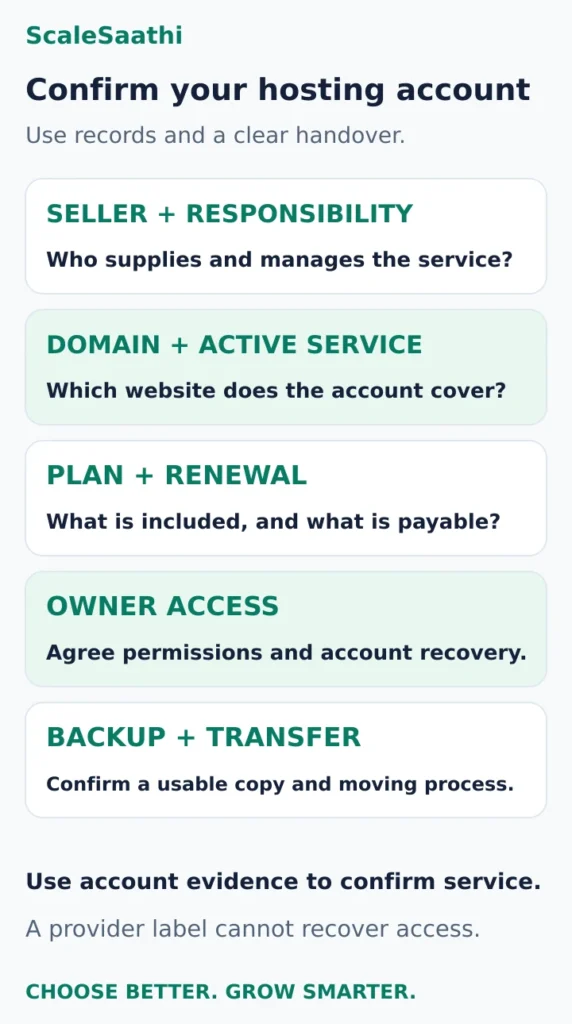
A domain-renewal invoice may pay only for the address. Check that a hosting invoice or dashboard actually lists the website and an active service. Where an agency manages the site, request:
- The hosting seller and the person responsible for the account.
- The domain and website covered by that service.
- The plan, renewal amount and next billing term.
- The agreed owner access and account-recovery arrangement.
- The latest usable backup and how a transfer would be handled.
Ask for an access invitation or documented recovery process instead of sharing passwords in ordinary messages. If you intend to move, use the hosting migration guide after confirming the account and backup. Do not cancel the old service merely because a checker found a different company name.
Turn the lookup into a useful next step
For an ownership or handover problem, finish with a record of the registrar, DNS provider, visible network and confirmed hosting account. Mark anything you could not establish as unknown.
For a hosting purchase, use ScaleSaathi’s Hosting Plan Finder to match your own traffic and support requirements with a hosting category. It is a selection tool, not a detector of another website’s host.
A good hosting check ends with a supported conclusion: a likely provider, a confirmed customer account or a clear explanation of the layer you can see. That is more useful than forcing a single company name from incomplete evidence.
Frequently asked questions
How does a hosting checker identify a provider?
It commonly resolves the website hostname to public IP addresses, checks network-registration information and matches that evidence to provider data. The result can identify a host or a visible infrastructure layer. It does not automatically identify the company the owner pays.
Why does a hosting checker show Cloudflare?
A proxied hostname can return Cloudflare addresses, so the checker sees that public-facing service. The origin host and the owner’s hosting subscription may remain unconfirmed. Cloudflare nameservers alone establish a DNS relationship, not that a particular website record is proxied.
Is the domain registrar also the hosting provider?
Sometimes one company provides both, but the registrar field alone cannot establish that. Confirm the website’s DNS destination and the owner’s active hosting service separately. A domain-renewal invoice may cover only the domain.
Can I check a website’s hosting from my phone?
Yes. Use the browser-based hosting lookup and DNS tools linked in this guide. Record the exact hostname and interpret the provider label carefully. You do not need to install an extension or edit the website’s DNS to perform a public lookup.
Can a hosting checker reveal the hosting plan or RAM?
A public lookup does not reliably establish the customer’s plan, RAM allocation, storage allowance, renewal price, backups or support entitlement. Check the hosting account and service terms. A network label is not a performance benchmark.
What if different tools name different hosting companies?
Check that they inspected the same hostname, then compare the evidence behind each label. One may show the registrar, another a CDN or underlying network. Recent changes, cached data and reseller arrangements can also explain differences. Keep the conclusion limited to what you can verify.
Sources and further reading
- Who Hosts This? — lookup form and stated detection method
- Google Admin Toolbox — Dig DNS lookup
- Cloudflare — DNS address, alias and mail record types
- Microsoft Learn — nslookup syntax and query types
- ICANN — domain-registration lookup tool
- ICANN — guidance for users of RDAP registration lookups
- IANA — official .in registry and lookup-service delegation record
- APNIC — Internet resource registration search
- Cloudflare — proxy status and public DNS answers
- Cloudflare — anycast and multiple serving locations