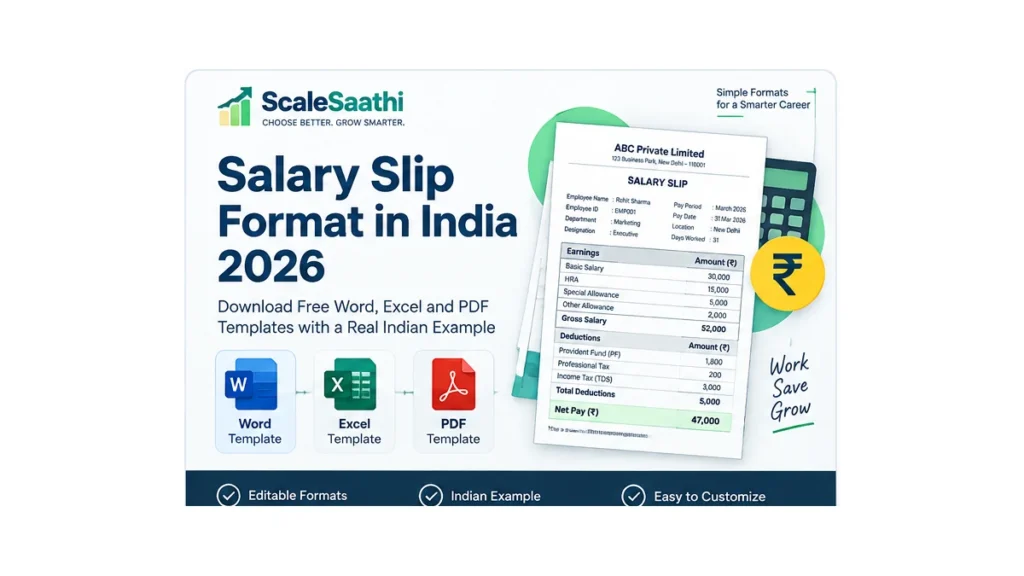
WORD
Editable Word template
Best when you want a clean printable document that HR can edit manually. Download Word salary slipEXCEL
Formula-based Excel template
Best when you want gross salary, deductions and net pay calculated automatically. Download Excel salary slipPDF
Printable PDF template
Best for printing, sharing or keeping a fixed-format copy after payroll is final. Download PDF salary slipWhat is a salary slip?
A salary slip, payslip or wage slip is a record of salary for a particular pay period. It normally identifies the employer and employee, shows the earnings that make up gross pay, lists applicable deductions and states the amount paid after deductions. The Code on Wages, 2019 says employers must issue wage slips in the prescribed form and manner. An official government wage-slip form provides a practical baseline: establishment name and address, employee name, designation, UAN, bank account number, wage period, rate of wages, attendance or work done, overtime, gross wages, deductions and net wages. Your payroll system may show additional fields, but those core items explain what a salary slip format is trying to communicate.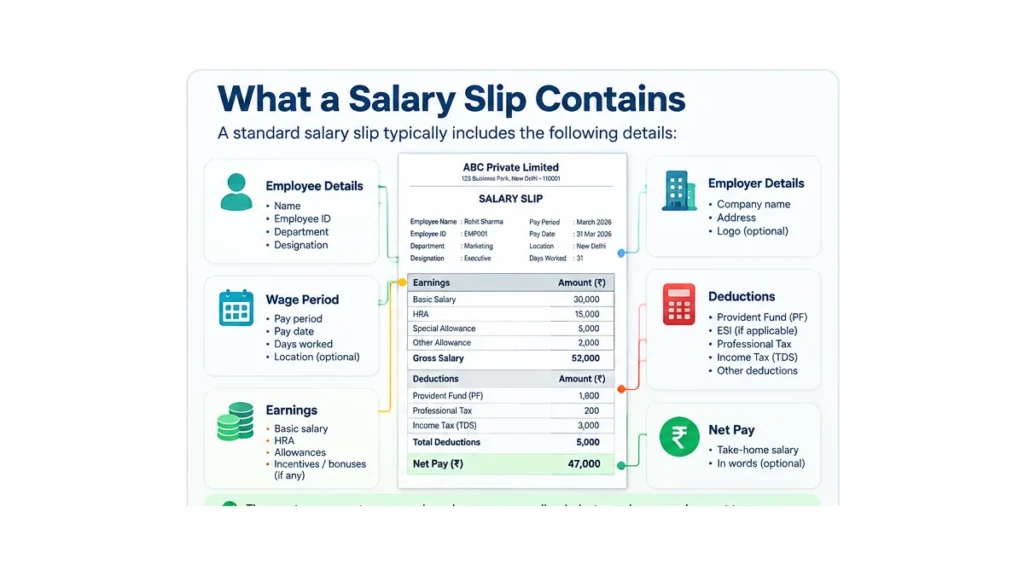
Salary slip format: fields to include
You do not need to copy every field from another company. Start with the information that proves the payment and explains the calculation.1
Employer details
- Employer or establishment name
- Business address
- Logo, if useful
- Payroll contact, if your organisation uses one
2
Employee details
- Employee name
- Employee ID
- Designation and department
- UAN where applicable
- Masked bank account where useful
3
Pay-period details
- Salary month or wage period
- Pay date
- Days worked or paid days where relevant
- Leave or overtime where your payroll needs it
4
Salary calculation
- Earnings
- Gross salary
- Applicable deductions
- Total deductions
- Net pay
Filled Indian salary slip example
Here is the same salary slip format filled with fictional information. The figures are deliberately simple so you can see the arithmetic. They are not a recommendation for how your organisation should structure salary.EMPLOYEE
Rohit Sharma
Employee ID: EMP001 Designation: Executive Department: Marketing Pay period: September 2026EARNINGS
Gross salary: ₹52,000
Basic: ₹30,000 HRA: ₹15,000 Special allowance: ₹5,000 Other allowance: ₹2,000DEDUCTIONS
Total: ₹5,000
Provident Fund: ₹1,800 ESI: ₹0 Professional tax/other: ₹200 Income tax/TDS: ₹3,000NET PAY
₹47,000
₹52,000 gross salary minus ₹5,000 total deductions = ₹47,000 net pay.How earnings and deductions work
A good payslip makes the path from gross salary to take-home pay obvious. The calculation is simple: Total earnings = gross salary. Gross salary – total deductions = net pay.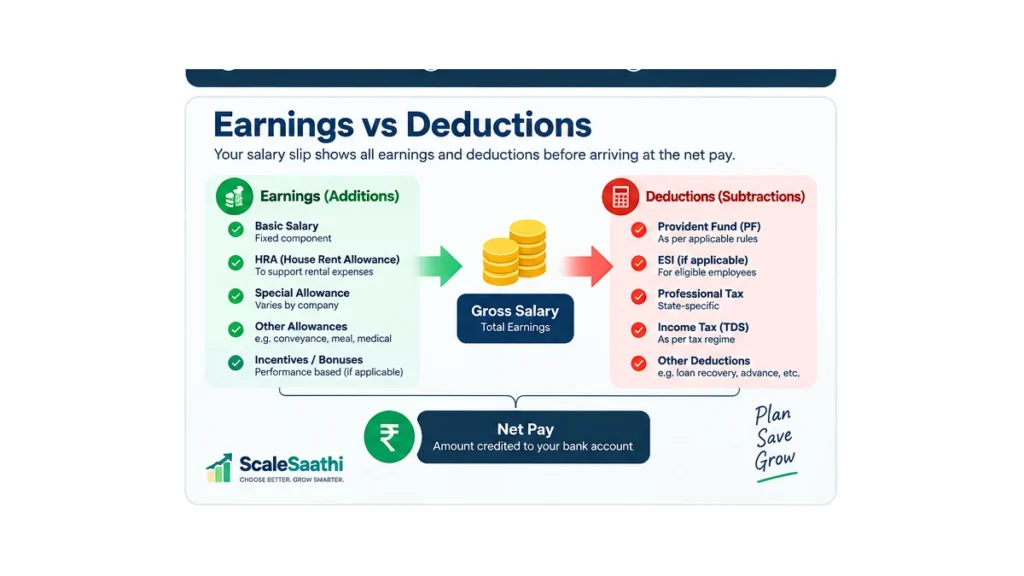
Common earnings
The exact components depend on the employment contract and payroll structure. A salary slip may include basic salary, dearness allowance where applicable, house rent allowance, special allowance, conveyance or other allowances, incentives, bonus, arrears and overtime. Do not add a component merely because you saw it in an online template.Common deductions
Deductions can include provident fund, ESI, professional tax, salary TDS, loan or advance recovery and other authorised deductions. Some are statutory only when the relevant law applies; others arise from the employee’s circumstances or employer policy.PF, ESI and salary TDS: what to show in 2026
This is the part where old salary-slip templates become risky. Do not hard-code a deduction rule into your document and assume it will remain correct.Provident Fund (PF)
EPFO’s employer portal currently highlights a recent revision of the EPF wage ceiling from ₹15,000 to ₹25,000. EPFO material also states that the standard employee contribution rate is generally 12%, with a 10% rate applying to specified categories. Because payroll treatment depends on coverage, membership, wage definition and current notifications, the safest template label is simply “Provident Fund (if applicable)”. Let your payroll system or payroll professional calculate the actual amount.Employees’ State Insurance (ESI)
ESIC material states that covered employees drawing wages up to ₹21,000 a month are within the scheme, with contribution rates of 0.75% for the employee and 3.25% for the employer. If ESI does not apply to a particular employee, do not create a fake deduction merely to fill the row. Leave it blank, show zero, or remove the row according to your payroll practice.Income-tax deduction on salary
From 1 April 2026, the Income Tax Department’s transition guidance places TDS on salary under section 392(1) of the Income Tax Act, 2025. Older material may still refer to section 192 of the Income Tax Act, 1961 for salary paid up to March 2026. For a payslip, the practical field can remain Income Tax / TDS; the payroll calculation itself should use the law and tax regime applicable to that employee.Do you need GST fields on a salary slip?
No standard salary slip needs GST invoice fields just because the employer is GST-registered. A salary slip is an employment-pay record, not a GST tax invoice. Do not copy GSTIN, CGST, SGST or invoice-number fields from a quotation or GST invoice template into a payslip unless you have a separate administrative reason to display the employer’s GSTIN. This distinction matters because business-document templates are often copied from one another. A clean salary slip format should contain payroll information, not unrelated tax-invoice fields.How to use the free Word salary slip template
- Download the Word file above.
- Replace the fictional employer name and address with your own.
- Enter the employee details and pay period.
- Keep only the earnings and deductions that actually apply.
- Enter gross salary, total deductions and net pay.
- Check the figures against your payroll record before issuing the slip.
- Save a final PDF if you want a non-editable copy for distribution.
How to use the Excel salary slip template
This salary slip format in Excel contains a blank template and a filled example. Enter earnings and deductions into the amount cells; the gross salary, total deductions and net pay cells are formula-driven. Excel is useful when a small business wants a reusable format without buying a dedicated payroll system. It is still your responsibility to protect employee data, control who edits the file, avoid overwriting formulas and maintain a proper payroll record. If you are already reviewing billing or accounting systems for the business, see ScaleSaathi’s practical accounting-software checklist and accounting and invoicing software guide. Payroll features vary by product, so test the exact workflow rather than assuming every accounting application produces compliant salary slips.When the PDF version is useful
PDF is the best version of this salary slip format when the salary calculation is already final and you need a stable copy. It is easier to print consistently and less likely to be changed accidentally after issue. Use the editable Word or Excel version to prepare the slip. Then create or store a PDF as the final employee copy if that fits your process.Salary slip checklist before you issue it
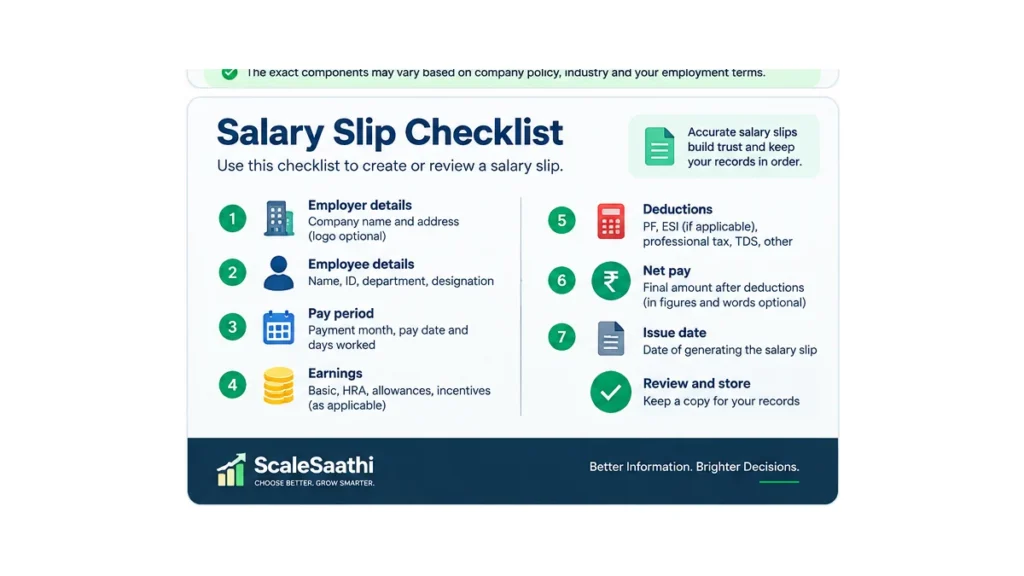
- Correct employer: confirm the establishment name and address.
- Correct employee: check name, employee ID and designation.
- Correct period: confirm the wage month and pay date.
- Correct earnings: reconcile the slip with attendance, contract terms and payroll inputs.
- Correct deductions: use only deductions that are applicable and authorised.
- Correct net pay: gross salary minus total deductions must equal the amount shown as net pay.
- Protect identifiers: avoid exposing a full bank-account number unnecessarily when a masked number is enough.
- Keep records: retain the payroll record and issued slip according to the requirements applicable to your organisation.
Common salary slip mistakes
Copying a template without checking the deductions
A polished template can still be wrong for your payroll. PF, ESI, professional tax and TDS are not universal fixed amounts.Using CTC as if it were monthly gross salary
Cost to company can include employer-side costs or benefits that are not part of the employee’s monthly gross earnings. The payslip should explain the actual payroll calculation for the period.Showing sensitive information unnecessarily
Do not publish a salary slip with full bank details, tax identifiers or other employee information. Use masking where practical and share salary documents securely.Forgetting the pay period
A salary amount without a wage period is harder to reconcile. Always identify the month or period the slip covers.Turning the payslip into a GST invoice
GST fields belong to tax invoices and related business documents, not to ordinary salary calculations.Which salary slip format should you choose?
WORD
Choose Word when…
You issue only a few slips, want easy manual editing and prefer a document-style layout.EXCEL
Choose Excel when…
You want formulas, repeatable monthly calculations and a small-business workflow that is still largely manual.PDF
Choose PDF when…
You need a final print/share copy after payroll has been checked and approved.SOFTWARE
Move beyond templates when…
You have many employees, recurring statutory calculations, approvals, attendance integration or a need for stronger payroll controls.Final takeaway
The best salary slip format is the one that makes the salary calculation easy to understand and difficult to misread. Start with employer and employee details, wage period, earnings, deductions, gross salary and net pay. Add statutory or company-specific fields only when they genuinely apply. Use the Word file for simple editing, the Excel file for formula-based preparation and the PDF for a stable final copy. Before issuing a real payslip, verify payroll deductions against current law, your establishment’s coverage and the employee’s actual records. Hiring? Start with an offer letter format.Frequently asked questions
What is a salary slip format?
A salary slip format is the structure used to show employer and employee details, the wage period, earnings, deductions, gross salary and net pay for a salary payment.Can I download a salary slip format in Word?
Yes. The ScaleSaathi package includes an editable Word template with a blank salary slip and a filled Indian example.Does the Excel salary slip calculate net pay automatically?
Yes. The provided Excel template uses formulas for gross salary, total deductions and net pay. You still need to enter the correct payroll inputs.Should a salary slip contain PF and ESI?
Include PF or ESI only when they apply to that employee and establishment. Do not copy fixed deduction amounts from a sample template.Does a salary slip need GSTIN or GST tax fields?
A normal salary slip is not a GST tax invoice, so CGST, SGST and invoice-tax fields are not standard salary-slip fields. An employer may display additional business details for administrative reasons.What is the difference between gross salary and net salary?
Gross salary is total earnings before deductions. Net salary or net pay is the amount remaining after applicable deductions are subtracted.Is the filled salary slip example payroll advice?
No. The filled example uses fictional details and illustrative amounts to explain the format. Real deductions must be calculated from the rules and records that apply to the employee.Which format is best: Word, Excel or PDF?
Word is convenient for manual editing, Excel is better for formula-based preparation, and PDF is useful as a stable final copy. Larger payrolls usually benefit from dedicated payroll software.Sources and further reading
- Ministry of Labour & Employment – Code on Wages, 2019
- Ministry of Labour & Employment – Wage Slip Form V
- EPFO Employer Portal – current employer information and wage-ceiling update
- EPFO – Present Rates of Contribution
- ESIC – contribution rates and coverage information
- Income Tax Department – TDS compliance transition FAQs
- ScaleSaathi – How to Choose Accounting Software in India
- ScaleSaathi – Accounting & Invoicing Software for Freelancers in India