Zoho Books pricing in India starts at ₹0 for the eligible Free plan and ₹749 per organisation per month on Standard when billed annually. Standard costs ₹899 when billed monthly. The annual number is a monthly equivalent: the base yearly commitment is ₹8,988, before taxes and add-ons. See Zoho’s India price list.
The useful decision is not simply which plan is cheapest. It is which plan covers your actual transactions, users and workflow without unnecessary upgrades. Below, you can compare all six plans, calculate the annual cash requirement and separate software access from setup, support and optional services.
This comparison is based on Zoho’s published prices and documentation. The calculations are ScaleSaathi’s own. Confirm your account-specific checkout price, any negotiated discount, support terms and migration steps with Zoho before purchasing.
Start with the work
Shortlist by required functionality first. Additional seats alone do not always justify the next plan.
Budget the full year
Compare equivalent periods. An annual rate is not a promise that you can pay that amount month by month.
Download the Zoho Books cost planner (.xlsx)
The workbook includes all plan rates, optional add-on inputs and a monthly-versus-annual budget. It runs locally, needs no macros and does not connect to a Zoho account.
In this guide
Zoho Books pricing in India: all six plans
The plan prices below are in Indian rupees, per organisation. Monthly and annual-equivalent rates are published prices; yearly totals and tax-inclusive amounts are calculated. Zoho excludes local taxes. The 18% GST examples are a domestic budgeting assumption, consistent with the CBIC IT/ITES FAQ, question 5; your actual invoice controls.
See also how Zia and other AI features help accountants.
Free
Subscription: ₹0.
Subject to revenue, user and transaction limits. It is not the same as the paid-plan trial.
Check eligibility below before relying on it.
Standard
₹899/month on monthly billing.
₹749/month equivalent on annual billing.
12-month annual commitment: ₹8,988 before tax.
With assumed 18% GST: ₹10,605.84 for the year.
Professional
₹1,799/month on monthly billing.
₹1,499/month equivalent on annual billing.
12-month annual commitment: ₹17,988 before tax.
With assumed 18% GST: ₹21,225.84 for the year.
Premium
₹3,599/month on monthly billing.
₹2,999/month equivalent on annual billing.
12-month annual commitment: ₹35,988 before tax.
With assumed 18% GST: ₹42,465.84 for the year.
Elite
₹5,999/month on monthly billing.
₹4,999/month equivalent on annual billing.
12-month annual commitment: ₹59,988 before tax.
With assumed 18% GST: ₹70,785.84 for the year.
Ultimate
₹9,599/month on monthly billing.
₹7,999/month equivalent on annual billing.
12-month annual commitment: ₹95,988 before tax.
With assumed 18% GST: ₹1,13,265.84 for the year.
Source rates: Zoho Books India and the official pricing page. These are standard list-price comparisons, not first-year coupons, lifetime licences or negotiated quotations. Rates can change; check the India edition and the selected payment frequency before paying.
When is Zoho Books Free enough?
The pricing FAQ keeps the India Free plan available while revenue for the financial year does not exceed ₹25 lakh. It includes one user plus one accountant, up to 1,000 invoices annually, and a separate allowance of 1,000 bills and expenses combined annually. These are product eligibility and usage rules—not GST registration thresholds. Read the Free-plan FAQ.
Do not add the two transaction allowances together and assume you can create 2,000 invoices. Also avoid using employee headcount as a substitute for the people who actually need accounting access. A business can have several employees while only an owner and accountant use the books.
For example, a fictional business with ₹18 lakh in annual revenue, 500 invoices and one owner plus an accountant should examine Free before paying. That example does not prove feature fit: a foreign-currency customer or a specific approval process can still change the decision.
The current India comparison matrix includes basic inventory and purchase/sales orders even on Free, but excludes e-invoicing and multi-currency invoicing there. Basic stock tracking is not the advanced inventory bundle. Check the exact row that describes the work you need, rather than assuming every stock-based business needs Elite.
For a wider choice, see ScaleSaathi’s free accounting software guide. Keeping a suitable free system is a legitimate decision; a paid badge is not itself an improvement.
What do the paid plans add?
The published user counts are 3 / 5 / 10 / 15 / 25 for Standard through Ultimate. Their annual invoice caps are 5,000 / 10,000 / 25,000 / 1,00,000 / 1,00,000, with separate matching caps for bills and expenses combined. These limits are not unlimited. Verify the detailed limits.
Standard: core accounting with more operating room
Standard adds e-invoicing, progress invoicing, transaction-period locking and removal of Zoho branding from invoices. Choose it when these capabilities or the higher volume/user allowance solve the problem. A need to keep ordinary books does not automatically justify the more expensive Professional plan.
Professional: projects, approvals and multi-currency work
Professional introduces timesheet billing, project profitability, retainers, price lists, sales/purchase approvals, custom roles and multi-currency transactions. For a service business, the upgrade question is concrete: do you need to bill tracked time, review project margins or transact in a foreign currency?
Premium: more control over the finance process
Premium adds budgeting, cash-flow forecasting, fixed assets, a vendor portal and custom modules/functions. It also lists payroll capacity. Buy these capabilities to support a defined process—for example, an agreed monthly budget review—not simply because the team expects to grow.
Elite: advanced inventory operations
Elite adds warehouses, batch/serial tracking, composite items, shipping and sales-channel connections. The decision is about stock control across real operations, not merely keeping an item list. For an online shop, include the accounting subscription in your full ecommerce operating budget, not just the website launch quote.
Ultimate: advanced analytics
Ultimate adds advanced analytics; its published allowance includes three million rows. Integration with other data sources is qualified by a Zoho Analytics add-on. Do not read “advanced analytics” as unrestricted access to every separate analytics product. Define the reports, data sources and people who will actually use them first.
Feature mapping: Zoho’s plan descriptions and the detailed India matrix. Our fit guidance is editorial analysis. Before committing, run the required workflow in the exact tier rather than testing a richer trial and assuming the cheapest plan behaves the same way.
Monthly versus annual billing: what leaves your bank account?
Take Standard without add-ons. The annual route is ₹749 × 12 = ₹8,988 before tax. Twelve payments at the monthly rate total ₹899 × 12 = ₹10,788. The annual saving is ₹1,800, or about 16.7% of the twelve-month monthly-billing total.
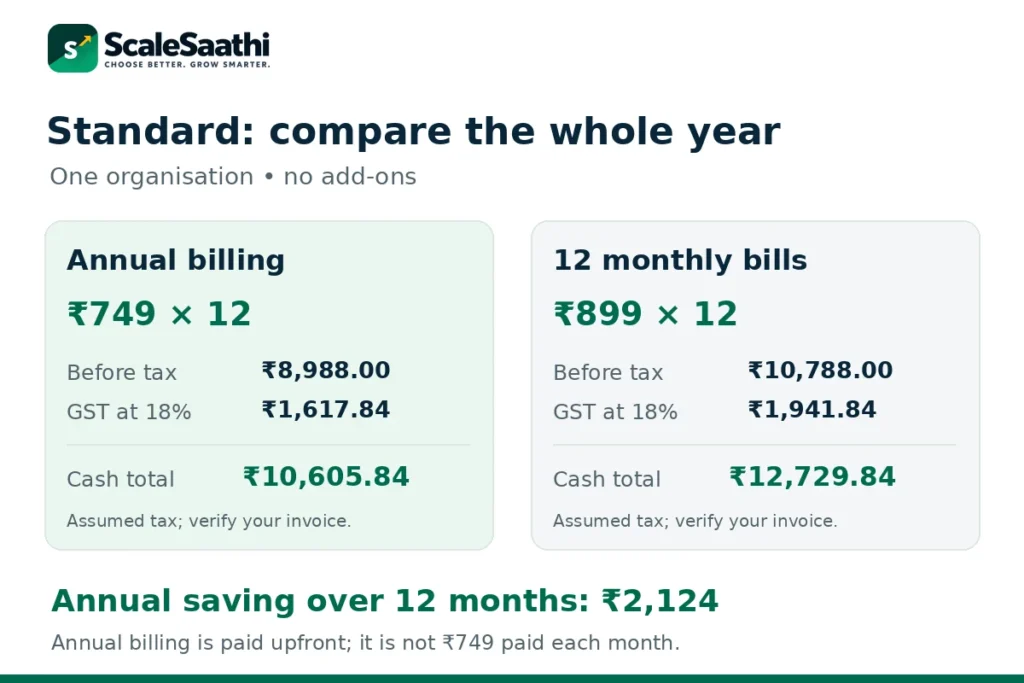
With an assumed 18% GST charge, the annual payment is ₹10,605.84. One monthly payment is ₹1,060.82; twelve such payments total ₹12,729.84. The full-year cash difference is ₹2,124. This calculation assumes unchanged rates, no extras and no special tax treatment.
Across Professional, Premium, Elite and Ultimate, the corresponding pre-tax twelve-month savings are ₹3,600, ₹7,200, ₹12,000 and ₹19,200. Use the same billing period when comparing: ₹1,499 annual-equivalent Professional and ₹3,599 monthly Premium are not like-for-like rates.
Annual billing is sensible after the workflow has been tested and the business expects to keep the service. Monthly billing preserves flexibility during an uncertain rollout. A short pilot does not become cheaper merely because the annual rate card has a larger discount.
Zoho Books add-on costs: count the right units
An extra user is an additional login seat; a payroll employee is a different unit. Likewise, a location is not another unrelated business. Budget extra quantities beyond the included allowance and confirm plan compatibility in the checkout. Zoho’s add-on repository lists these before-tax rates:
Extra users
₹180 per user/month, or ₹150 per user/month equivalent billed annually.
Extra payroll employees
₹75 per employee/month, or ₹60 annually billed equivalent; from Premium.
Extra locations
₹720/month, or ₹600 annually billed equivalent, per location. Listed with one GSTIN and 10,000 invoices.
Document autoscans
₹499/month, or ₹419 annually billed equivalent, per additional 50-scan pack.
Orders and shipping labels
₹360/month equivalent for 50 orders and 50 shipping labels; same listed equivalent on both cycles.
Expense claims
₹199 per user/month, or ₹149 annually billed equivalent.
BillPay
₹3,499/month, or ₹2,999 annually billed equivalent.
SMS
₹75 per credit, with a minimum purchase of five credits. This is not a per-message monthly subscription price.
Free generally does not accept add-ons, with Document autoscans identified as an exception. Receipt autoscan allowances and the paid Document autoscan packs are described separately: confirm which workflow and quota you are buying before adding a pack. Do not buy extras merely because the names look similar.
Five users: Standard plus seats can cost less than Professional
Assume five counted users, one organisation and a workflow that genuinely fits Standard. On annual billing, three seats are included and two additional seats cost ₹150 each per month equivalent. The calculation is ₹749 + (2 × ₹150) = ₹1,049/month equivalent, or ₹12,588/year before tax.

Professional with its five included seats is ₹17,988/year before tax. The Standard-plus-seats route is therefore ₹5,400 less for the year. With the 18% tax assumption, its annual cash budget is ₹14,853.84, compared with ₹21,225.84 for Professional.
That is not a recommendation to avoid Professional. If multi-currency, projects or approvals are required, the extra functionality can justify its price. The point is to compare seats plus the needed work, rather than selecting a tier solely from the number of users.
Two details to confirm: payroll and support
Payroll: access is not the same as an unlimited bundle
The Books comparison lists payroll capacity of 10 employees on Premium and 20 on Elite/Ultimate. Separately, the Books payroll help page says Standard has access to the free version of Zoho Payroll by default. These describe different entitlements; neither means every standalone Payroll feature is included in every Books plan.
Ask Zoho to identify the payroll edition, included headcount, additional employee charges and required functions in writing. Keep that confirmation with the subscription quote. Buying a higher Books plan solely for payroll without checking this scope can produce the wrong budget.
Support: the official pages do not fully agree
The main Books pricing page lists email for Standard, email/voice for Professional and email/voice/chat for Premium upward. However, the separate support-pricing page describes phone and chat under Classic support for all paid plans. We could not independently resolve this entitlement mismatch. Confirm your plan’s channels and hours rather than assuming either a 24/7 service or a particular response time.
Paid Premium Support is also different from the Books Premium software plan. Its page lists ₹4,000/month or ₹40,000/year, or 20% of the subscription fee, whichever is higher, before local taxes. Request a written quote for your billing cycle and subscription base; the workbook leaves this as an optional user-entered cost instead of silently adding it.
Build the full budget, not just the subscription line
Use this calculation: first-year cash budget = Books subscription + required add-ons + setup/migration + other services + applicable taxes. Keep one-time costs separate from recurring charges. An accountant, bookkeeper, implementation partner or payment processor may have a separate agreement; no fee for those services is assumed here.
For migration, agree which records are moving and who checks the opening balances. Zoho’s migration documentation covers importing records and configuring opening balances; it does not establish a fixed implementation price for your business. Ask for scope, deliverables, training and reconciliation responsibility in the quote.
Use ScaleSaathi’s accounting software selection checklist to test the month-end work with your accountant. The broader accounting-software comparison is the better starting point when you have not yet decided on Zoho Books.
Tax-inclusive totals in this guide are cash-flow examples, not a ruling on your invoice or input-tax-credit eligibility. Do not automatically subtract GST from the money you need to pay. Verify the legal billing name, GSTIN where applicable, tax line and payment period, and ask your accountant about any eligible credit separately.
Trial, renewal, upgrades and cancellation
Zoho’s India plan help offers a 14-day trial and says Premium is assigned by default. You can change the trial plan. That matters: testing Premium customisations does not establish that they will work after choosing Standard.
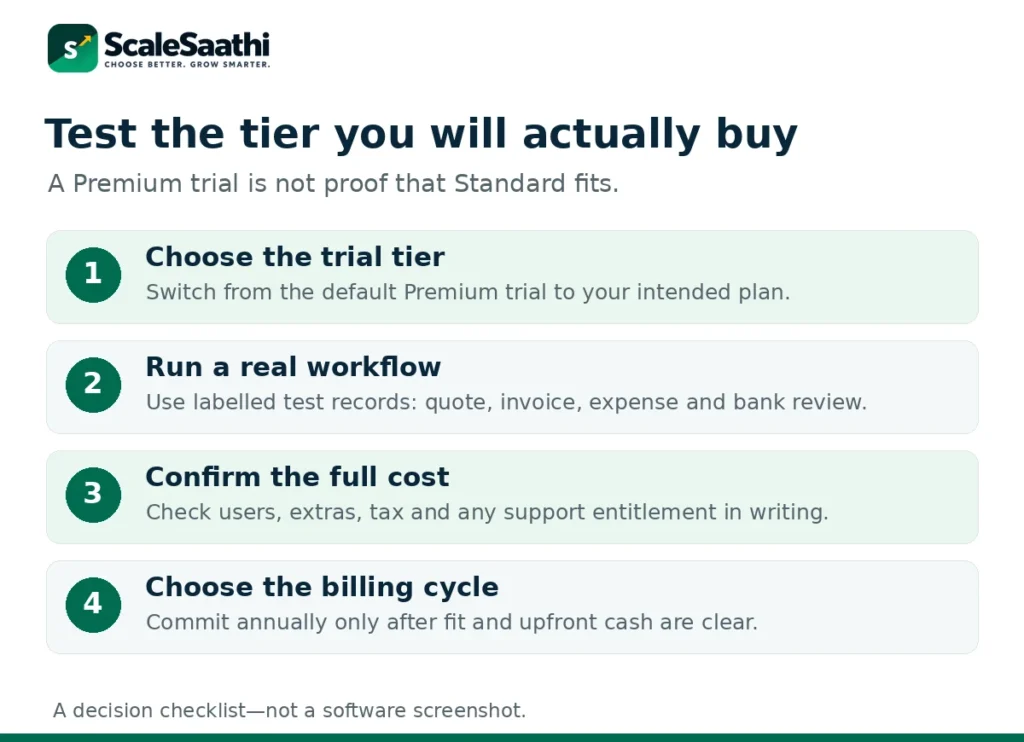
During evaluation, try a quote-to-invoice workflow, a purchase or expense, bank reconciliation and an accountant export using clearly labelled test data. Add one task specific to the intended tier, such as foreign-currency invoicing or a batch-tracking requirement. Record what still needs manual work.
The Zoho refund policy provides a dissatisfaction process in the first month of a monthly subscription and the first 45 days of an annual subscription. Partial annual downgrades can result in subscription-extension credits rather than a cash refund. Read the conditions; do not treat cancellation as an unconditional pro-rata refund promise.
Monthly and annual subscriptions renew automatically until cancelled under that policy. It also gives limited windows to request refunds after an overlooked renewal. Put the actual renewal date and amount in your budget, rather than assuming today’s price is locked forever.
The Books cancellation instructions allow timing a downgrade for the end of the billing cycle and describe cancelled data as read-only. Before cancelling, obtain the exports and attachments you need and confirm the access/retention position for your account. A read-only view is not a substitute for your own usable records.
Use the free Zoho Books pricing calculator
Download the Excel cost planner
Start with Plan Comparison for base prices. In Cost Planner, enter the plan, counted users and any extra paid units. The workbook separates the first Books subscription bill from the full first-year budget. Rate Card holds the published inputs so you can update them when prices change.
Organisation count multiplies identical configurations; run separate scenarios when different businesses need different tiers or extras. Other monthly/yearly services and one-time setup are aggregate allowances. The tax input applies a single planning rate, so use separate calculations where invoices have different treatments.
The workbook blocks obvious Free-plan and payroll-tier mismatches, but it is not a feature-eligibility engine or a live quote. Confirm add-on availability, Free-plan conditions and actual tax. No discount, refund, tax-credit recovery or automatic future price update is assumed.
What users commonly report
These themes summarise public reviews of Zoho Books on sites such as Capterra (including India listings), G2 and TrustRadius. They are paraphrased and India-focused where the sources allow.
- Easy day-to-day books and invoices: reviewers commonly praise learning invoicing and bookkeeping without a deep finance background.
- Dashboards and Zoho stack fit: cash-flow and receivables views, plus working with other Zoho apps and in-product payment collection, are repeated positives.
- GST invoicing generally workable: Indian reviewers often treat tax tracking and GST-oriented workflows as usable once set up.
- Bank feeds and reconciliation frustrate high volume: awkward matching, sync delays and broken bank links are a recurring complaint theme.
- Support quality varies: some find chat or phone helpful; others report slow replies on complex tickets.
- Customisation and plan boundaries: invoice layout limits and features that seem to need a higher tier after signup come up regularly.
Our plan-selection rule
Choose the least expensive plan that passes your actual workflow test, then add only the capacity you need. Revisit the tier when a specific requirement changes—not simply because a larger plan is promoted.
Use Free when the eligibility and limits fit; compare Standard plus seats before a user-driven upgrade. Pay for Professional, Premium, Elite or Ultimate only when its capabilities have a defined job. Choose annual billing after that fit is clear and the upfront cash is available. For a wider rollout, our business-software buying framework helps separate a tested workflow from a collection of subscriptions.
Frequently asked questions
What is the starting Zoho Books price in India?
The eligible Free plan is ₹0. Standard is ₹899 per organisation per month on monthly billing, or ₹749 per month equivalent billed annually. The base annual commitment is ₹8,988 before taxes and extras.
Is ₹749 billed every month on the annual plan?
No. It is the monthly equivalent of a twelve-month annual commitment. Standard’s base annual amount is ₹8,988; at the guide’s assumed 18% GST, that is ₹10,605.84. Confirm the final checkout.
Does Zoho Books pricing include GST?
Zoho lists prices exclusive of local taxes. This guide models 18% GST for a taxable domestic budget. Verify the actual tax on your invoice; input tax credit is a separate eligibility question, not an automatic reduction in cash due.
Is Zoho Books Free available indefinitely?
The India pricing FAQ permits ongoing Free use while financial-year revenue does not exceed ₹25 lakh. One business user plus an accountant, transaction caps and feature limits still apply. This is not a GST registration threshold.
Are invoices and bills one shared limit?
No. Zoho lists an annual invoice cap and a separate annual combined bills-and-expenses allowance. Free has 1,000 in each category; that does not permit 2,000 invoices.
Must five users choose Professional?
Not necessarily. If Standard covers the work, its three included seats plus two annual-billed additional seats total ₹1,049 per month equivalent before tax. Professional may still be needed for features such as projects, approvals or multi-currency.
Does inventory require Elite?
Basic inventory is shown on lower plans in the current India comparison. Elite is for advanced operations such as warehouses, batch/serial tracking and shipping. Check the exact workflow rather than the word inventory alone.
Is payroll included with every plan?
Entitlements vary. Books lists payroll employee capacity from Premium upward, while its help page describes default free Payroll access for Standard. Confirm the specific Payroll edition, features and employee allowance before budgeting.
Can I change or cancel my plan?
Zoho provides plan-management and cancellation controls. Refunds and credits depend on policy conditions, timing and billing cycle. Export required records and confirm continued access before changing or cancelling the subscription.
Does the calculator give a guaranteed Zoho quotation?
No. It calculates a budget from published rates and your assumptions. It does not contact Zoho, validate every feature entitlement or apply negotiated discounts. Use the final checkout or written quote before paying.
Sources and further reading
- Zoho Books India: plan prices, add-ons and eligibility FAQ
- Zoho Books India: detailed feature and usage comparison
- Zoho Books India: published plan prices and product scope
- Zoho Books: Free accounting plan overview
- Zoho Books help: trial plans and subscription management
- Zoho Books help: payroll access and integration
- Zoho Books: separate support plans and prices
- Zoho: refund, partial downgrade and automatic renewal policy
- Zoho Books help: downgrade and cancellation
- Zoho Books help: migration from other systems
- CBIC IT/ITES FAQ: IT-services GST rate, question 5
Product names and logos are trademarks of their respective owners. They are shown only to identify the products compared in this guide, and their use does not imply endorsement by or affiliation with ScaleSaathi.