
Last updated: 25 October 2026
Prices on this page exclude 18% GST unless a line says otherwise. Supplier figures are as published and checked on 25 October 2026; check the current price before you buy.
Website development cost in India depends on what the developer must deliver—not just how many pages you want. A simple business site, an editable corporate website and a customer portal are different purchases.
For an initial price reference, Zethic’s published 2026 guide lists ₹30,000–₹80,000 for a basic business site, ₹2–₹6 lakh for a corporate website, and ₹5–₹20 lakh or more for a custom web application. These are one agency’s published estimates, not an India-wide survey or a quotation for your project. See the source and its scope categories.
A useful buying decision needs more than a range. You need to know what goes into the build price, how to compare proposals with different exclusions, and how to work out the cost of keeping the finished site usable.
Worked budgets are illustrative and exclude taxes. Obtain a written quote for your scope before committing.
Beyond the build price: the yearly bills and quote traps (before 18% GST)
- Year 1: ₹43,152 in the small-business example: an assumed ₹30,000 build + ₹6,672 Hostinger Premium for 48 months + ₹6,480 for Google Workspace (2 users).
- Year 2: ₹7,379: the ₹899 .in domain renewal plus ₹6,480 email. Years 3 and 4 are the same.
- Year 5: Hosting renews: ₹449 a month adds ₹5,388, so that year comes to ₹12,767.
- Each extra mailbox: ₹3,240 a year per Google Workspace Business Starter user.
- Will it pay back?: At ₹1,500 profit per customer, an ₹18,000 build needs 12 extra customers; a ₹36,000 build needs 24.
- Cheap quote trap: ₹22,000 + ₹18,000 of missing copy, migration, form connection and backup setup = ₹40,000, against a ₹36,000 quote that included them.
- Price driver: Count distinct layouts and features (forms, logins, bookings, connections), not just pages.
- Freelancer rates: There’s no reliable published rate card in India. Get two or three written scopes and mark each line included, excluded or unclear.
How much should you budget for your type of website?
Start by describing what visitors must be able to do. Then decide what your team must be able to change without calling the developer.
Quick reference: published build ranges by website type
| Website type | Published build range | Read it as |
|---|---|---|
| Template or DIY-assisted site | ₹10,000–₹30,000 | Existing template, your content, few changes |
| Basic business website | ₹30,000–₹80,000 | A few pages, enquiry form, mobile layout |
| Small business site with CMS | ₹80,000–₹2,00,000 | Staff edit pages, blog or projects |
| Corporate website | ₹2,00,000–₹6,00,000 | More pages, custom design, approvals |
| Ecommerce store | ₹80,000–₹8,00,000+ | Catalogue, checkout, payments, orders |
| Custom web application | ₹5,00,000–₹20,00,000+ | Logins, roles, business rules |
These are ranges published by one agency, not a survey or a quote. Use them to check whether a quote is in a plausible range, then compare what the quote actually delivers.
A landing page or simple business presence
A useful brief might be: “Explain one service, show evidence, and send enquiries to our team.” Ask for the page sections, contact method, mobile layout and responsibility for the words and images.
As another published reference, Secuodsoft’s quick-price table lists ₹15,000–₹60,000 for a landing page. That is its estimate, not a minimum price every buyer must pay. View Secuodsoft’s published guide.
A standard template can be enough if it communicates your offer clearly. If your only requirement is a small informational site, a customer dashboard or a custom backend may add work you do not need.
A business or corporate site your staff can update
Decide whether staff will publish service pages, news, projects or case studies. Specify the editing fields and the reusable layouts. A site that looks correct on launch day can still be inconvenient if changing a phone number requires paid developer time.
Ask for a demonstration: can your staff add an ordinary page, replace an image and edit navigation? The answer matters more than a promise of “unlimited pages”.
For a lean launch, use the small-business budget section below to decide which ongoing costs your team can sustain. This article focuses on buying and evaluating the development work.
An ecommerce store
List the product structure, checkout, delivery rules, payment integration and order-management requirements. A shop has operational workflows beyond displaying products.
Budget the build separately from running the business. Our ecommerce website cost guide covers the continuing platform, app and payment costs, with itemised examples. Use that alongside the developer’s scope instead of treating a store-setup price as the complete annual budget.
A custom portal or web application
Write down user roles, permissions and the actions each user can perform. A booking request sent by email is different from live appointment availability, staff allocation, payment and cancellation rules.
For an uncertain project, ask for a separately priced discovery stage that produces a requirements document and a working prototype of the difficult workflow. Agree what you receive at the end, even if you choose not to commission the full build.
Avoid requesting a fixed “complete portal” price while the central business rules are undecided. The missing decisions will eventually become development work or disagreements over scope.
Small business website cost in India
For most small businesses the cost has two parts: a one-off build, and the yearly bills that keep the site, domain and email running. The example below uses current published prices for the recurring items and an assumed ₹30,000 build quote, a figure in line with published WordPress packages from small Indian firms.
| Item | Year 1 | Year 2 | Basis |
|---|---|---|---|
| Build (assumed freelancer or small-firm quote) | ₹30,000 | — | Your quote; GST applies only if the supplier is GST-registered |
| Hosting with free domain for year 1 | ₹6,672 | — | Hostinger Premium web hosting, 48 months paid upfront |
| Domain renewal (.in) | — | ₹899 | Hostinger’s listed .in renewal price |
| Google Workspace Business Starter, 2 users | ₹6,480 | ₹6,480 | ₹270 per user per month on an annual plan |
| Total before GST | ₹43,152 | ₹7,379 | |
| GST at 18% | ₹7,767.36 | ₹1,328.22 | Assumes every supplier charges GST |
| Total with GST | ₹50,919.36 | ₹8,707.22 |
Over three years this comes to ₹57,910 before GST (₹43,152 + ₹7,379 + ₹7,379). Years 3 and 4 match year 2 because the hosting is prepaid. In year 5 hosting renews: at the displayed ₹449 a month that adds ₹5,388, taking that year to ₹12,767 before GST. Maintenance help, paid plugins and content writing are not included; add them if you will buy them.
What changes the small-business number most
- Who writes the content. If the supplier writes pages or sources photos, expect that to be priced separately.
- How many email users you need. Each Business Starter user adds ₹3,240 a year before GST.
- Whether you take payments online. A gateway fee applies to every sale (see the hidden-costs table).
- Whether you pay monthly or upfront. A low monthly figure often requires paying the full term today.
Before deciding on a build, ask whether it will pay for itself. If a typical customer brings you ₹1,500 in profit, an ₹18,000 build needs 12 extra customers to cover its cost; a ₹36,000 build needs 24. If that looks unrealistic, start smaller.
Why two ten-page websites can have different prices
Page count is a rough starting point. The number of distinct layouts and behaviours is a better question.
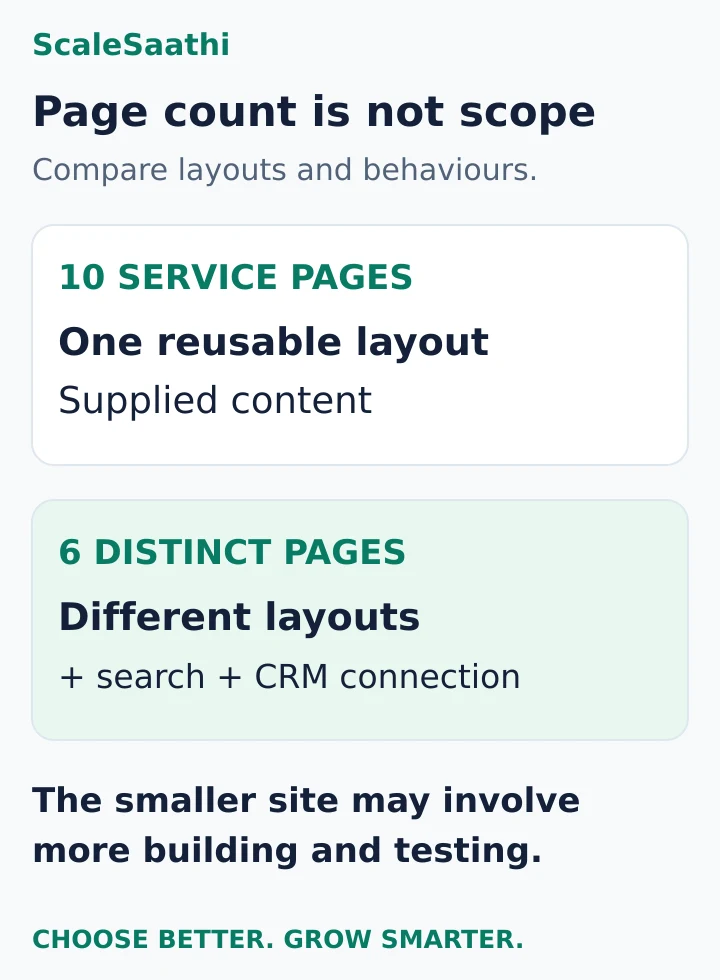
Imagine ten service pages sharing one layout. The developer builds that reusable layout and adds the supplied content. Now imagine six pages with separate designs, a searchable catalogue and an enquiry form that sends data into a CRM. The smaller site may involve more implementation and testing.
Ask your developer to separate:
- Page layouts: the distinct designs that need building.
- Content population: the work of placing text, images and records into those layouts.
- Interactions: forms, filters, logins, bookings or other user actions.
- Connections: services that receive data or provide information to the website.
The same distinction applies to redesigns. “Use our existing content” may mean copying a few pages, or it may mean cleaning hundreds of entries, resizing images and preserving old URLs.
What the development fee should buy
A written proposal should make the work visible. Use these six headings to compare it with other proposals.
1. Requirements and structure
Agree the site’s purpose, page list, navigation and essential actions. Name who supplies and approves the content. If several people can request changes, appoint one person to return a consolidated decision.
This stage should settle what belongs in the initial launch and what will wait. It should also identify unusual requirements before they become surprises during development.
2. Design and revisions
Find out whether you are buying template configuration, customised layouts or an original design process. Ask how many concepts and revision rounds are included, and what must be approved before the build begins.
The design work and its cost should be identified within the proposal. If a designer and developer are separate suppliers, confirm which one resolves gaps between the design file and the working page.
3. Implementation and integrations
Name each required feature. Replace “contact integration” with a testable description such as: “The enquiry form sends an email to the sales inbox and creates a lead in the specified CRM account.”
Ask who purchases the subscription, who configures the connection, and what happens when the external service is unavailable. An integration can require both a setup payment and a recurring service bill.
4. Content preparation and migration
Clarify whether the team writes content, lightly edits supplied text or simply uploads it. Photography, illustration, translation and large-scale data cleaning should be explicitly included or excluded.
For an existing website, make an inventory of pages and files that must be retained. Ask for a URL mapping before changing addresses. A redesign is not a reason to discard working links without a plan.
5. Testing and launch
Ask for tests of the actions the website exists to support: sending an enquiry, submitting an application, booking an appointment or completing an order. Include phone use, not just a desktop demonstration.
For existing sites, specify backup, launch responsibility and a way to recover if something goes wrong. Agree who checks the live site immediately after the change.
6. Handover and support
List the accounts, files, instructions and training that will be transferred. Ask how long the developer corrects defects in the agreed work, and how that differs from paid ongoing maintenance or new features.
A promised “one year of support” is too vague without response arrangements, included tasks and exclusions.
Worked example: how a ₹46,000 build is estimated
The following is an illustrative effort model, not a claim about standard Indian hourly rates or the time every website takes. It assumes an eight-page informational site, a reusable design, one enquiry form, no login or checkout, and final text and images supplied by the owner.
- Brief and structure: 3 hours.
- Layout and agreed design adjustments: 8 hours.
- Page templates and form implementation: 18 hours.
- Adding and formatting supplied content: 6 hours.
- Testing and agreed corrections: 8 hours.
- Launch, handover and training: 3 hours.
Total: 46 hours × an assumed ₹1,000 per hour = ₹46,000 before tax.
This breakdown gives you questions to ask. If you supply only rough notes, is writing still excluded? If an extra layout is requested after design approval, how is it priced? If the provider needs more testing time, what problem is that time intended to resolve?
Do not convert every fixed-price quote into an implied hourly rate and judge it only on that number. A fixed price can also reflect responsibility for delivering an agreed result and handling uncertainty. Use the breakdown to understand scope, then compare the complete offer.
Add the recurring services without counting them twice
Suppose the same project uses these separate annual planning allowances:
- Domain: ₹1,200.
- Hosting: ₹6,000.
- Required paid software licences: ₹3,000.
- A defined maintenance service: ₹12,000.
Annual recurring services total ₹22,200. Add the ₹46,000 build and the first-year budget is ₹68,200 before tax.
These allowances are not provider prices. Replace them with actual invoices or quotes. If the developer’s proposal already includes a service for the first year, do not add it again. If you maintain the site yourself, record that responsibility rather than silently treating maintenance as unnecessary.
At unchanged prices and scope, the following year would require ₹22,200 for those services, before tax and new work. That is a conditional calculation, not a renewal-price guarantee.
The ScaleSaathi website cost calculator can help you explore a starting budget by page count, site type and design approach. Its rule-based estimate is not a quotation; a written scope is still needed.
A low quote can become the more expensive quote
Compare the same deliverables before comparing prices. Here is an invented example for the same intended business site, excluding taxes and recurring services.
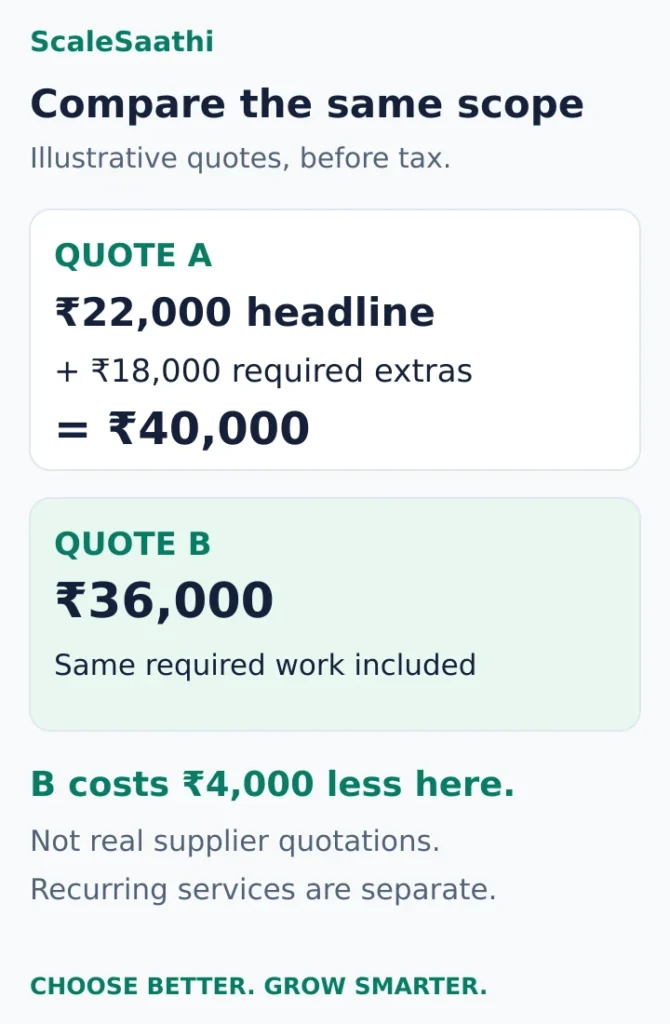
Quote A: ₹22,000 advertised build
The required work is incomplete. Add ₹8,000 for copy, ₹5,000 for migration, ₹3,000 for the required form connection, and ₹2,000 for backup setup.
Comparable build cost: ₹22,000 + ₹18,000 = ₹40,000.
Quote B: ₹36,000 with those items included
Assume the written scope includes the same content work, migration, form connection and backup setup, with comparable delivery and support terms.
Comparable build cost: ₹36,000.
Quote B is ₹4,000 less under these assumptions, even though its headline price is higher. This is a method for reading proposals, not evidence that expensive suppliers are better.
Mark each line in every proposal as included, excluded or unclear. Ask for a price on essential exclusions before accepting. Leave optional additions separate so they do not inflate the launch scope by accident.
DIY builder, WordPress, freelancer or agency?
These choices are not mutually exclusive. A freelancer or agency can build with WordPress or a hosted builder. Separate the platform decision from the decision about who does the work.
| Route | Cash cost example | Your time | Fits when | Watch for |
|---|---|---|---|---|
| DIY website builder | Hostinger Website Builder Premium: ₹6,672 for 48 months, then ₹449/month displayed renewal | High: you write, design and publish | A few pages, a fixed layout and a tight budget | Renewal price; whether you can move the site later |
| DIY WordPress | Hostinger Single web hosting: ₹3,312 for 48 months, then ₹289/month displayed renewal; WordPress itself is free | Highest: setup, updates, backups | You or a staff member can maintain it | Paid theme and plugin renewals; security updates |
| Small firm or freelancer package | AOS e-Service Basic: ₹5,000 + GST for year 1; Infosolutions Goa WordPress sites from ₹30,000 | Medium: content, reviews | Standard brochure site with clear scope | What the “from” price leaves out; who owns the accounts |
| Agency | Zethic basic business site: ₹30,000–₹80,000; Secuodsoft basic business site: ₹40,000–₹1,50,000 | Low to medium: brief, approvals | Several stakeholders, custom design, integrations | Change-request rates; handover and support terms |
There is no reliable published rate card for individual freelancers in India, so we do not quote one. Ask two or three for a written scope and use the checklist on this page to compare them.
A builder subscription is not a development quote
For a concrete subscription example, Hostinger’s India website-builder page listed Premium at ₹139 per month on a 48-month term, with ₹6,672 payable for that term before GST, and a displayed renewal rate of ₹449 per month (checked 25 Oct 2026). Check the checkout total, tax and renewal conditions before buying.
Multiplying ₹139 by 12 gives an annual equivalent of ₹1,668, but that is not the upfront payment for the advertised 48-month offer. Nor does the subscription price pay an independent developer to write your content, configure every feature or maintain your business information.
A builder can be suitable if the features fit and you can manage the content. Test the required form, editing workflow and export options before committing to a long subscription.
WordPress software and paid work are separate
WordPress.org provides the WordPress software for download. A developer’s fee can cover planning, design, configuration, content work and testing around that software. It is not automatically a fee for purchasing the WordPress core itself.
For a self-hosted website, make a separate decision about choosing suitable web hosting. Confirm which services are included in the hosting plan before buying additional backups, security tools or certificates.
Use the ScaleSaathi website platform selector to compare your need for convenience and control. Then ask a shortlisted supplier to demonstrate the features that matter to your site.
Evaluate the person or team doing the work
A freelancer can be a good fit for a clearly defined project with direct communication. Ask about availability, backup cover and ongoing access to the work.
An agency may provide several specialists, but the label alone does not prove that design, content or support is included. Ask who will actually build the site, who reviews it and who takes responsibility for problems after handover.
Request a relevant working example, not just a homepage screenshot. A beautiful portfolio does not show whether a form arrives in the right inbox or whether staff can comfortably update a page.
What “SEO included” should mean in a quote
Ask for specific deliverables: editable page titles and descriptions, sensible page structure, working internal links, appropriate indexability settings, a sitemap where applicable, and a plan for changed URLs on a redesign.
Keep ongoing research, article production and promotion separate unless they are explicitly commissioned. Installing an SEO plugin is not the same as providing a continuing SEO service.
Google’s SEO Starter Guide states that following its guidance does not guarantee that a site will be indexed. Do not accept guaranteed rankings or a plugin score as the acceptance test for a development project.
Agree on milestones you can inspect
Link payments to defined deliverables rather than vague statements such as “website almost finished”. The exact schedule is negotiable, but the checkpoints should be understandable:
- Scope agreed: page list, features, exclusions and responsibilities are written down.
- Design approved: the agreed layouts and mobile approach can be inspected.
- Working preview accepted: the required pages and actions work with realistic content.
- Launch and handover completed: access, documentation and the live checks are delivered.
Ask how changes are approved. A short written change request should state the extra work, price and effect on delivery before it begins. Keep bug correction separate from a newly requested feature.
Also record dependencies on your side. Late content or conflicting approvals can delay a project even when the development work itself is on schedule.
Before the final payment: a practical acceptance checklist
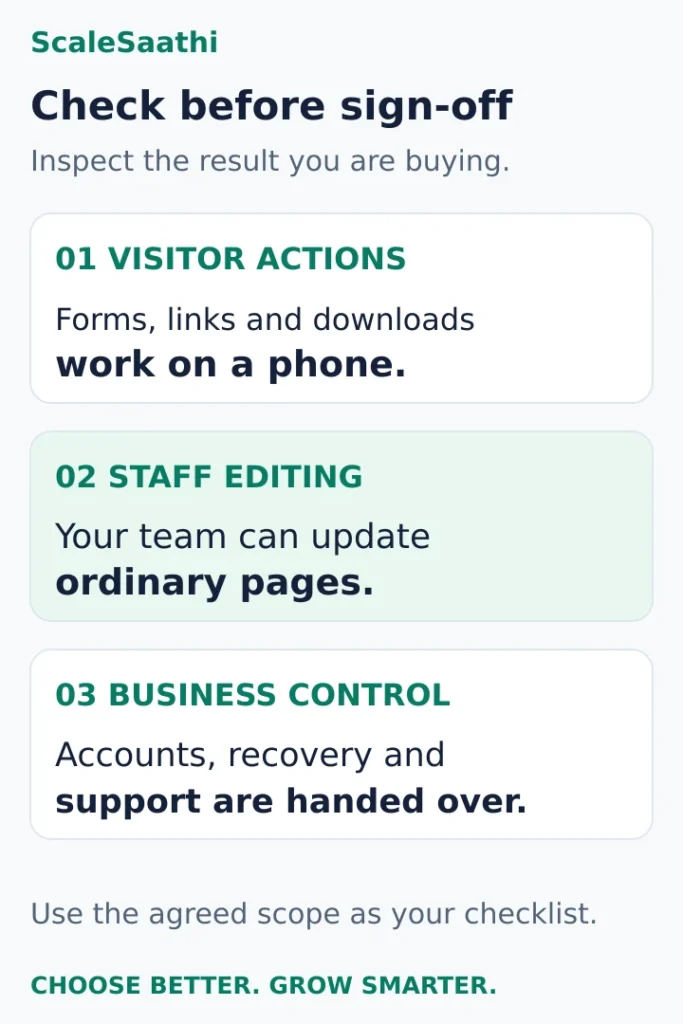
Use your actual phone and an ordinary staff account where possible.
- Submit the enquiry form and confirm delivery to the intended inbox or system.
- Check important navigation, downloads, telephone links and buttons.
- Edit a normal page, upload an image and confirm the change appears correctly.
- Check that the agreed content is present and that placeholder text is gone.
- Review the live mobile layout with realistic headings, images and form errors.
- Confirm your business controls the domain, hosting or platform account and necessary administrator access.
- Obtain the agreed backup or recovery instructions and the support contact.
- For a redesign, test important old URLs against the agreed mapping.
Keep domain registration and renewal under your control, with renewal reminders going to an address your organisation manages. Hosting and software subscriptions should also have clear owners and payment responsibilities.
Decide what to build now and what can wait
If the budget is tight, reduce the number of distinct layouts, supply complete content and postpone features that do not support the first launch. Keep the essential visitor action easy to complete.
Do not remove all testing or handover simply to fit a headline budget. Ask for a smaller, clearly finished project that your team can operate.
Send the same short brief to shortlisted suppliers. Compare the scope-adjusted build price, first-year services, renewal commitments and support arrangement. A quote becomes useful when you can explain what you are buying, what remains your responsibility and how you will know the work is complete.
One-time vs recurring website costs
| Cost | Type | Current example |
|---|---|---|
| Design and build | One-time | Your quote; see the ranges above |
| Domain name | Recurring, yearly | Hostinger .in ₹1 first year, renews ₹899; .com ₹1 first year, renews ₹1,499 |
| Hosting or builder plan | Recurring, often prepaid for 12–48 months | Hostinger Premium ₹6,672 for 48 months, renews ₹449/month |
| SSL certificate | Usually included | Free SSL is included on Hostinger web hosting plans |
| Business email | Recurring, per user | Google Workspace Business Starter ₹270/user/month (annual) or ₹325 (flexible) |
| Payment gateway | Per transaction | Razorpay standard: 2% per transaction plus 18% GST on the fee |
| Maintenance and updates | Recurring, if outsourced | Ask for a written monthly or yearly scope |
| Theme or plugin licences | Recurring, yearly | Check each licence’s renewal price in the bill of materials |
Introductory prices usually apply to the first term only. For each recurring line, write down the amount due today, the period it covers and the date and amount of the next charge.
GST on website costs
Website design and development is taxed at 18% GST (9% CGST + 9% SGST, or 18% IGST across states), under SAC 998314 in the government’s services classification. Hosting, domains, business email and payment-gateway fees are also normally charged with 18% GST.
| Amount before GST | GST at 18% | Total |
|---|---|---|
| ₹5,000 | ₹900 | ₹5,900 |
| ₹30,000 | ₹5,400 | ₹35,400 |
| ₹46,000 | ₹8,280 | ₹54,280 |
| ₹6,672 | ₹1,200.96 | ₹7,872.96 |
- Ask every supplier whether the quote is “plus GST” or “inclusive of GST”. On a ₹46,000 build the difference is ₹8,280.
- A supplier who is not GST-registered cannot charge GST. Ask for the GSTIN on the invoice if GST is charged.
- If your business is GST-registered, you may be able to claim input tax credit on these invoices. Confirm with your accountant.
- Many hosting and software sites show prices before GST, and the tax appears only at checkout.
Hidden costs that push the budget up
| Hidden cost | Why it appears | How to control it |
|---|---|---|
| Renewal price jumps | First-term prices are discounted; for example ₹139/month for 48 months, then ₹449/month | Budget the renewal rate, not the offer rate |
| Domain renewal | A ₹1 first year can renew at ₹899 (.in) or ₹1,499 (.com) | Check renewal price before registering |
| Content and photos | Many quotes assume you supply all text and images | Ask for a priced content line, or prepare it yourself |
| Extra design revisions | Each extra round takes hours; in our example one extra round adds ₹3,000 | Agree the number of revision rounds in writing |
| Paid theme and plugin renewals | Pro licences renew yearly | Ask for a licence list with renewal dates and owner |
| Payment gateway fees | Charged on every sale: ₹1,000 sale → ₹20 fee + ₹3.60 GST | Include in product pricing |
| GST | 18% on most lines if suppliers are registered | Compare quotes with GST included |
| Changes after launch | New pages or features are usually billed separately | Agree an hourly rate or a small monthly support plan |
Plan the full budget: first year, renewals and three years
The six costs to put on your budget sheet
You do not necessarily need six separate purchases. The purpose of these lines is to identify what is included, what renews and who pays.
1. Setup and content. Record the initial design or configuration, content preparation and any help you are buying. If you do it yourself, record the time commitment even when the cash payment is zero.
2. Domain. Budget the address you want to keep, including its renewal. A first-year offer may differ from the continuing price. Manage domain registration and renewal through an account your business controls.
3. Hosting or a hosted platform. Choose one appropriate arrangement. A hosted builder normally bundles hosting; a self-hosted site needs a hosting service. Avoid adding a separate hosting bill to a builder budget without a specific reason.
4. Email. Check whether mailboxes are included, how many people need them, and whether an introductory inclusion expires. Website hosting and business email do not always have the same renewal date. If you are considering Gmail for your domain, compare Google Workspace plans and email costs before choosing an email allowance.
5. Required software. List only the forms, booking tools, extensions or other services the site needs. Check the limits that matter to you, such as pages, contributors or form submissions.
6. Upkeep and changes. Decide who checks enquiries, updates information and deals with technical problems. A hosted platform can reduce infrastructure work, but your prices, service descriptions and contact details still need attention.
Use the ScaleSaathi website cost calculator to explore a starting estimate. Its result is rule-based guidance, not a quotation. Compare it with actual prices and the responsibilities in your chosen setup.
Two small-business website budgets you can adapt
Assumptions: both examples are small informational websites that generate enquiries. Neither includes a shop, custom application, complex booking system, paid advertising or ongoing article production. The owner supplies the business facts and images. All amounts are before tax, and every amount in these two examples is an editorial allowance—not a provider’s advertised price.
Budget A: an owner-built information website
Suitable when: you are comfortable using an editor and can handle routine changes and the chosen platform’s upkeep.
- Setup labour purchased from someone else: ₹0.
- Domain allowance: ₹1,200 per year.
- Website platform or hosting allowance: ₹6,000 per year.
- Email allowance: ₹2,400 per year.
- Extra paid software and external upkeep: ₹0 in this limited example.
First year: ₹9,600. Following year: ₹9,600, assuming unchanged prices and needs.
This works as a budget only if the required features fit the allowance and you can do the work. It does not imply that technical maintenance disappears. If you need outside help to fix a form or manage your setup, add that expense.
The owner’s time is the main missing cash line. Put a recurring appointment in your calendar for checking enquiries, business information and renewal notices. If you cannot realistically do that, choose a support arrangement you can fund.
Budget B: a small website with setup help and limited support
Suitable when: you want assistance launching a simple site and a clearly defined amount of continuing help.
- One-time setup allowance: ₹18,000.
- Domain allowance: ₹1,200 per year.
- Hosting or platform allowance: ₹6,000 per year.
- Email allowance: ₹2,400 per year.
- Required software allowance: ₹2,400 per year.
- Limited support allowance: ₹6,000 per year.
Recurring annual total: ₹18,000. First-year total: ₹36,000, including setup, before tax.
Ask what the limited support covers. A few small content changes, scheduled checks and emergency technical support are different services. The example does not assume that ₹6,000 buys unlimited help or a guaranteed response time.
This budget can buy back some of your time, provided the agreement covers the tasks you need. If content creation or a particular integration is extra, include it before deciding the total is affordable.
How much does a website cost over three years?
A three-year view makes ongoing commitments easier to see. For the illustrative budgets above:
Budget A: ₹9,600 × 3 = ₹28,800.
Budget B: ₹18,000 setup + (₹18,000 recurring × 3) = ₹72,000.
These calculations assume unchanged annual prices, no extra work and no promotional periods. They exclude taxes and the other exclusions already stated. They are not predictions of supplier renewals.
The difference is not simply a cheaper platform versus an expensive one. Budget B includes paid setup, software and support allowances that A does not. Ask whether that help is worth the additional cash to your business, and whether Budget A’s work can realistically be handled in-house.
For your own calculation, use the actual charge due in each year. Add upgrades only when you have a concrete requirement for them.
Separate first-year and renewal costs
Put one-time items and recurring items in different columns. Design, migration and initial configuration are commonly one-time. Domain renewal, hosting, software licences, email, security services and support are recurring. Some providers advertise a monthly equivalent for a long prepaid term, so record the total payable today as well as the regular renewal amount.
Compare at least a two-year ownership period when an introductory discount is large. Also check whether tax is added at checkout and whether the invoice details meet your organisation’s needs. The objective is not to predict every future price; it is to prevent a promotional figure from being mistaken for the full operating budget.
Use a three-scenario budget
Create lean, balanced and growth scenarios. The lean version should satisfy the immediate purpose with a dependable foundation. The balanced version can add professional assistance and selected automation. The growth version can include heavier commerce, custom workflows or performance capacity. This makes trade-offs visible without pretending there is one correct price for every business.
Choose the lowest scenario that meets the must-have requirements and leaves a safe operating reserve. Avoid buying future capacity that has no current owner or use. Upgrade after traffic, sales or workflow evidence shows that the additional capability is needed.
Website design cost: what the fee should cover
Three kinds of design purchase
| Design purchase | You receive | Cost driver |
|---|---|---|
| Template adaptation | An existing theme with your colours, logo and content | Number of pages to fill and adjust |
| Original design files | Page designs (for example in Figma) that a developer builds later | Number of unique page layouts and revision rounds |
| Design and build | Designed and working pages in one contract | Both design hours and build hours; ask for them as separate lines |
As an international reference point, 99designs lists web page design contests from US$599, excluding sales tax (checked 25 Oct 2026). A quote is likely to be higher when it includes original illustrations, many unique layouts, extra revision rounds or a separate mobile design. Whatever you buy, ask to see each page on a phone before approving it.
What should a website design fee include?
Ask the designer to describe outputs you can review, rather than relying on terms such as “premium” or “modern”.
Information structure. Which pages and sections help a visitor understand the offer and choose a next step? Request a page list and a rough layout showing the order of information. That rough layout is often called a wireframe.
Visual direction. Agree the use of colours, typography, spacing, imagery and repeated elements. A small service website may need a consistent set of buttons, cards and headings; it does not automatically need an extensive brand-identity project.
The actual layouts. Name each distinct page type and state whether the design covers desktop and mobile. “Five pages” might mean five different layouts, or one layout filled with five sets of content. Make that distinction before comparing fees.
Interaction details. An open mobile menu, an invalid email address and a successful form submission are visible parts of the experience. Include the states that matter to the site’s main task, even when the developer implements their behaviour later.
Review and handover. Specify the revision rounds, decision-maker, source-file format and developer questions covered after delivery. A folder of flattened screenshots is a different deliverable from an organised, editable design file.
These are buying questions, not a claim that every small project needs a separate paid stage for each item. A template-based service can address several of them within one agreed fee.
A worked example: what a ₹32,000 design fee could cover
Consider a small consultancy website with five content pages using four distinct layouts: Home, a reusable Service layout, About and Contact. Two service pages share the same structure. The owner supplies the final logo, copy and photographs, and a separate developer will build the site.
Assume one visual direction, desktop and mobile layouts, a simple enquiry journey and two consolidated revision rounds. Here is an invented effort estimate using an assumed ₹1,000 hourly rate:
- Brief and page structure: 4 hours.
- Wireframes and content order: 6 hours.
- Desktop visual layouts: 8 hours.
- Mobile layouts and adaptation notes: 6 hours.
- Menu and form states: 2 hours.
- Agreed revision rounds: 4 hours.
- File preparation and developer handover: 2 hours.
Total: 32 hours × ₹1,000 = ₹32,000 before tax.
The model excludes implementation, copywriting, photography, paid assets, hosting and ongoing maintenance. The assumed rate and hours illustrate a calculation; neither is a measured Indian industry standard.
The point is to connect price with an output. If the brief changes from two service pages sharing a layout to six services with separate presentations, ask which design tasks change. Do not assume that all additional content pages require a fresh design, or that a new layout is free because the page count stays the same.
If one extra revision needs three hours at the same assumed rate, the example increases by ₹3,000, to ₹35,000 before tax. Agree how additional work is approved before it begins.
Fixed-price designers do not have to bill by the hour. You can use the model to question scope without demanding that every quote match its rate or time allowance.
Set revision rules that both sides can follow
Write down what a revision round means. A practical agreement might be one consolidated set of comments against a named version, followed by a revised version for review. Also specify whether a round covers the whole site or only the current stage.
Separate a correction to agreed requirements from a new direction. Fixing an omitted approved contact field differs from replacing an approved enquiry page with an appointment-booking journey.
Agree which changes are included, how extra work is priced and who can authorise it. Use approvals at sensible points: content structure, visual direction and final design handover. Avoid approving a style direction while the main content is still undecided.
Do not accept or reject a proposal solely because it says “unlimited revisions”. Ask about time limits, excluded changes and what happens if the project stalls.
Check the files and rights you will receive
Request the editable design files or the agreed platform access, not just a preview link. Ask whether someone else can continue the work, which paid tools or licences are needed, and when the handover occurs.
Have the designer identify photographs, fonts, icons and other third-party assets, together with who buys any required licences. Confirm the permission to use and modify the delivered work in writing; do not assume every asset in a mockup is included in the design payment.
If the project uses a hosted builder, check the platform’s editing and portability arrangements before commissioning layouts that depend on it. The website builder comparison helps compare those platform choices. The one-time vs recurring costs table below can help distinguish recurring platform charges from the designer’s fee.
A short brief to send before asking for a price
You can adapt this example for a service business:
We need a website that explains our services and collects qualified enquiries. Please price the design work for Home, one reusable Service layout, About and Contact, with desktop and mobile versions. We will supply final text, our logo and photographs. Include menu, form-error and confirmation states, two consolidated revision rounds, editable files and a developer handover. State whether implementation, paid assets and taxes are included. Price any excluded work separately.
Add your languages, content-page count, existing platform and who will build the design. If you need an ecommerce checkout or a more complex application, list those journeys explicitly instead of treating them as extra ordinary pages.
Ask both finalists to mark each requested output as included, extra or excluded. Review a relevant completed project and, if possible, its mobile behaviour. A portfolio image can show visual style, but it cannot establish how your own project will be delivered.
WordPress website cost: licences and handover
Published WordPress package prices in India
| Supplier | Published offer | Note |
|---|---|---|
| AOS e-Service | Basic ₹5,000 + 18% GST (₹5,900) for one year; from year 2, ₹4,000 a year including GST | Also Standard ₹7,500, Advanced ₹12,750, Professional ₹25,000 |
| Infosolutions Goa | WordPress website from ₹30,000; static site from ₹20,000 | “From” price; scope varies |
| Techpullers | WordPress CMS from ₹40,000 for 10 pages with a blog | Portfolio ₹25,000; Business ₹50,000; Ecommerce ₹75,000 |
A low yearly package often bundles hosting and the build with renewal. Ask what happens to the site, domain and files if you stop paying.
Ask for a WordPress bill of materials
A quote should name the components that deliver your requirements. “Premium website with ten plugins” tells you little about whether the site will be suitable or expensive to maintain.
Core software and editor. Ask which editor the team will use and which parts you can change. WordPress’s Site Editor can edit site-wide areas such as headers and footers when a block theme is active. A paid page builder is an option, not an automatic requirement for every business site.
Theme and design work. Record the theme’s name, whether it is free or paid, and what the developer is changing. Installing a commercial theme, adapting its layouts and implementing an original design are different amounts of work. Ask to see the specific layouts in scope: for example, a service page, a case study and a contact page.
Plugins and connected services. Each required plugin needs a purpose, licence owner, renewal amount and renewal date. “Forms included” should explain where enquiries go and whether email delivery, file storage or a connected CRM has a separate fee. Remove paid components that do not support an agreed requirement.
Custom functionality. Name what standard WordPress or an existing plugin cannot do. A quote for custom work should describe the behaviour, not merely say “custom website.” Include the ongoing person or service responsible for keeping that code compatible with updates.
Implementation and content. Specify who prepares and enters copy, photographs and business information. Loading five completed pages supplied by you is different from researching, writing and designing those pages. Training and deployment are also work; request them explicitly if you need them.
For each paid item, ask the developer to complete this sentence:
“This component is needed for ______. You pay ______ now and ______ at renewal. The account belongs to ______. If we stop working together, ______.”
A blank is a purchasing question to resolve before the deposit, not a detail to discover after launch.
The cheaper build can carry the bigger licence bill
Here is a fictional calculation, not a vendor quotation or an Elementor price. It compares only the build fee and required design-plugin licences, with the agreed front-end result and staff editing needs assumed to be equivalent.
- Quote A: ₹25,000 to build, plus ₹6,000 of design-plugin licences each year, starting in year one.
- Quote B: ₹37,000 to build using a configuration that needs no paid design-plugin licence within this scope.
Hosting, domain, care, taxes and future changes are excluded. Other costs are assumed equal for this exercise. These figures are not the full cost of owning either website.
| Year end | Quote A | Quote B |
|---|---|---|
| 1 | ₹31,000 | ₹37,000 |
| 2 | ₹37,000 | ₹37,000 |
| 3 | ₹43,000 | ₹37,000 |
Quote B’s extra build fee is ₹12,000. Dividing that by the assumed ₹6,000 annual licence charge gives two annual payments to reach the same subtotal. By the end of year three, A’s modelled subtotal is ₹6,000 higher.
That is a reason to compare recurring dependencies, not proof that avoiding paid plugins is always cheaper. If B requires more custom-code maintenance, makes editing harder or lacks a feature you need, the apparent saving may disappear. Conversely, a paid builder can be reasonable when its workflow reduces useful implementation or editing work enough to justify the cost.
For your own quotes, replace the fictional amounts with written figures. Compare build fee + required licence payments over your chosen period, then add the remaining costs to the full budget. Do not count a licence twice when it is already included in a maintenance subscription.
A working website is not the same as a transferable licence
Ask whose account supplies each paid theme or plugin. An agency may activate a site under its own subscription. That can be a workable arrangement, provided the renewal, departure and support terms are clear. It does not mean you automatically receive the agency’s account or a transferable individual licence.
Do not accept either blanket statement: “It expires, so the entire site stops” or “It keeps working, so renewal never matters.” Vendor terms and the affected features decide what happens.
For example, Elementor’s cancellation guidance says non-renewal affects Pro updates and feature access, and warns about potential compatibility problems when the free version updates without Pro. This is a dependency to budget and manage, not a claim that every expired WordPress licence behaves the same way.
The handover record should identify the vendor account holder, covered site, renewal date, payer and the supported way to move to your own subscription if necessary. Ask the developer to verify staging-site coverage and any transfer restrictions with the vendor. You need a documented arrangement; you do not need someone else’s shared account password.
Also distinguish paid software services from rights to custom work. Ask for the agreed source files and documentation, with the contract stating what you may use, modify and give to a future developer. Paying an invoice should not leave you guessing which parts of the build you can maintain.
Make WordPress handover an acceptance task
Before the final agreed payment milestone, demonstrate the site through the account you will actually use. Check one routine edit, one form submission and one important integration. Training should use your pages and workflow, not only a generic video.
Keep a short component register alongside the delivered site:
- Access: your WordPress administrator account, domain and hosting control, and recovery contacts. Use separate accounts or delegated access where supported.
- Dependencies: theme, required plugins, custom code, licence details and any external service accounts.
- Recovery: where files and database backups are stored, who can access them and who is responsible for a restore. WordPress’s backup documentation distinguishes the database from site files; a copy of uploaded images is not the whole site.
- Change responsibility: who fixes a failed update, what the included support period covers and how later work is priced.
“Three months of support” is incomplete without a scope. Ask whether it covers delivery defects, plugin conflicts, new content or new features. Our managed WordPress hosting guide explains the distinction between a hosting platform’s responsibilities and work still left to the website owner or developer.
If you already have a usable WordPress site, commission the missing improvement first: a better enquiry form, cleaner editing structure or a specific repair. A new premium theme and a rebuild are not automatically necessary. If the actual problem is moving a working site to another host, use the WordPress migration guide before paying for a replacement build.
Keeping website costs down for a small business
Can a free business listing reduce the amount you need to build?
For an eligible local business, Google Business Profile is available at no charge and can complement your website. It can help display practical business information while your own site explains your offer in more depth.
Check Google’s eligibility and representation guidelines first. Eligibility generally involves a location customers can visit or a business that travels to customers, subject to Google’s rules. Do not assume that every online-only business qualifies.
If most customers need opening details, directions and a way to contact you, you may be able to launch a smaller website alongside an accurate profile. Keep both sets of information consistent and decide who updates them.
What to postpone when the budget is tight
Keep features that help a visitor understand the offer or complete the essential action. Consider postponing:
- A blog without someone responsible for producing useful articles.
- A customer login when there is no recurring task for customers to perform.
- Live booking when a simple enquiry and confirmation process meets the current need.
- Paid marketing or automation tools without a clear use and an owner.
- Several distinct page designs when one readable layout can serve similar content.
Keep functional contact routes, readable mobile pages and control of your accounts in the launch plan. Reducing scope is more useful than removing the checks that tell you whether the site works.
A simple after-launch plan
- Put renewal dates for the domain, hosting, email and licences in one calendar.
- Check the contact form and phone links once a month.
- Keep a current backup you can download.
- Review the main pages every quarter for outdated prices, hours or offers.
Related guides: web hosting cost in India, domain registrars compared, Google Workspace pricing in India, Razorpay charges and the website cost calculator.
Frequently asked questions
Is there a standard website development price in India?
No single published price can describe every project. Use supplier estimates as references, then request a quote for your page layouts, features, content work, testing and handover. The agency ranges in this article are attributed estimates, not a national average.
Can a low-cost website be enough for my business?
It can be enough when the scope is simple and a standard template meets the need. Check whether content, forms, mobile testing, account access and ongoing services are included. Compare the finished scope rather than rejecting or accepting an offer solely because of its price.
Does a development quote include domain, hosting and maintenance?
Only if the proposal says so. Request separate lines for the build and recurring services, with the billing period and renewal responsibility for each. Avoid counting an included first-year service twice.
Why is a redesign sometimes more work than a new website?
An existing site may require content cleanup, migration, URL mapping and testing of established features. Ask which pages, files and visitor actions must be preserved before the supplier estimates the work.
Should I pay a freelancer or an agency?
Choose based on the people, relevant work, scope, communication and support arrangements. Either can use a builder or WordPress. Ask who will do the work, who reviews it and what happens if the main contact becomes unavailable.
Does paying for SEO setup guarantee Google rankings?
No. Ask for defined technical and editorial deliverables. SEO setup, ongoing content work and promotion are separate activities, and an SEO plugin score is not a ranking guarantee.
How much does a small business website cost in India?
A basic business website is published at ₹30,000–₹80,000 to build by one agency (Zethic), and small-firm WordPress packages start lower. In our worked example, a ₹30,000 build plus hosting and two email users costs ₹43,152 in year 1 and ₹7,379 a year after that, before 18% GST.
Is GST charged on website development?
Yes. Website design and development is taxed at 18% GST (SAC 998314) when the supplier is GST-registered. A ₹46,000 quote becomes ₹54,280 with GST, so ask whether a quote is plus or inclusive of GST.
How much does website design cost in India?
It depends on whether you buy a template adaptation, original design files, or design and build together. Ask for design hours and build hours as separate lines and agree the number of revision rounds; in our example one extra round adds ₹3,000.
How much does a WordPress website cost in India?
WordPress itself is free. Published small-firm packages start at ₹5,000 + GST a year (AOS e-Service Basic) and ₹30,000–₹40,000 for a WordPress build (Infosolutions Goa, Techpullers). Add hosting, domain and any paid theme or plugin renewals.
What does it cost each year to keep a website running?
Plan for domain renewal, hosting, business email, any licences and optional maintenance. In our example, domain renewal and two Google Workspace users cost ₹7,379 a year before GST while hosting is prepaid; hosting renewal is added when the prepaid term ends.
Sources and further reading
- Zethic — published 2026 estimates by website type (agency-authored, not a national survey)
- Secuodsoft — published landing-page estimate in its quick-price table (agency-authored)
- Hostinger India — website-builder term pricing and renewal display
- WordPress.org — WordPress software download
- Google Search Central — SEO Starter Guide
- Hostinger India — web hosting plans, prices before GST
- Google Workspace — India pricing
- Razorpay — standard pricing
- CBIC — GST rates for services
- 99designs — web design pricing
- AOS e-Service — WordPress packages
- Techpullers — web design pricing